Defining Business Processes
Business processes are the structured activities or tasks implemented within an organization to produce a specific service or product. At their core, they are the backbone of organizational operations, impacting everything from workflow efficiency to product quality. Understanding these processes is pivotal as it paves the way for systematic improvements and resource optimization.
Why Business Process Mapping and Modeling Matter
When exploring into business process improvement, two primary techniques play crucial roles: business process mapping and process modeling. These strategies provide insights into an organization’s inner workings, revealing opportunities for enhancing efficiency and productivity. Choosing between business process mapping vs. modeling depends on whether the objective is to optimize existing processes or design new ones from scratch.
Business process mapping focuses on visually documenting processes, making it easier to identify inefficiencies and streamline operations. Typical tools such as flowcharts, swimlane diagrams, and SIPOC charts serve to break down complex processes into digestible parts, fostering clearer communication among teams. Meanwhile, process modeling, often employing BPMN diagrams, helps in understanding intricate and dynamic workflows, essential for strategic planning and systemic integrations. A clear understanding of business process mapping vs. modeling allows teams to leverage each method effectively, depending on whether they’re targeting immediate improvements or comprehensive analysis.
By distinguishing between business process mapping vs process modeling, businesses can leverage each method’s strengths during different phases of process analysis. Combining both approaches forms a comprehensive strategy for optimizing business operations, ultimately driving enhanced productivity and institutional agility.
Business Process Mapping vs. Modeling
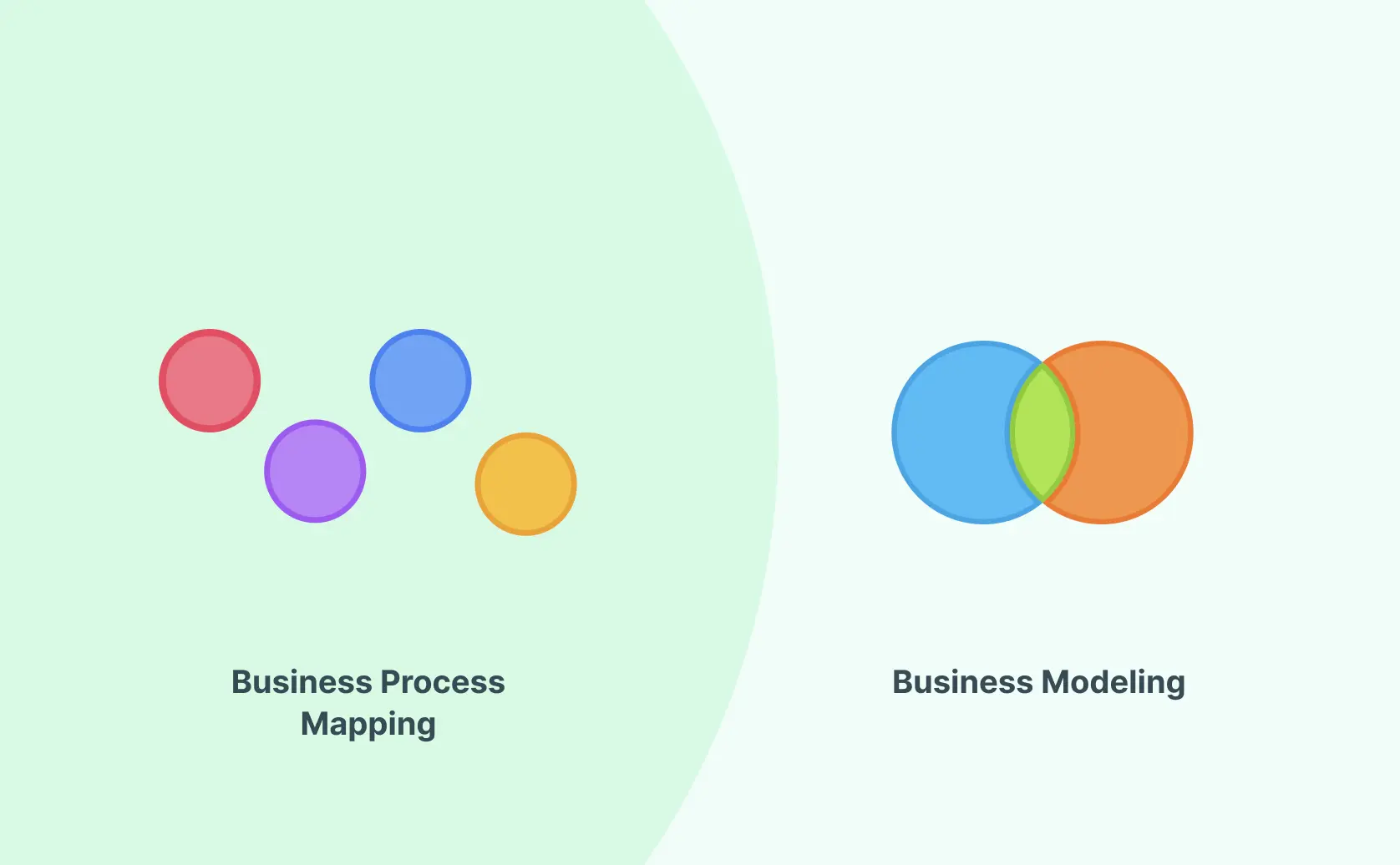
Understanding the difference between business process mapping vs modeling is essential for professionals engaged in business process optimization. While these terms are often used interchangeably, they serve distinct purposes and suit different stages of analyzing and improving workflows.
Firstly, process mapping is primarily about creating a visual representation of a business process. It is focused on the documentation of existing processes, outlining each step, role, and sequence involved. Tools like flowcharts, SIPOC templates, and swimlane diagrams are common here, helping teams capture current-state work, clarify ownership, and identify inefficiencies before making improvements.
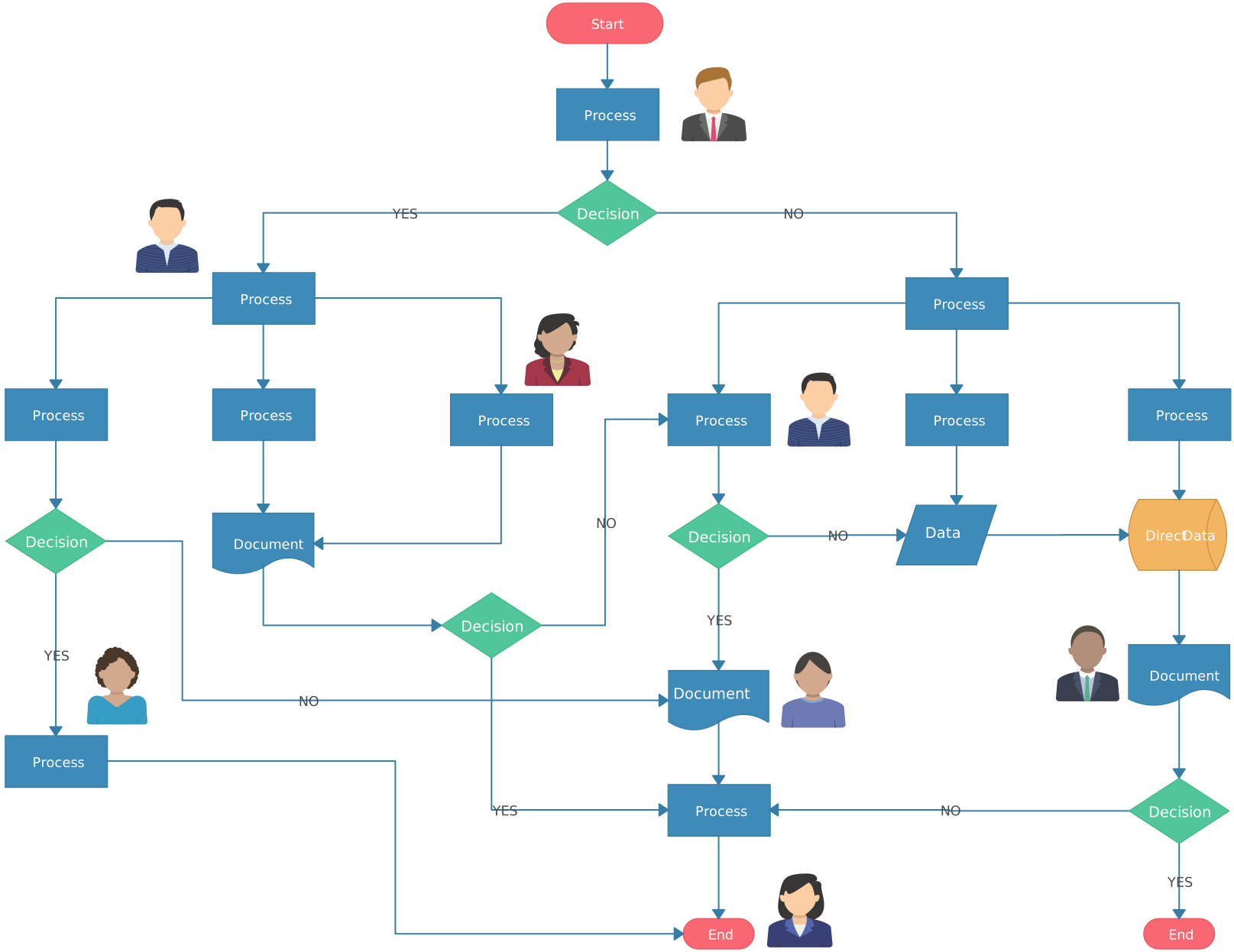

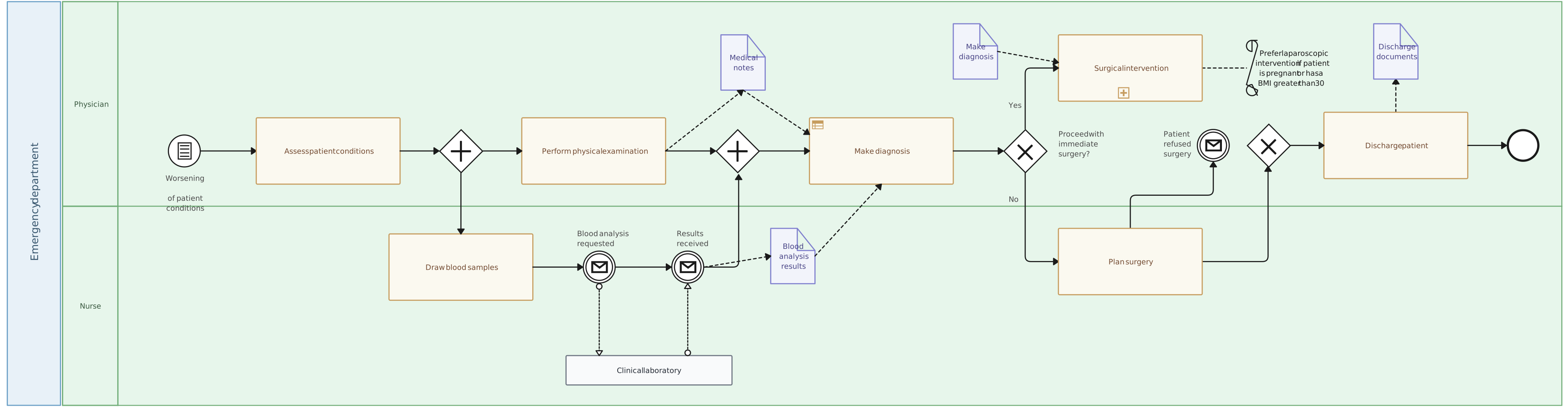
On the other hand, process modeling dives deeper into the dynamics and interdependencies of a business process. This approach not only captures high-level flows but also models complex interactions within processes, often employing techniques such as BPMN (Business Process Model and Notation). These models are instrumental during strategic planning and technical system integrations, providing a more robust framework for understanding organizational mechanics.
Comparative Table: Business Process Mapping vs. Process Modeling
| Aspect | Process Mapping | Process Modeling |
|---|---|---|
| Purpose | Identify and document current processes | Analyze, simulate, and design complex interactions |
| Tools | Flowcharts, SIPOC, Swimlane diagrams | BPMN (Business Process Model and Notation), UML diagrams, Simulation models |
| Detail Level | High-level, step-by-step documentation | Detailed analysis, system modeling, and potential outcomes |
| Application Stage | Process documentation and improvement | Strategic planning, technical development, and system design |
| Focus | Visualizing existing workflows | Creating dynamic representations of processes for analysis |
| Outcome | Clear understanding of current processes | Optimized processes and systems through simulation and modeling |
| Stakeholder Involvement | Typically involves process owners and team members | May involve analysts, designers, and IT professionals |
| Complexity | Generally straightforward and easy to create | Can be complex, requiring technical expertise |
| Examples | Documenting customer service steps | Modeling an IT system’s interaction with business processes |
| Feedback Loop | Often used for continuous improvement based on team input | Used for predictive analysis and optimization before implementation |
| Visual Representation | Primarily static diagrams | Can include dynamic simulations and interactive models |
| Use Cases | Process audits, training, and onboarding | Software development, systems engineering, and performance analysis |
Choosing between these approaches depends on the specific needs and stages of your business process development. Process mapping is often the starting point for capturing baseline data, while modeling is preferable for processes requiring detailed analysis and strategic insights. The choice between business process mapping vs. modeling is key for teams looking to either document workflows or build predictive models for process optimization.
Practical Applications of Process Mapping
Process mapping is a valuable approach for businesses looking to enhance efficiency and streamline operations. By employing various diagram types such as process flowcharts, swimlane diagrams, and SIPOC diagrams, organizations can develop a clear visualization of their workflows, which aids in identifying bottlenecks and optimizing processes.
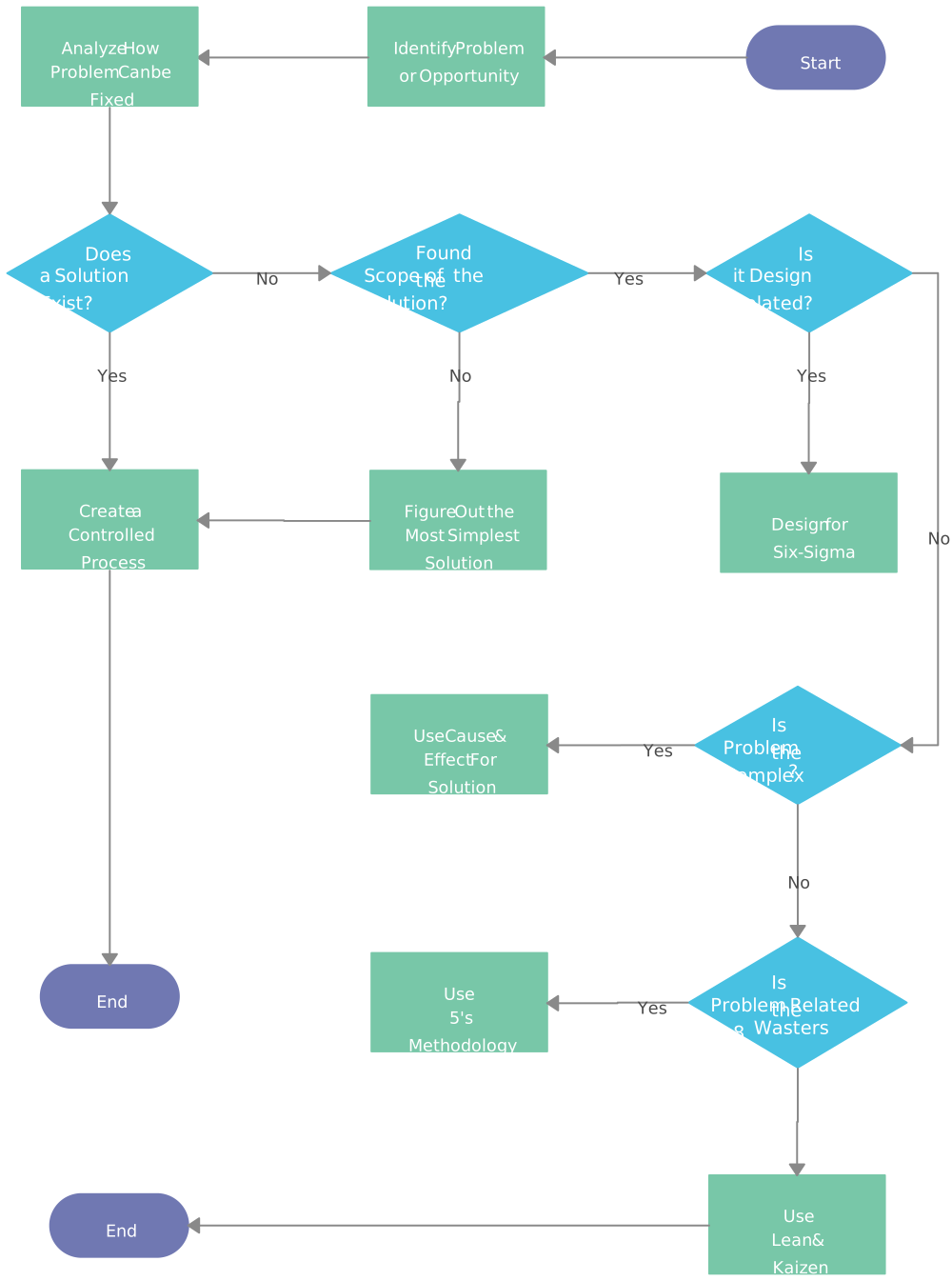
- Process Flowcharts: Ideal for visualizing the steps involved in relatively straightforward processes, they are powerful tools for documenting high-level actions before delving into more detailed documentation. Learn more about process flowcharts here. In project planning, understanding business process mapping vs. modeling can guide teams toward the best approach for documenting and analyzing workflows.
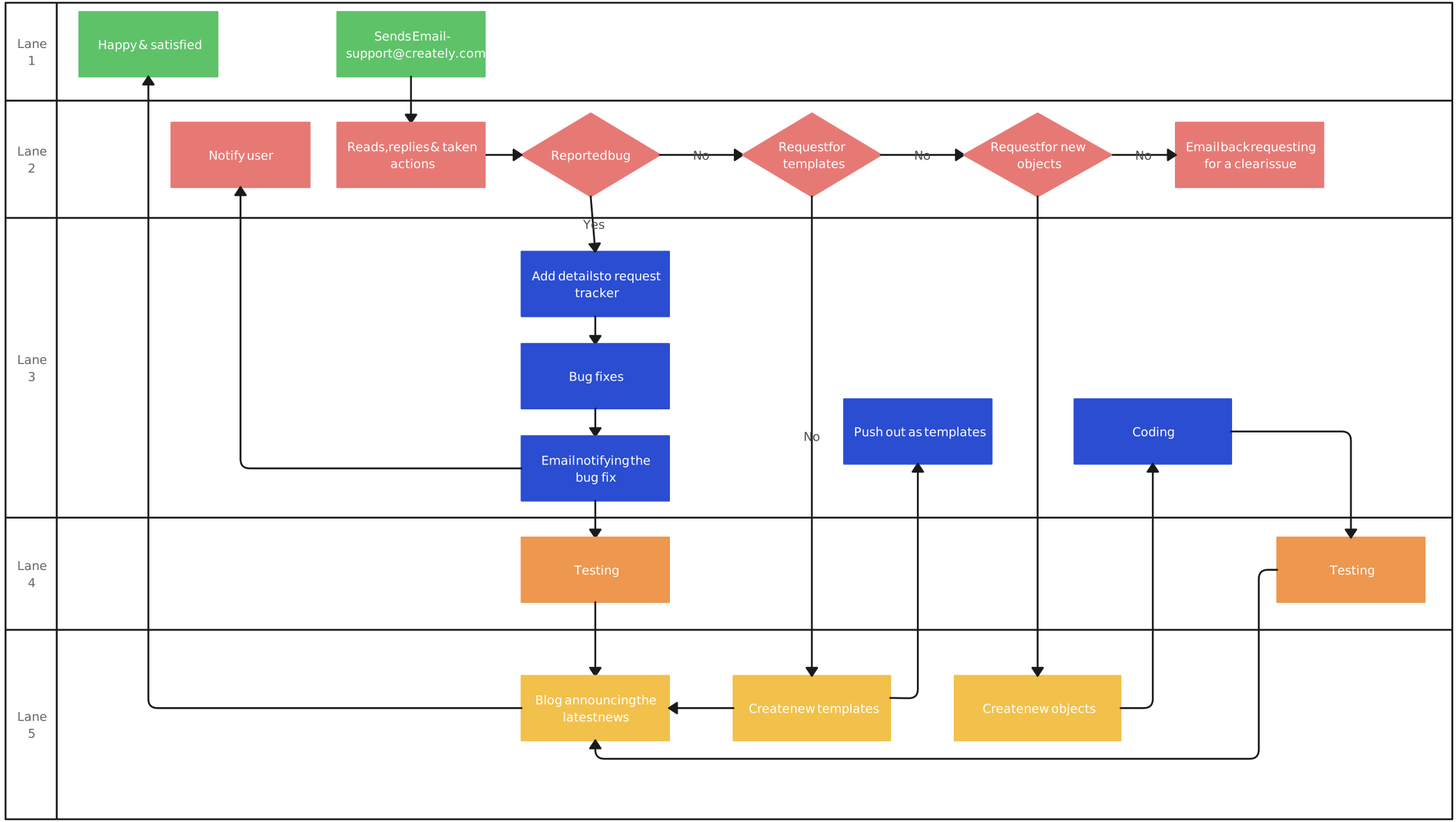
- Swimlane Diagrams: These diagrams are particularly useful for assigning responsibilities and clarifying departmental roles. By organizing activities into lanes, swimlane diagrams highlight gaps in responsibility and can improve team alignment and accountability. Understand BPMN diagrams in more detail here.
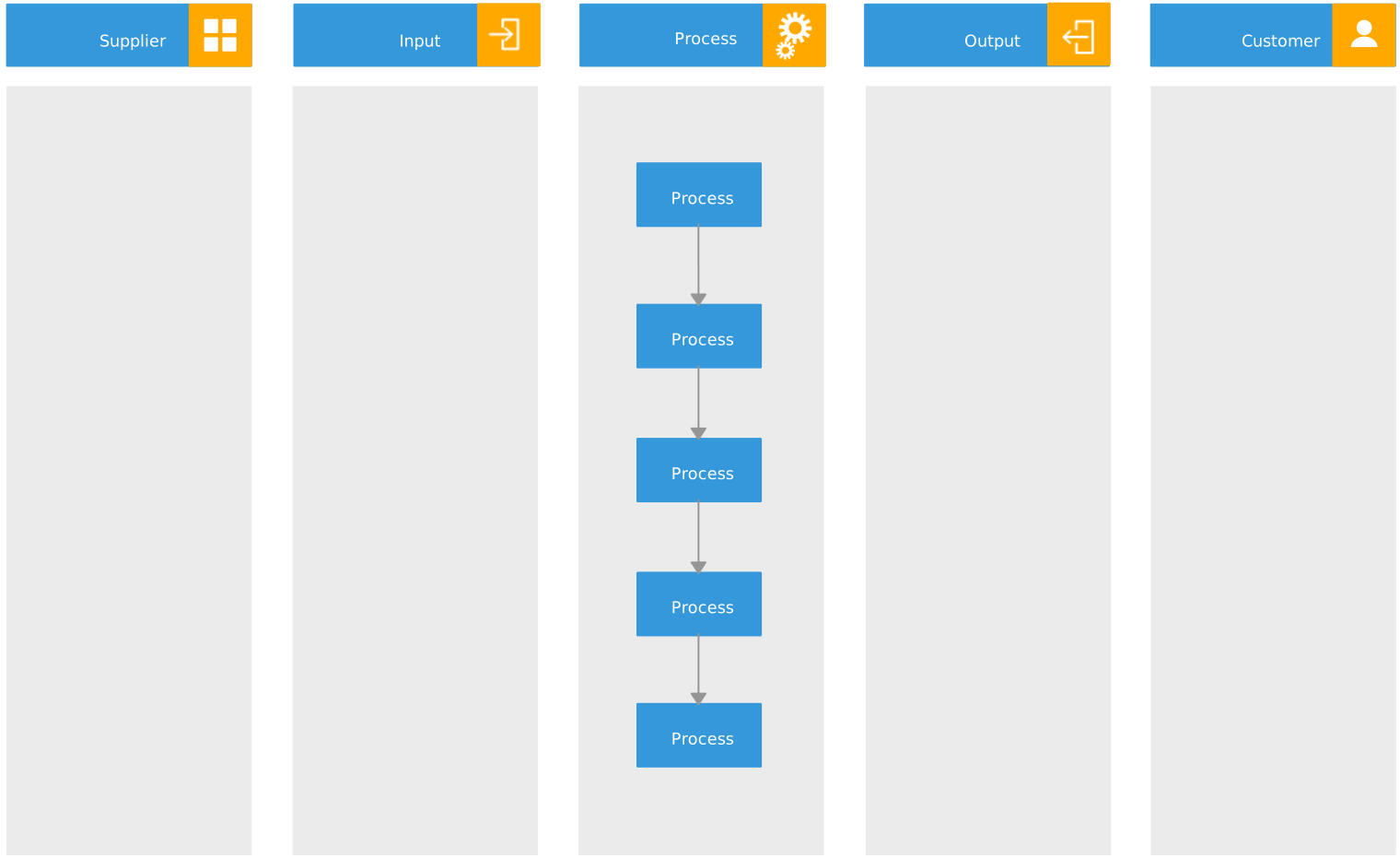
- SIPOC Diagrams: Serving as a high-level overview, SIPOC diagrams help teams identify suppliers, inputs, processes, outputs, and customers quickly. This makes them especially useful in the early stages of process mapping, when teams need a shared understanding of scope, dependencies, and who is involved.
Benefits of Process Mapping
Assessing the benefits of business process mapping vs. modeling helps teams tailor their approach to align with project complexity and resource availability. Process mapping is a valuable tool that enables organizations to:
Optimize Workflows:
By visualizing each step in a workflow, process mapping helps identify inefficiencies, redundancies, and bottlenecks. This clarity enables teams to streamline processes, reduce wasted resources, and improve operational efficiency. Evaluating business process mapping vs. modeling helps organizations decide between documenting current processes or building detailed models for future analysis.
Standardize Procedures:
Process maps create consistent guidelines across departments, ensuring all teams adhere to the same procedures. This standardization is critical for maintaining quality, meeting regulatory requirements, and reducing variation in process execution.
Enhance Communication and Collaboration:
Visual representations of workflows make it easier for team members to understand each other’s roles, responsibilities, and handoffs within a process. This transparency fosters better collaboration, reduces miscommunication, and minimizes errors.
Support Quality Improvement:
Process mapping is instrumental in quality control by providing a clear structure for analyzing and improving workflows. Organizations can continuously assess processes, identify areas for refinement, and implement changes that support high-quality outcomes.
Aid in Training and Onboarding:
Process maps serve as effective training tools, helping new employees quickly understand workflows and their responsibilities. This makes onboarding faster, more efficient, and ensures that new team members can contribute sooner.
Enable Data-Driven Decisions:
With a clear view of operational workflows, process mapping helps leaders gather insights on performance metrics, task dependencies, and potential risks. This data-driven approach supports informed decision-making, strategic planning, and resource optimization. Comparing business process mapping vs. modeling reveals that mapping is best for visualizing current states, whereas modeling explores potential changes and their impacts.
By leveraging process mapping, organizations gain a comprehensive view of their operations, which supports streamlined processes, increased efficiency, and an improved customer experience. These benefits ultimately contribute to achieving business objectives and driving sustainable growth.
Practical Applications of Business Process Modeling
Business process modeling (BPM) is a systematic approach to representing the processes within an organization, allowing teams to visualize, analyze, and improve workflows to enhance operational efficiency. By using structured notations and standardized symbols, BPM provides a detailed view of complex processes, which helps businesses ensure consistency, manage resources more effectively, and achieve strategic objectives.
Business Process Model and Notation (BPMN): BPMN is a standardized diagramming approach widely used for detailed modeling of complex business processes. With its defined symbols for activities, decision points, and workflow directions, BPMN is ideal for illustrating end-to-end processes, such as customer journeys or service workflows involving multiple departments. BPMN tools help teams model handoffs, decisions, and ownership clearly enough to review complex operations and improve them with confidence.
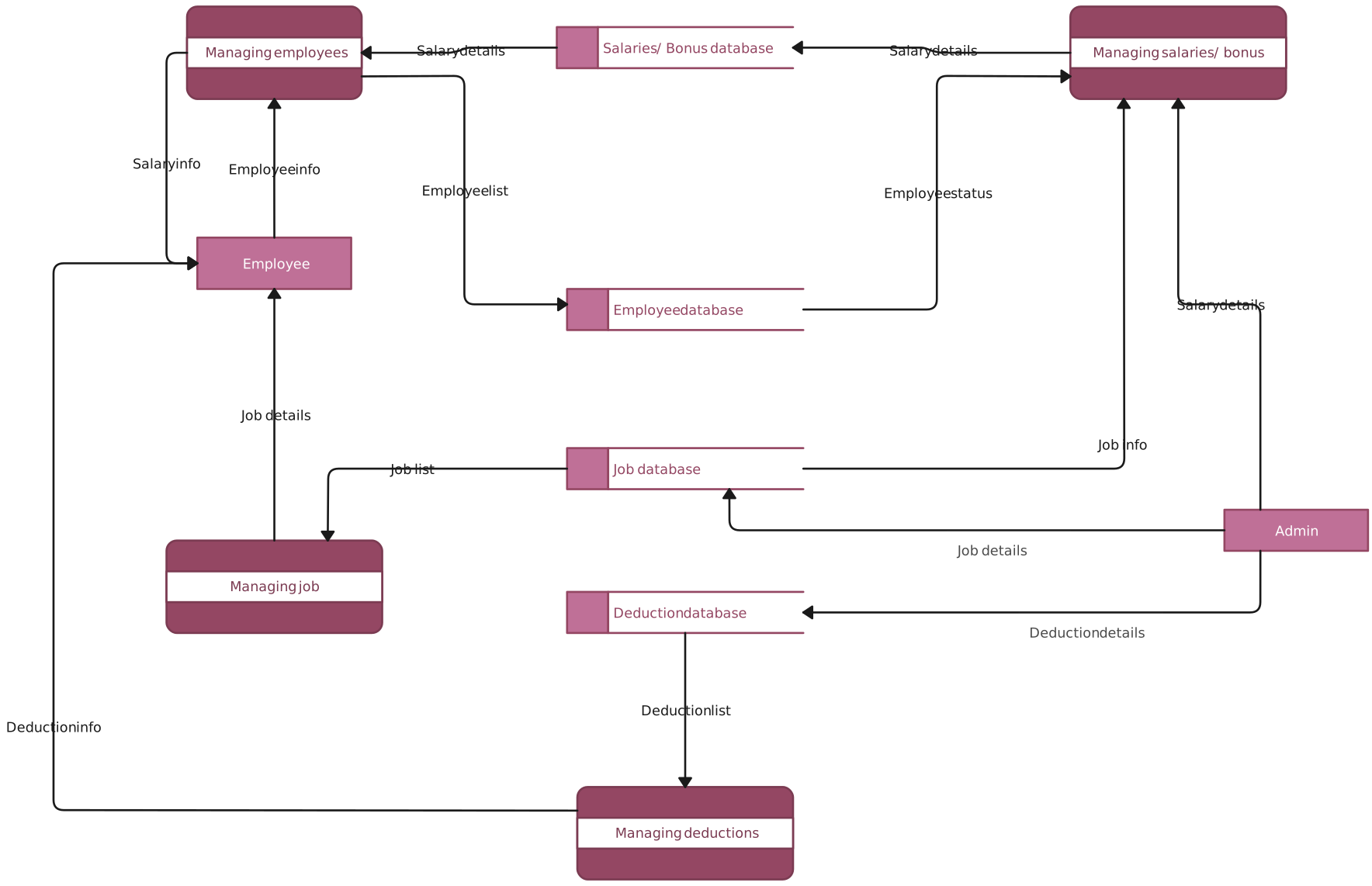
Data Flow Diagrams (DFD): DFDs are used in business process modeling to map out how information flows through a system, showcasing where data is collected, processed, and stored. Data flow diagrams are especially helpful in IT and system design, where teams need to trace data movement, spot friction points, and connect process steps to the systems that support them.
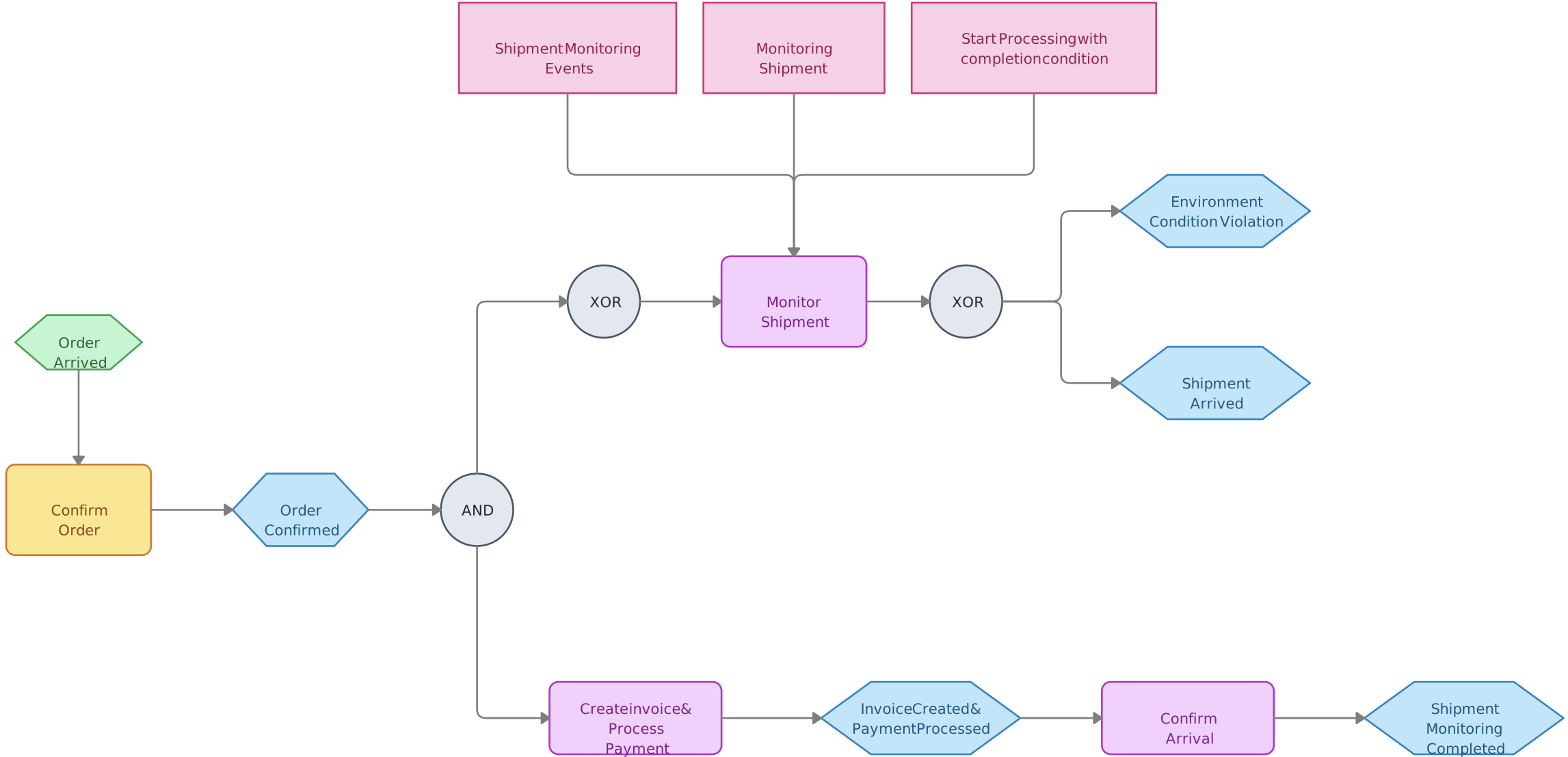
- Event-Driven Process Chains (EPC): EPCs are used to model business processes by highlighting the sequence of events that drive each step. This type of map is especially valuable for re-engineering efforts and aligning processes with business software implementations, such as SAP. EPCs help organizations examine the dependencies between tasks and events, supporting smoother operational workflows.
Benefits of Process Modeling
In practice, business process mapping vs. modeling each serves distinct purposes, yet both can be invaluable for improving organizational efficiency. Business process modeling empowers organizations to:
Optimize Processes: By clearly mapping each step and interaction within a process, BPM reveals redundancies, bottlenecks, and areas for improvement.
Ensure Consistency: Standardized process maps promote uniformity across departments, ensuring all teams follow the same procedures and meet quality standards.
Facilitate Communication: Visual representations of processes make it easier for teams to understand workflows and align on roles, reducing miscommunication and errors.
Improve Quality Control: BPM aids in implementing continuous improvement practices by providing a clear framework for analyzing and enhancing process quality.
With these tools, businesses gain deeper insight into their operations, allowing for strategic adjustments that support growth, increase efficiency, and deliver value to customers.
Strengths and Weaknesses of Business Process Mapping vs. Modeling
In the world of optimizing business operations, understanding the strengths and weaknesses of business process mapping vs modeling is crucial. Both approaches provide valuable insights, but they serve different purposes and offer distinct benefits. For organizations considering business process mapping vs. modeling, the decision often aligns with whether they need visual clarity or analytical depth.
| Aspect | Strengths | Weaknesses |
|---|---|---|
| Process Mapping | - Excellent for identifying bottlenecks and inefficiencies - Provides a clear visual representation of operations - Improves clarity, reduces errors, and ensures consistent communication - Ideal for businesses prioritizing immediate workflow optimization | - May not fully capture the complexity of dynamic, multifaceted processes - Often requires additional documentation for comprehensive analysis |
| Process Modeling | - Excels in strategic planning and system integration - Accommodates complex interactions with techniques like BPMN - Supports long-term efficiency and quality improvements | - Requires more time and resources due to complexity - May overwhelm teams unfamiliar with modeling methods, complicating initial implementations |
For businesses focusing on high-level efficiency and clarity, process mapping is advantageous. In contrast, those engaged in strategic planning and IT infrastructure might favor process modeling. Selecting the right approach hinges on specific business objectives and operational complexities.
Helpful Resources
Use mind map online to visualize ideas and concepts for collaborative brainstorming, creative thinking, problem-solving, and so much more.
Visualize, analyze, and improve organizational processes on a single, connected workspace.
Fine-tuning your business process? Planning a project? Organizing your assignment? Whatever the situation, mind maps are a great way to visualize the process and execute it smoothly.
Use our powerful swimlane diagram maker to create business process diagrams online.
Identify waste and inefficiencies in your existing processes and collaborate to develop solutions for improvement using our advanced value stream mapping software.
Choosing the Right Tool for Business Process Mapping vs. Modeling
Selecting the right tool is crucial for streamlining workflows, enhancing collaboration, and improving operational clarity. Creately stands out for teams that need both business process mapping and modeling because it supports the visual side of the work and the operational context behind it.
Key Advantages of Creately
Versatile visual workspace: Creately supports flowcharts, BPMN, swimlanes, and related process diagrams, which helps teams move between high-level mapping and more detailed modeling without changing tools.
Connected process knowledge: Instead of stopping at a diagram, Creately lets teams add owners and other structured details to relevant shapes, connect supporting notes and links, and link high-level processes to detailed subprocess diagrams. This keeps operational context close to the model without implying automatic synchronization between diagrams.
Seamless mapping and modeling: BPMN support, process shapes, templates, and linked subprocess diagrams make it easier to document the current state and design improvements. Accountable owners can review and update each affected diagram as the process changes.
Real-time collaboration: Teams can edit flows together and use contextual comments to discuss decisions and handoffs. Accountable owners can then incorporate agreed updates so the process model remains current.
Support for improvement planning: Teams can document current-state issues, future-state ideas, improvement priorities, and responsible owners alongside the process model. Creately keeps this planning context connected to the diagram; it does not execute or automate the process.
Collaborative decision-making: Shared workspaces help process owners, analysts, and operators align on how work really happens and what needs to change.
Easy to use with detailed process-modeling support: The visual editor is approachable for teams documenting processes for the first time, while BPMN 2.0 libraries, swimlanes, structured shape data, and linked diagrams support more detailed process models.
One platform for mapping and modeling: Teams can analyze, document, review, and maintain workflows in one place instead of splitting process knowledge across separate tools.
Designed for continuous improvement: Plan-dependent version history supports reviewing and restoring earlier work. Real-time editing, contextual comments, and connected documentation help stakeholders review changes, while accountable owners keep process knowledge current.
Supports operational scale: As more teams depend on the same workflows, Creately helps preserve clarity, consistency, and accountability across departments.
Conclusion
Understanding the differences between business process mapping vs process modeling is essential for optimizing workflows and driving operational efficiency. While process mapping excels at documenting and improving existing workflows through visual clarity, process modeling dives deeper into complex interactions and dynamic systems, offering strategic insights for long-term improvements. Organizations that understand business process mapping vs. modeling can more effectively decide on tools and techniques that match their specific improvement objectives.
The right tool can significantly enhance both techniques, and Creately stands out for teams that need to keep process maps and process models connected to real operational work. It helps teams visualize flows, clarify responsibilities, preserve supporting context, and keep process documentation useful as workflows change.
Greasley, A. (2006). Using process mapping and business process simulation to support a process-based approach to change in a public sector organization. Technovation, 26 (1), pp.95–103. Doi: www.doi.org/10.1016/j.technovation.2004.07.008.