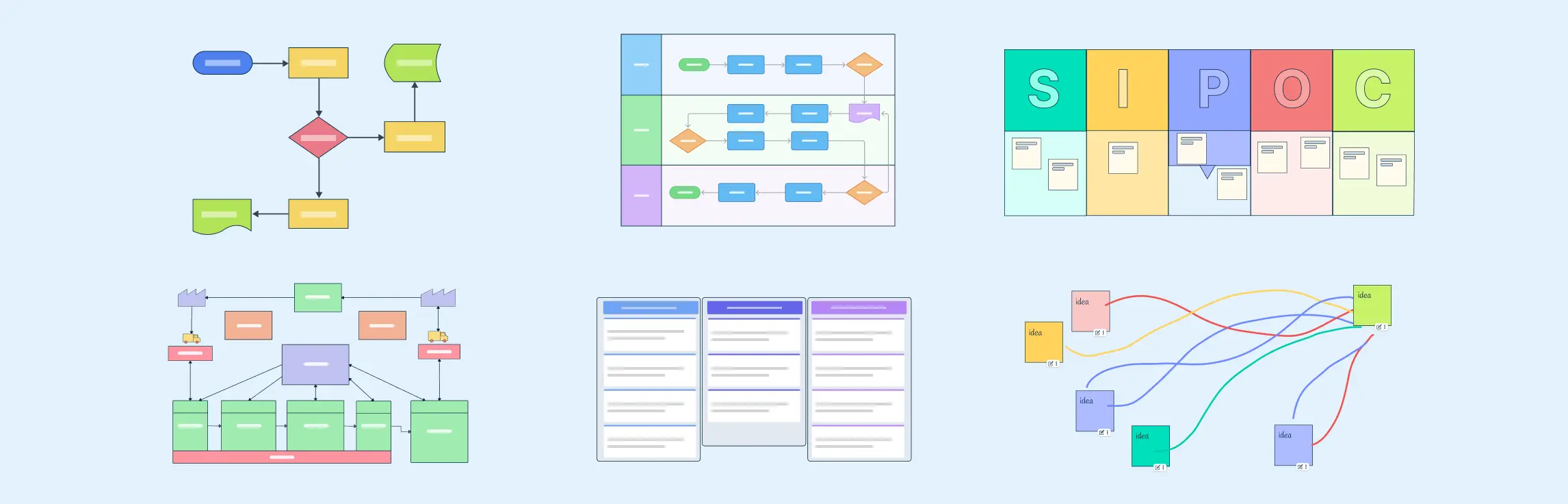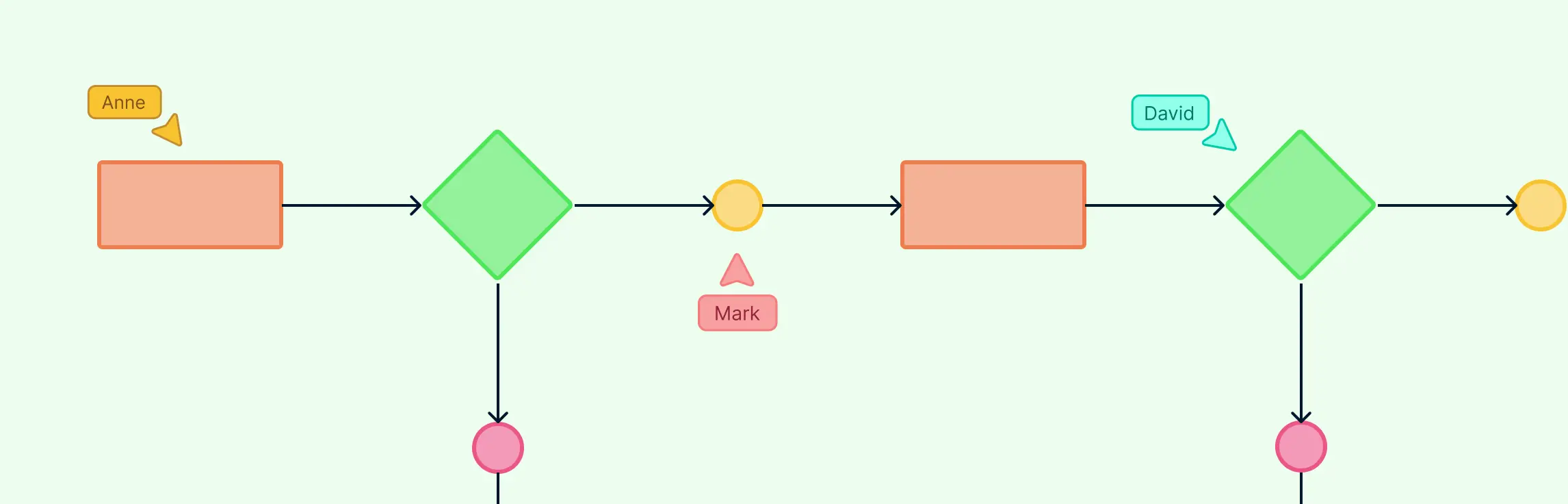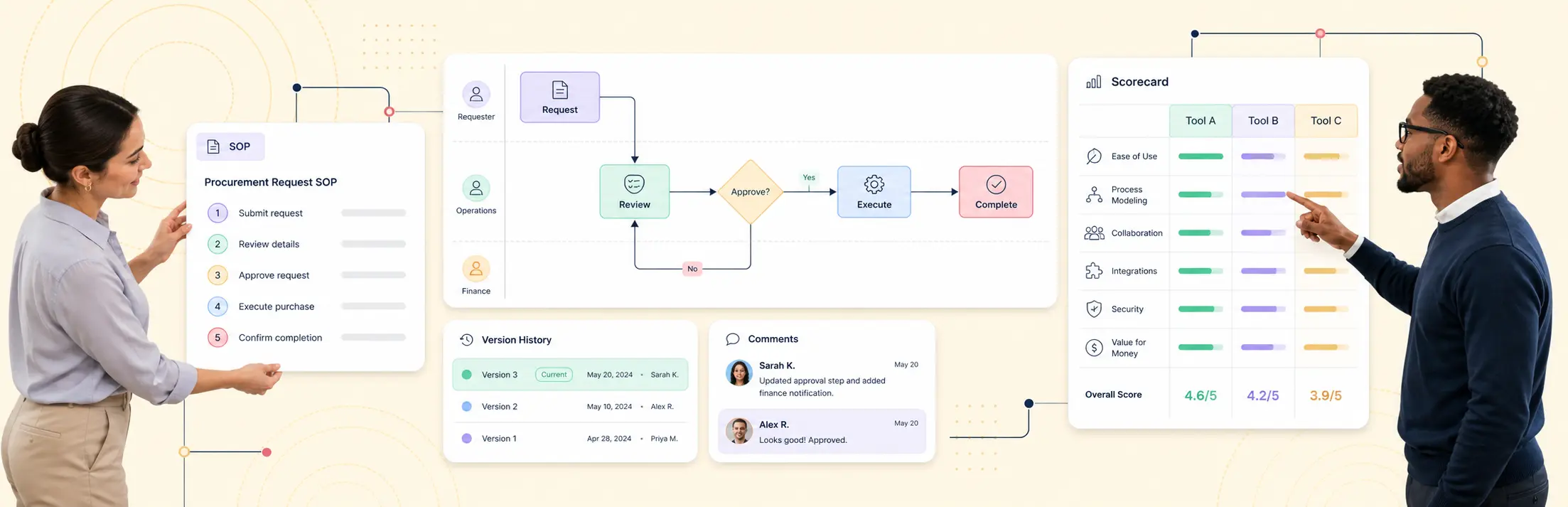
Workflow diagrams make it easier to see how work gets done, who owns each step, and where delays or handoff issues appear. Whether you are managing a project, standardizing an operation, or improving a recurring process, a clear workflow diagram helps teams work from the same operating view instead of disconnected notes and assumptions. In this guide, we will walk through practical workflow diagram examples across different functions so you can adapt them to your own processes and improve how work moves across your team.
Workflow Diagram Examples for Every Business Function
1. Simple workflow diagram example
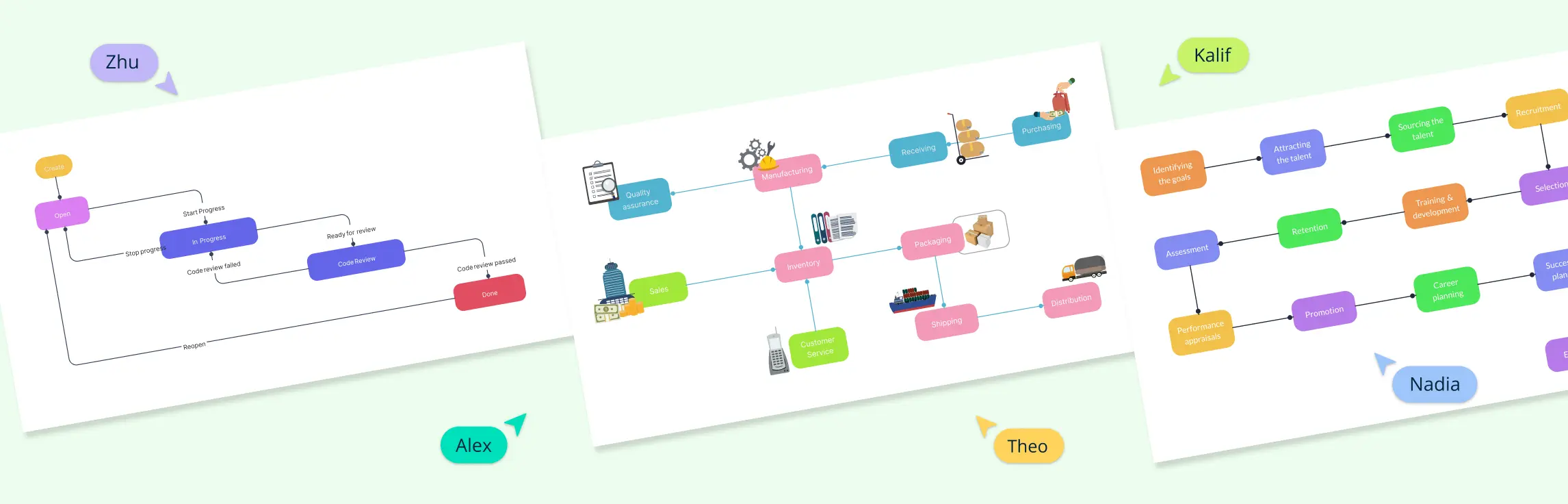
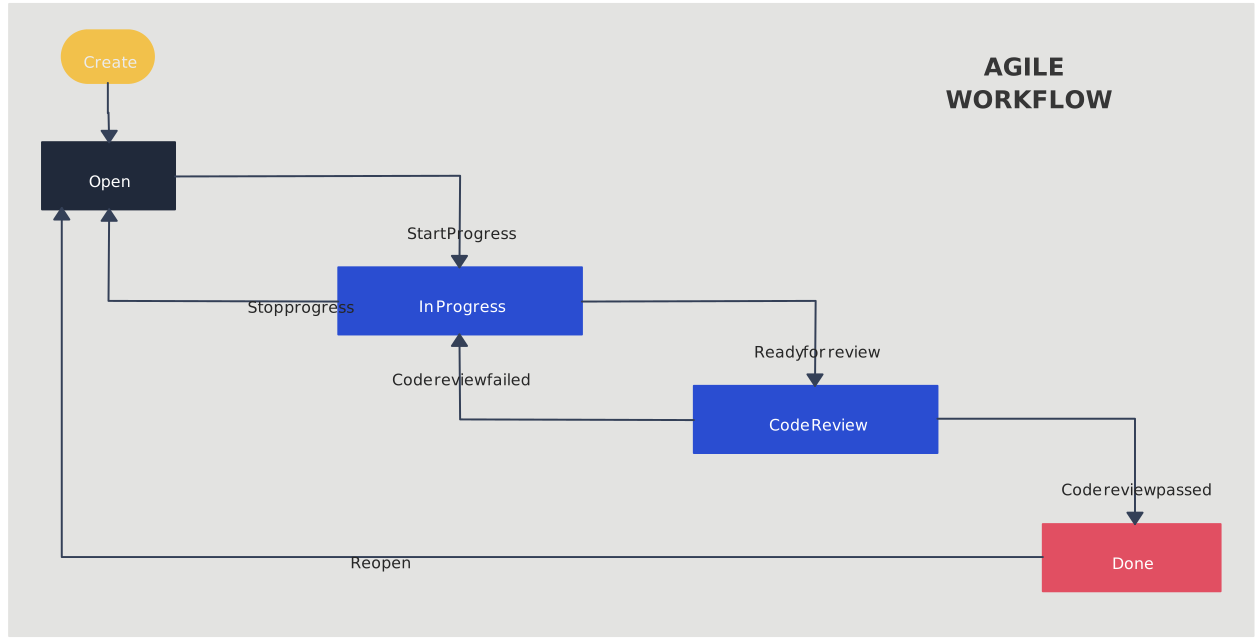
This example shows a simple Agile workflow, starting with tasks in the backlog and moving through stages like in progress, review, and done. It gives teams a clear view of how work moves step by step, making it easier to track progress and spot delays.

2. Process workflow diagram example
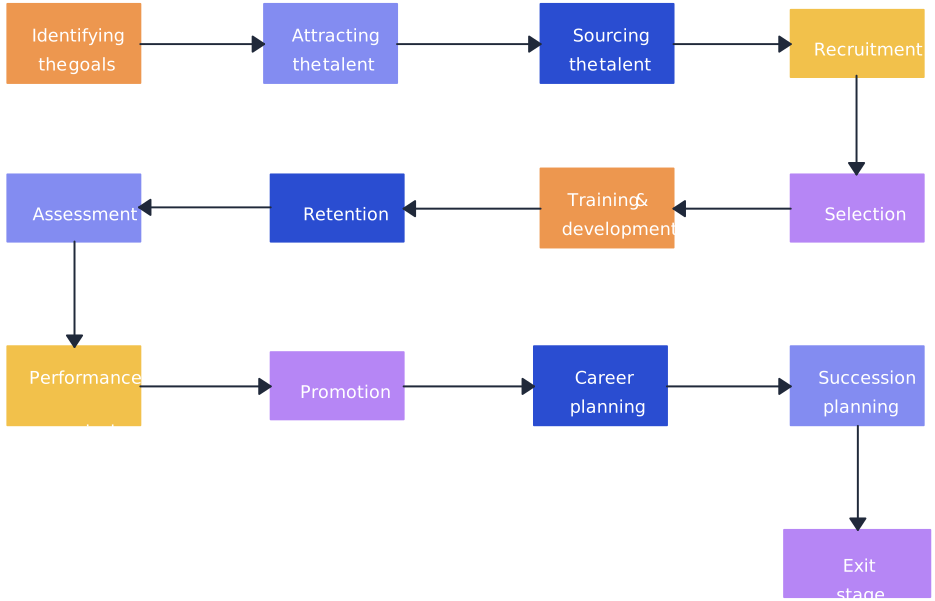
This example shows the steps in a talent management process, starting from hiring and onboarding to performance reviews and employee growth. It makes it easy to see what happens at each stage and how the process flows smoothly from one step to the next.
3. Business workflow diagram example
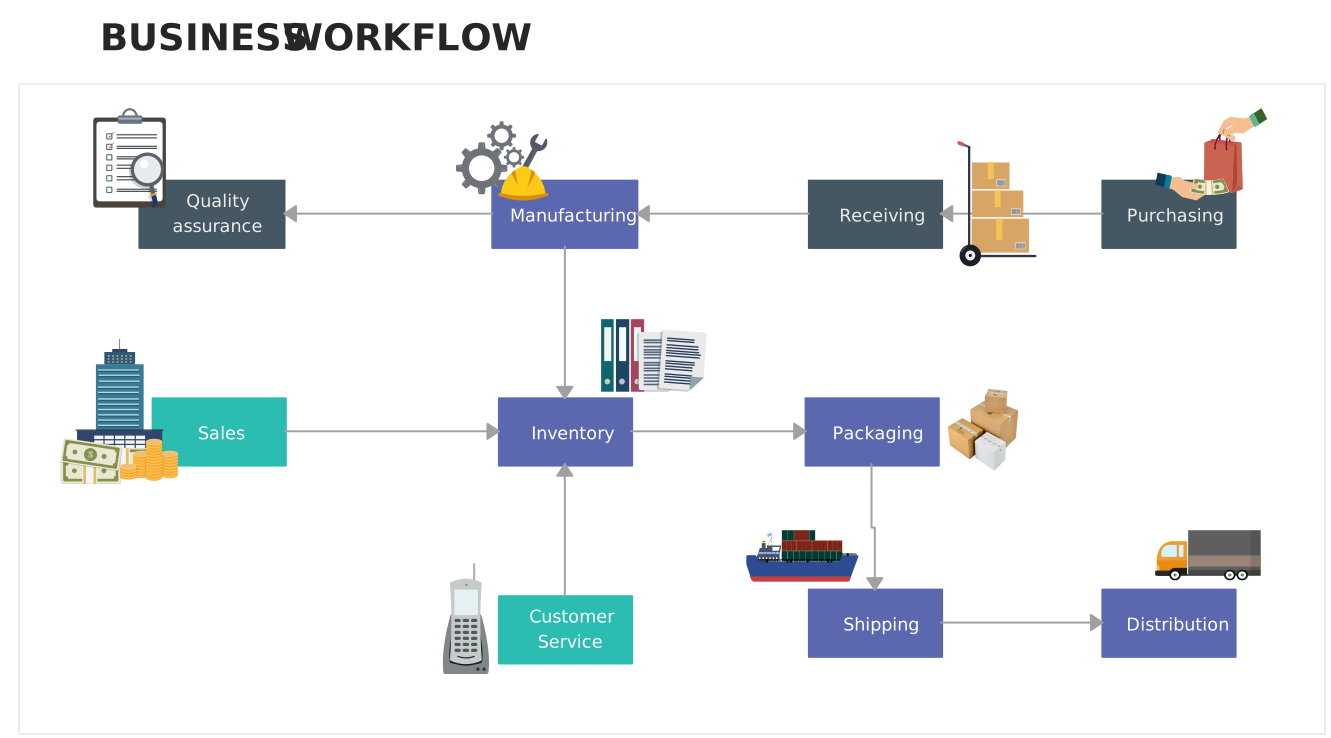
A business-focused workflow that illustrates how different departments or stakeholders interact. Great for visualizing approval flows, service delivery, or customer-facing processes. Use this template to align teams and standardize operations in your organization.
4. Project workflow diagram example
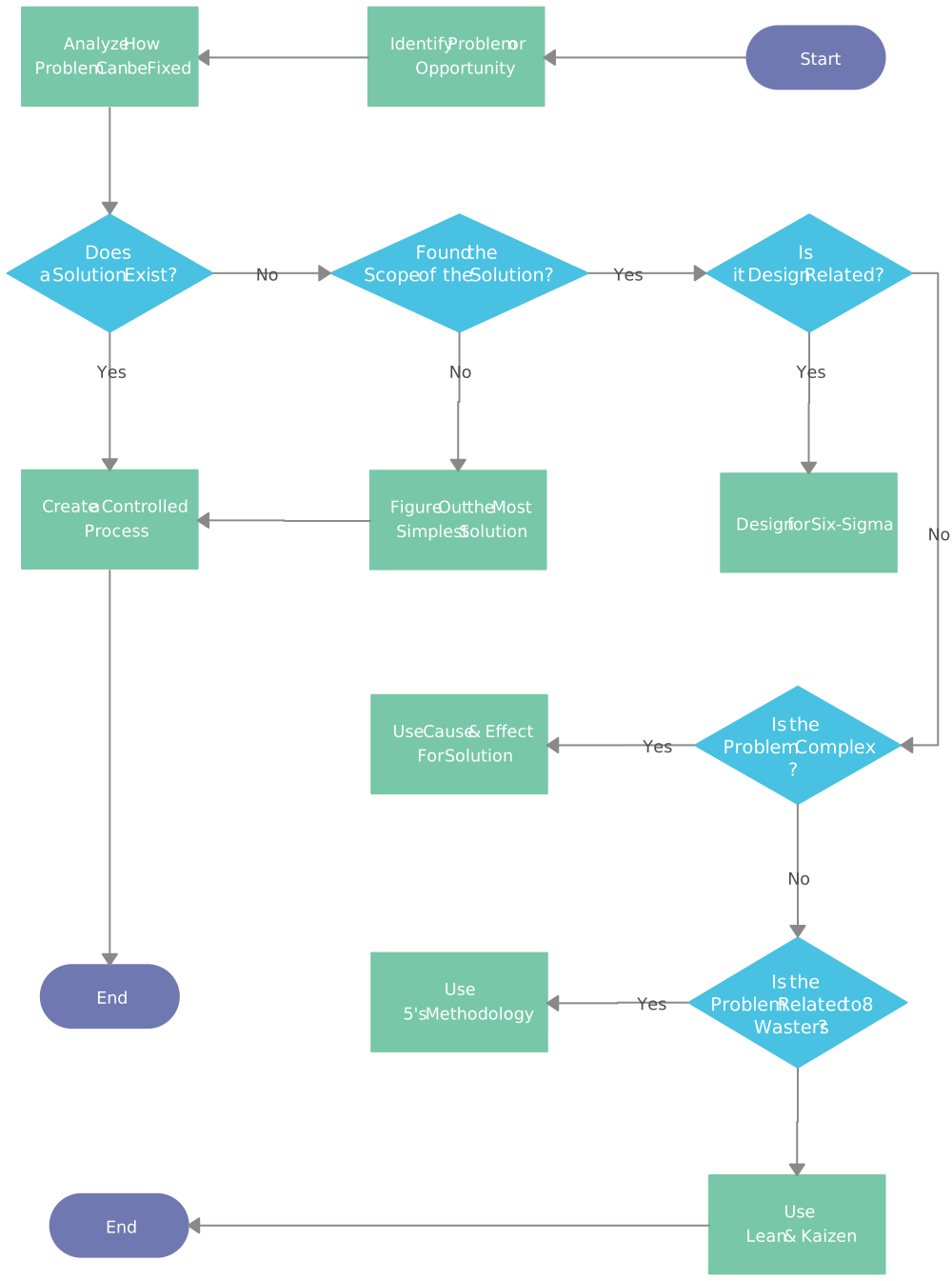
Plan and track project tasks from initiation to completion. This template helps project managers and teams outline dependencies, responsibilities, and timelines in one view. Customize it in Creately to keep your projects organized and on schedule.
5. Marketing workflow diagram example
Map out the steps of a marketing campaign, from content creation to publishing and review. This template highlights collaboration across teams, approval stages, and deadlines, making campaign execution more structured and efficient.

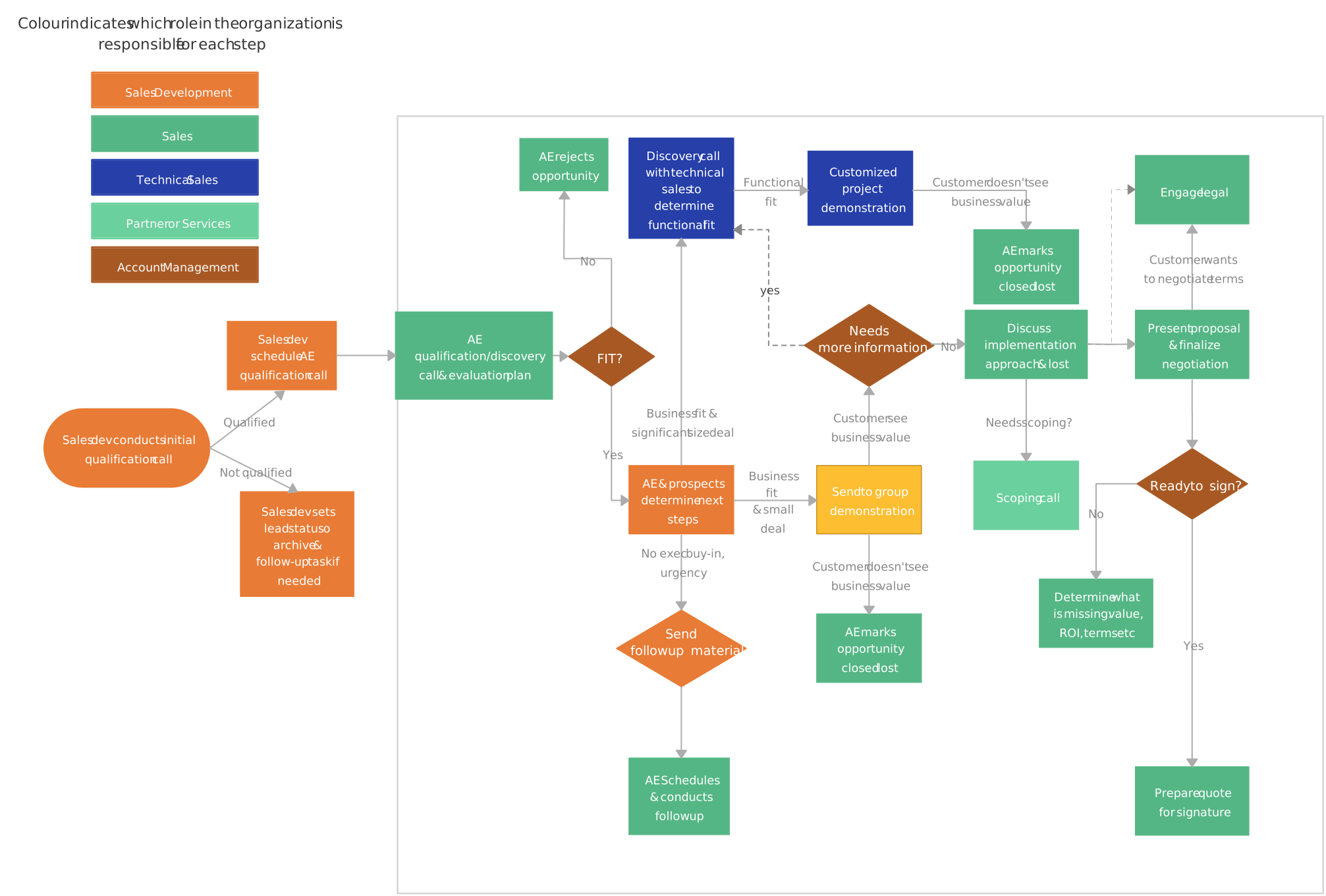
6. Sales workflow diagram example
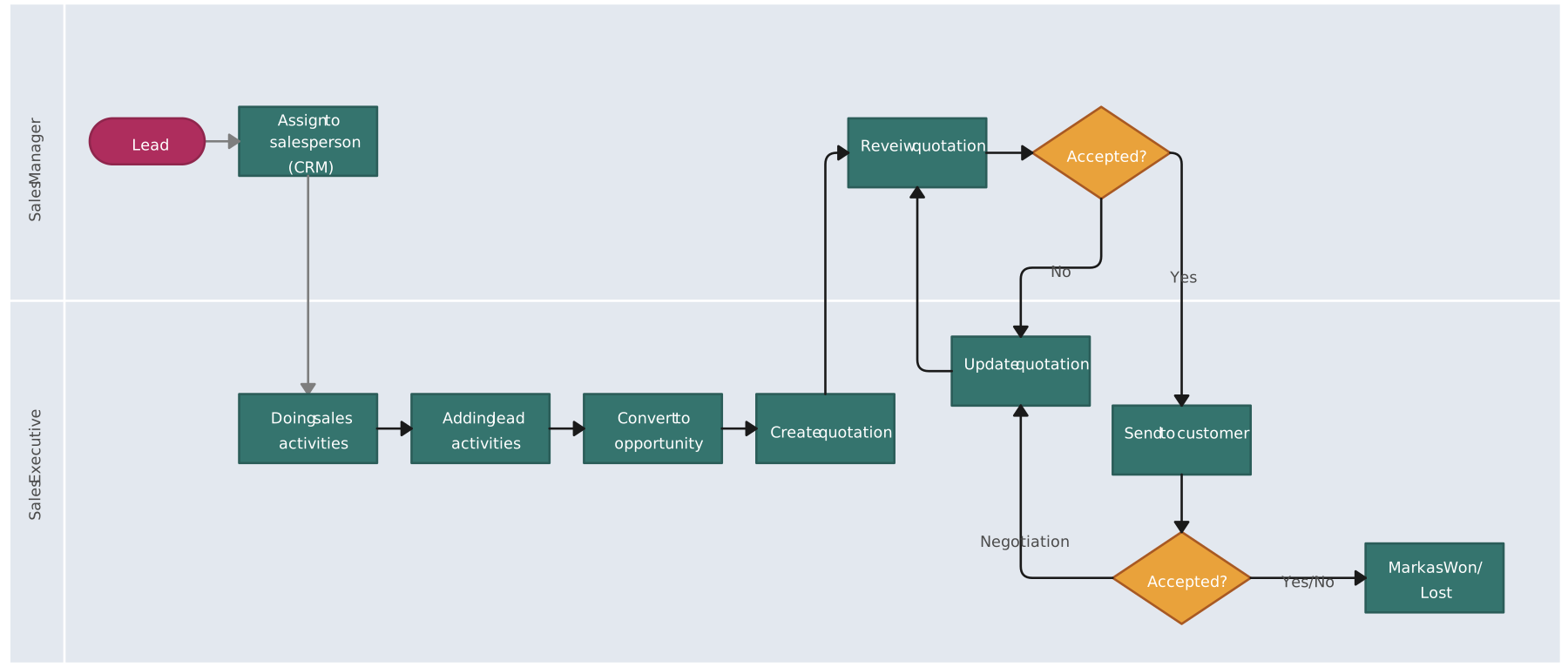
Visualize your sales pipeline and lead management process. This template helps you track lead qualification, deal progress, and handoffs between sales reps.
Sales Process Workflow
Lead Processing Workflow Example
7. Software development workflow diagram example
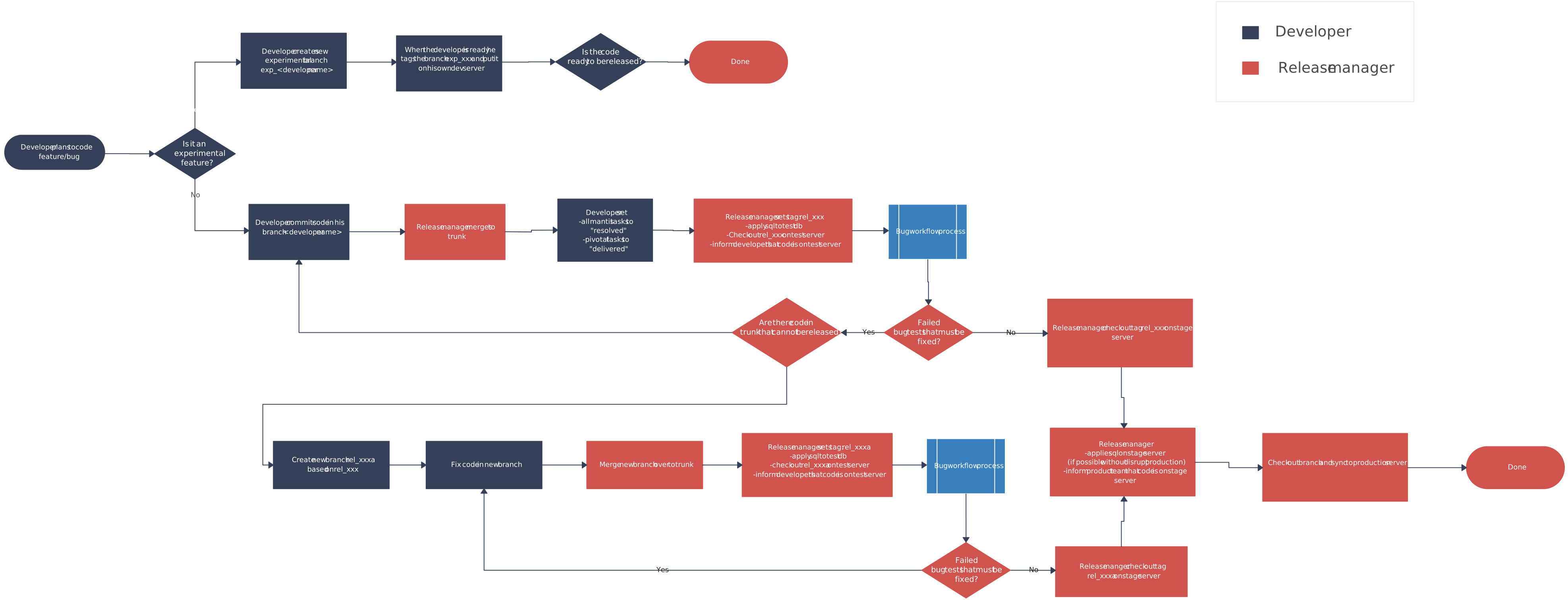
A template designed for development teams to manage coding, testing, and deployment workflows. It helps coordinate tasks across dev, QA, and ops teams, ensuring smooth handoffs and fewer errors in the release cycle.
8. Document management workflow diagram example
This workflow illustrates how documents are created, reviewed, approved, and stored. Use it to clarify compliance steps, document how versions should be handled, and show where authorization is required before publication.

9. Manufacturing workflow diagram example
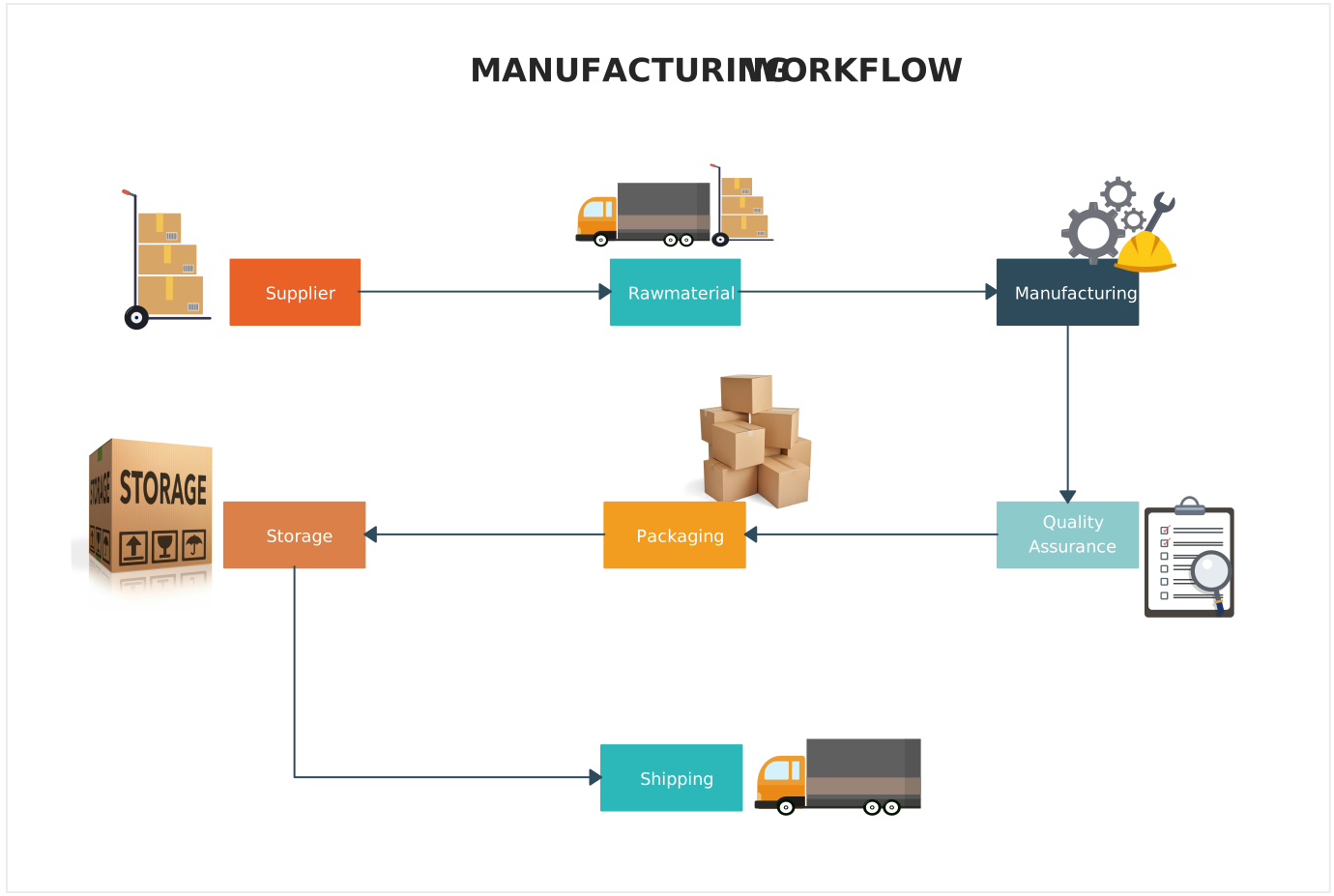
Visualize the flow of materials, quality checks, and production steps in manufacturing. This template helps track dependencies, reduce delays, and optimize production efficiency across factory teams.
10. Invoice processing workflow example
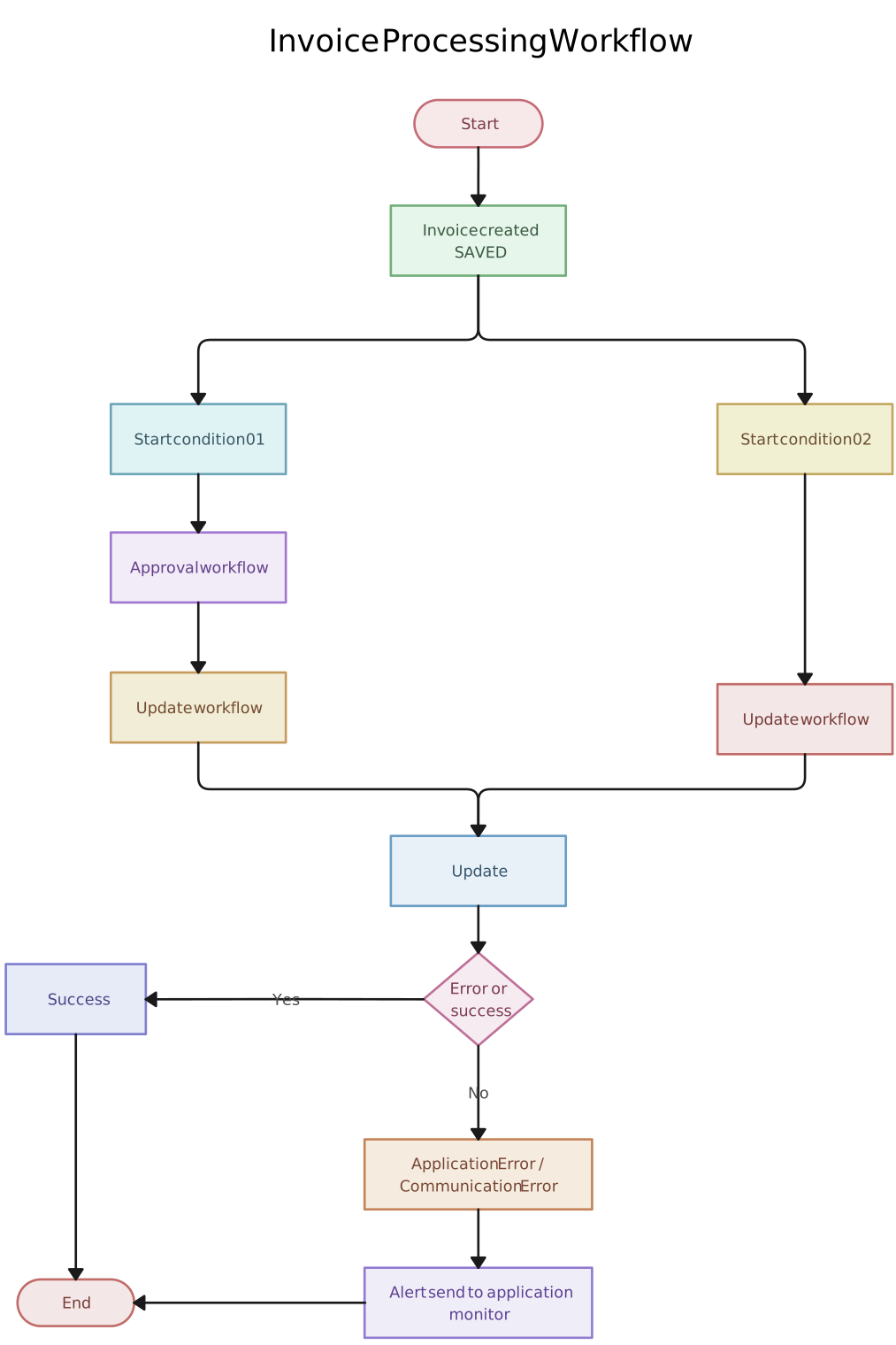
A clear breakdown of the invoice lifecycle, from receipt to verification, approval, and payment. This template can help teams clarify controls, identify approval delays, and document responsibilities across accounts payable.
11. Production workflow diagram example
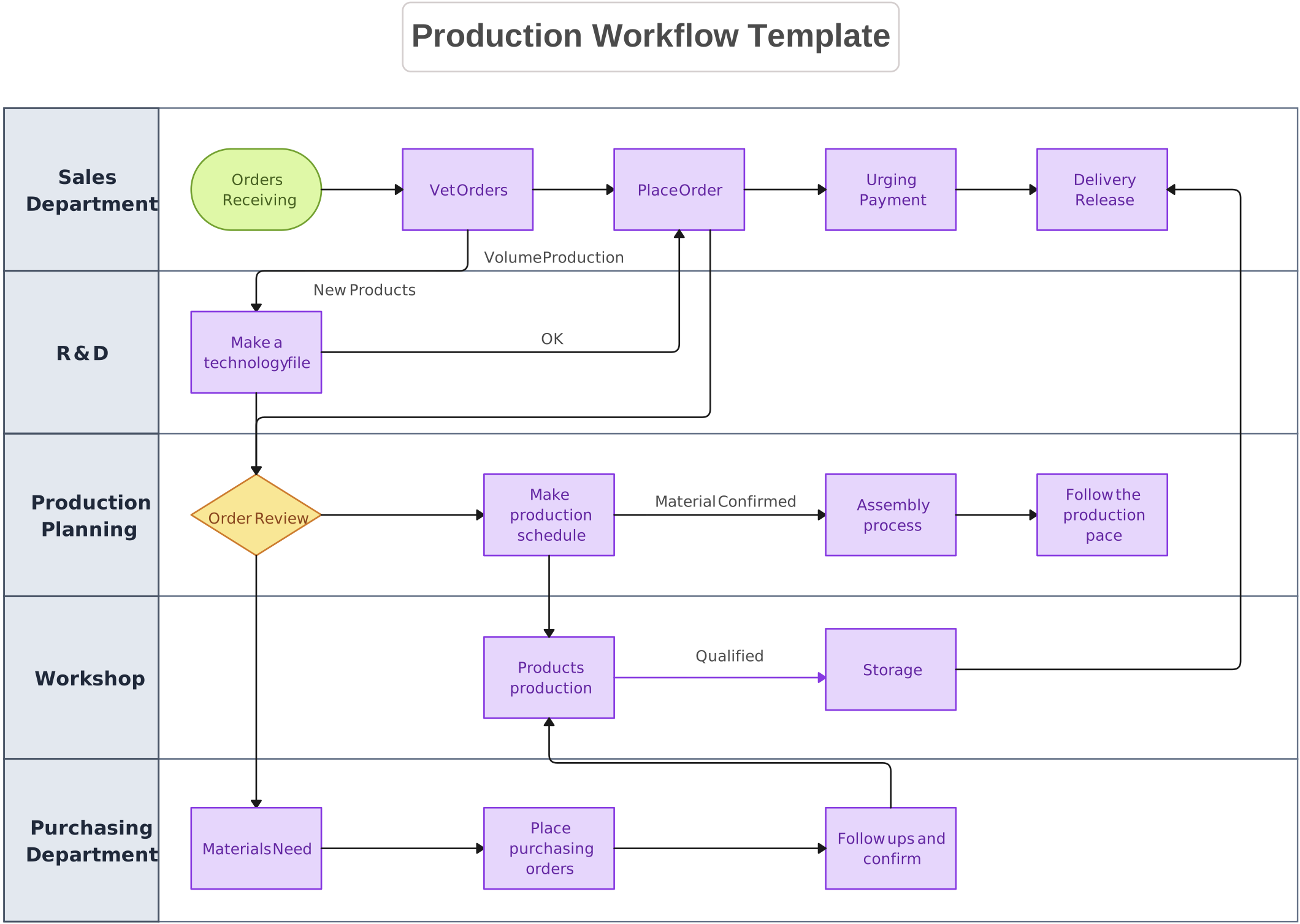
Capture the stages of product development or service delivery. This template helps teams monitor resources, handoffs, and outputs, ensuring a smoother and more predictable production process.
12. Design workflow diagram example
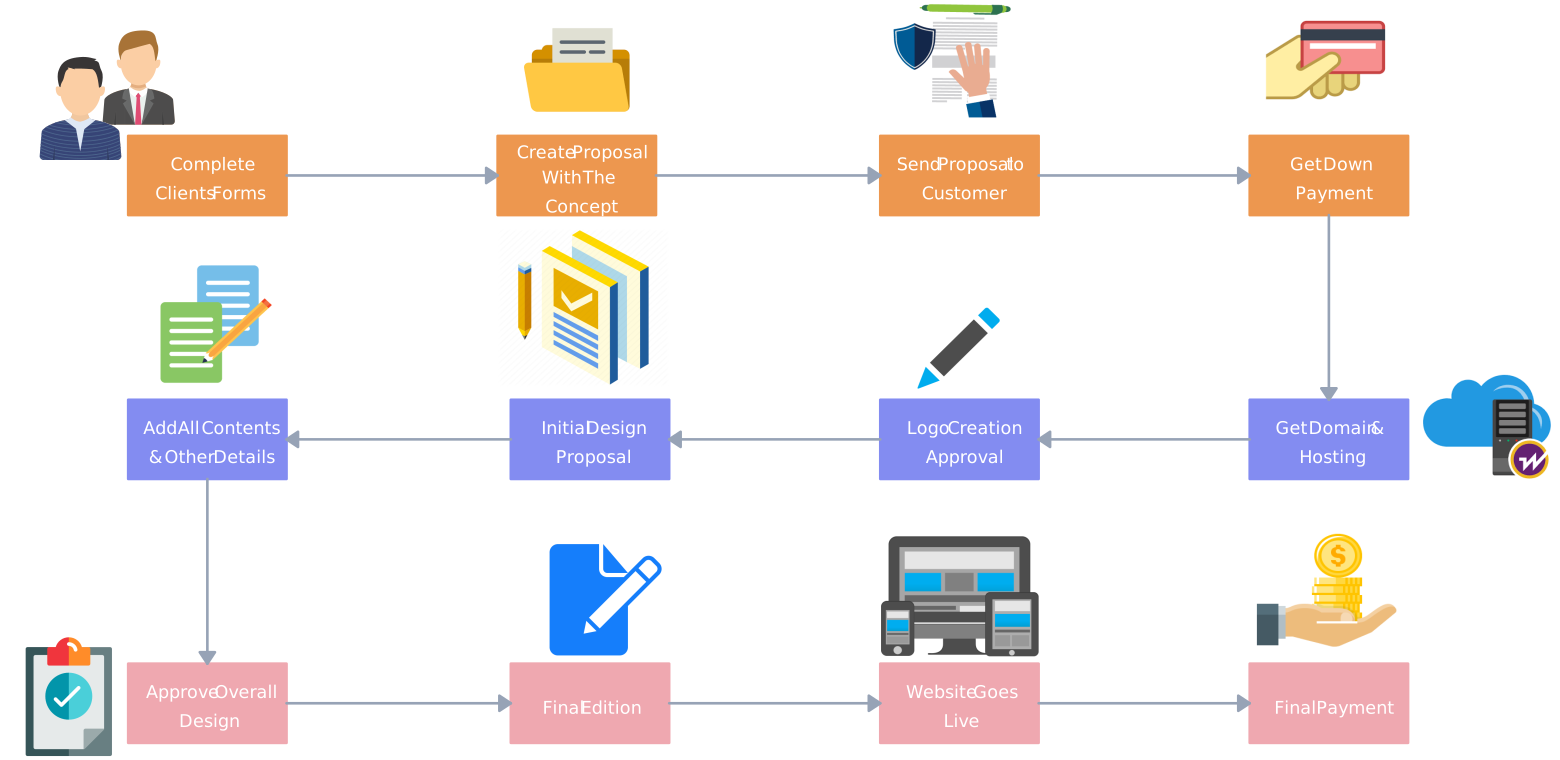
This example shows the steps in a website design process, from planning and wireframing to design, review, and launch. It helps teams see the order of tasks, who is involved at each stage, and how the project moves from idea to finished website.
13. HR workflow example
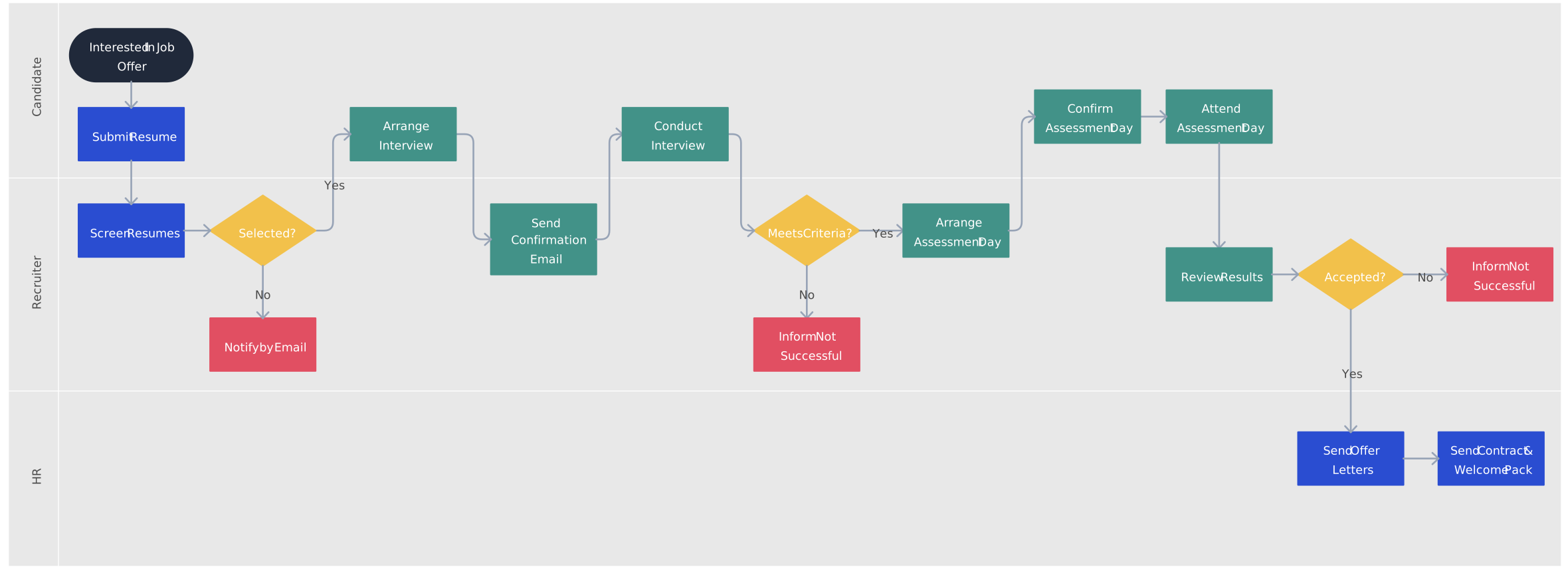
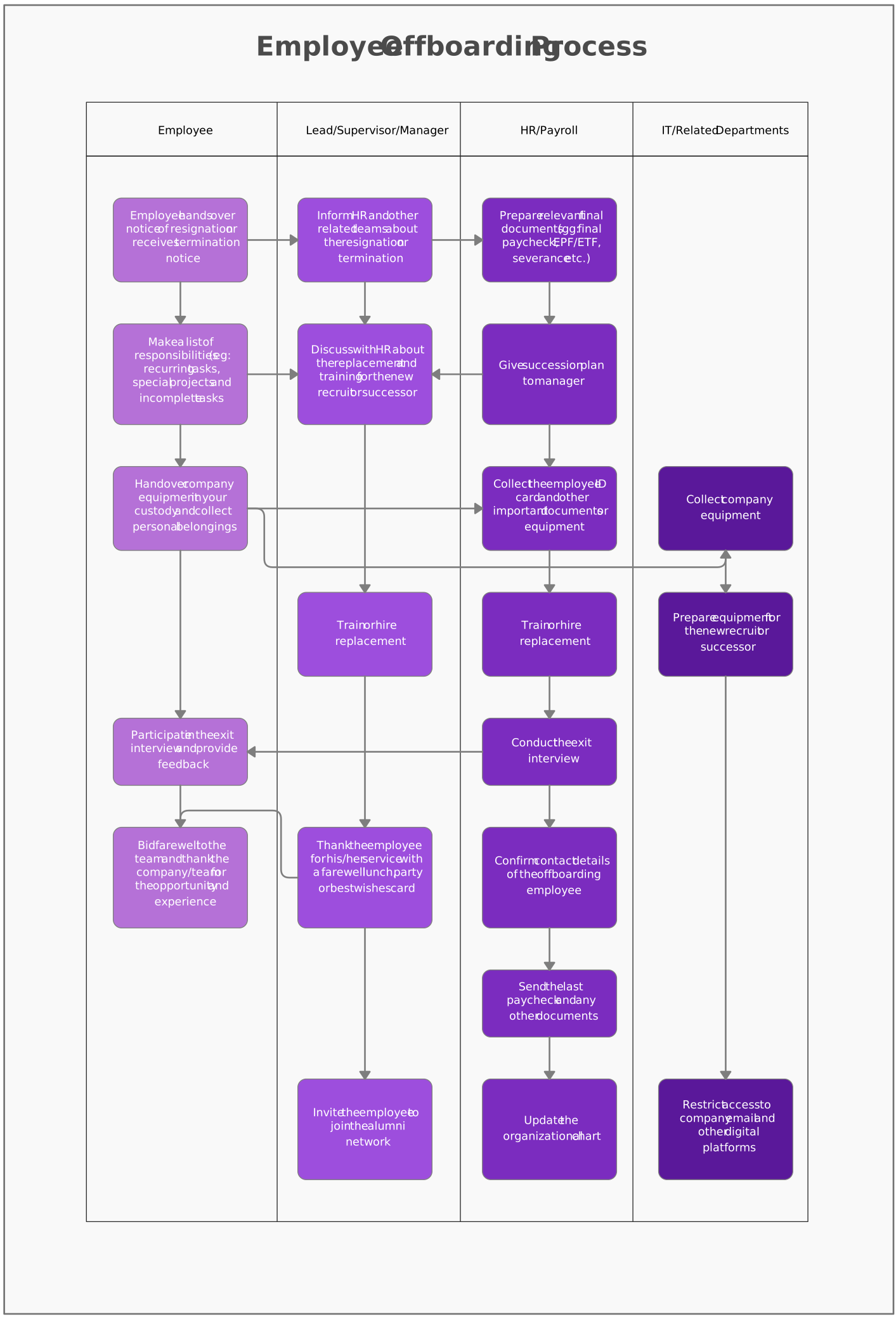
Map out HR processes like recruitment, onboarding, or employee offboarding. This template helps standardize HR tasks, identify unnecessary manual work, and document a consistent employee experience across the organization.
Recruitment Process Template
Employee Offboarding Process
Why Use Creately for Workflow Diagramming
Creately’s workflow diagram software helps teams turn workflow examples into living operational documentation. Teams can make owners and handoffs visible, keep supporting context connected to relevant workflow shapes, and review changes collaboratively as work evolves.
Start with ready-made templates: Pick from workflow templates for HR, marketing, sales, finance, and more, then adapt the steps and roles to the way the process actually operates.
Use simple drag-and-drop tools: Add steps, decisions, owner fields, swimlanes, and connectors so teams can document responsibilities, dependencies, and cross-functional handoffs.
Generate an AI first draft: Describe a process in natural language and use Creately AI to generate an editable flowchart draft with steps, decisions, and flow. Validate and refine the result with the people who perform the work.
Connect supporting context: Add structured properties such as owner, status, duration, systems, and tags to relevant shapes. Connect notes, links, files, or related diagrams so operating context remains easy to find without cluttering the workflow.
Review with stakeholders: Use real-time editing and contextual comments to collect feedback on steps, responsibilities, and handoffs. An accountable owner can incorporate agreed updates without implying formal approval states.
Assign ownership and maintain the workflow: Share the diagram with the appropriate audience and assign an accountable owner to update affected maps when procedures, systems, or responsibilities change. Version-history availability and retention depend on the selected plan.