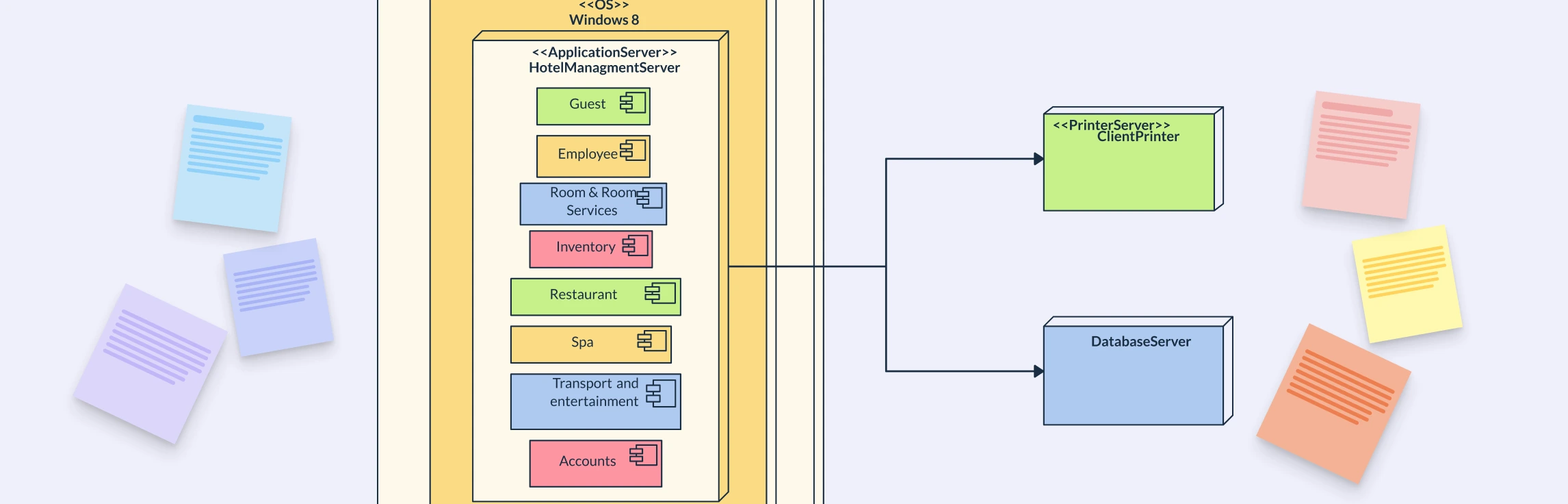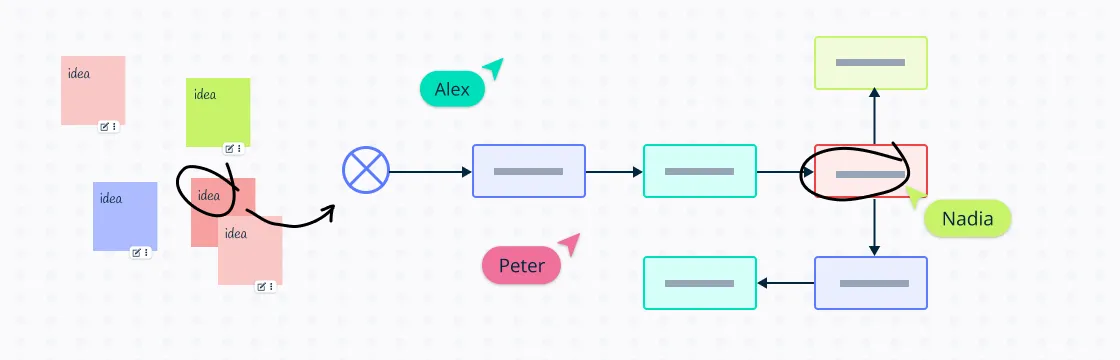
Understanding how systems work is essential to making informed decisions, solving problems effectively, and finding ways to innovate. Using a visual tool like block diagrams helps us organize thoughts and gives us a broader view of complicated systems.
What Is a Block Diagram?
At its core, a block diagram is a streamlined graphical representation of a system, illustrating the relationships between different components or processes. It’s a form of visualization that uses blocks to represent the parts and arrows to indicate the flow of information or process. This simplicity is what makes a block diagram an invaluable tool for product managers and engineers alike, as it helps to demystify complex systems.
High-Level Clarity vs. Technical Detail
When compared to other types of diagrams, block diagrams stand out for their ease of understanding. Unlike circuit diagrams or schematics that require specific technical knowledge, block diagrams provide a high-level overview that is accessible to both technical and non-technical stakeholders. This characteristic is particularly beneficial when explaining system functionalities to clients or team members who may not have a deep technical background.
By distilling complex systems into their most basic elements, block diagrams serve a crucial role in simplifying intricate interactions. They allow for a clear visualization of the system’s workings, which is essential for troubleshooting, system design, and explaining the system’s structure to others. While they may not show the minutiae of each component, the clarity they offer in understanding the overall system cannot be overstated.
How a Block Diagram Helps in System Design


Block diagrams serve as a powerful tool that visualizes working relationships that exist within complex systems. It represents systems into easy-to-understand blocks of how individual components interact and contribute to the overall functionality. Here’s how block diagrams can enhance comprehension:
- Visual Clarity: With a block diagram, the connections between different system components are visually represented, making it easier to grasp how changes in one block might impact others.
- Simplified Complexity: They distill complex systems into fundamental elements, stripping away unnecessary details that might obfuscate the core relationships.
- Cross-Disciplinary Communication: Block diagrams are not just for engineers; they provide a common language that allows diverse teams to collaborate effectively, regardless of technical background.
For instance, using a tool like Creately, which offers a collaborative canvas to design block diagrams together, teams can work in real-time to map out and refine these relationships. This collaborative approach ensures that all stakeholders have a shared understanding of the system, which is crucial for successful project management and decision-making. Moreover, Creately’s specific industry-standard shape library for visualizing complex systems ensures that the diagrams are not only accurate but also adhere to professional standards. Whether you’re a product manager or a software developer, leveraging the power of block diagrams with Creately can significantly enhance your ability to visualize and communicate the working relationships within your system.
Key Elements of a Block Diagram Explained
Understanding a system block diagram is like reading a map; once you know the symbols and the “rules of the road,” you can navigate even the most complex technical systems. Most diagrams follow a standard left-to-right or top-down flow.
To interpret one effectively, look for these seven key elements:
1. Blocks (The Components)
The rectangles or squares represent the “black boxes” of the system. These are the functional units—whether a physical piece of hardware, a software module, or a chemical processing stage. At this level, you don’t need to know how the block works internally, only what it does to the data or material passing through it.
2. Signals and Flows (The Arrows)
Lines with arrows indicate the direction of flow. In an electronics block diagram, these are typically electrical signals; in process engineering, they represent the movement of raw materials.
- Solid lines: Direct flow of energy or data.
- Dashed lines: Often represent control signals or secondary information.
3. Inputs and Outputs
- Inputs: Usually enter from the left or the top. They represent the external data, power, or materials required for the system to start its work.
- Outputs: Usually exit from the right or the bottom. These are the final results or “products” of the system.
4. Interfaces (The Connection Points)
Interfaces are where two blocks meet. In a complex engineering block diagram, pay close attention to these points—they define how different systems “talk” to each other. If the interface is poorly defined, the system will fail even if the individual blocks work perfectly.
5. System Boundaries
Often represented by a large, dashed-line box surrounding a group of blocks, the system boundary defines the scope of what you are looking at. Anything outside this box is considered the “external environment.”
6. Feedback Loops
One of the most critical features in a system block diagram is the feedback loop. This is a line that “loops back” from a later stage of the process to an earlier one.
- Purpose: It allows the system to self-correct. For example, a thermostat uses a feedback loop to check the room temperature and tell the heater to turn off once the goal is reached.
7. Summing Junctions
Usually depicted as a small circle with a “+” or “−” sign inside, these junctions show where two or more signals are combined or compared. In control systems, this is often where the “desired” value is compared to the “actual” value to determine the next action.
Types of Block Diagrams
There are various forms of block diagrams, each tailored to suit specific applications and industries. Understanding the various types of block diagrams allows for effective communication and analysis within different domains.
Functional Block Diagrams (FBDs)
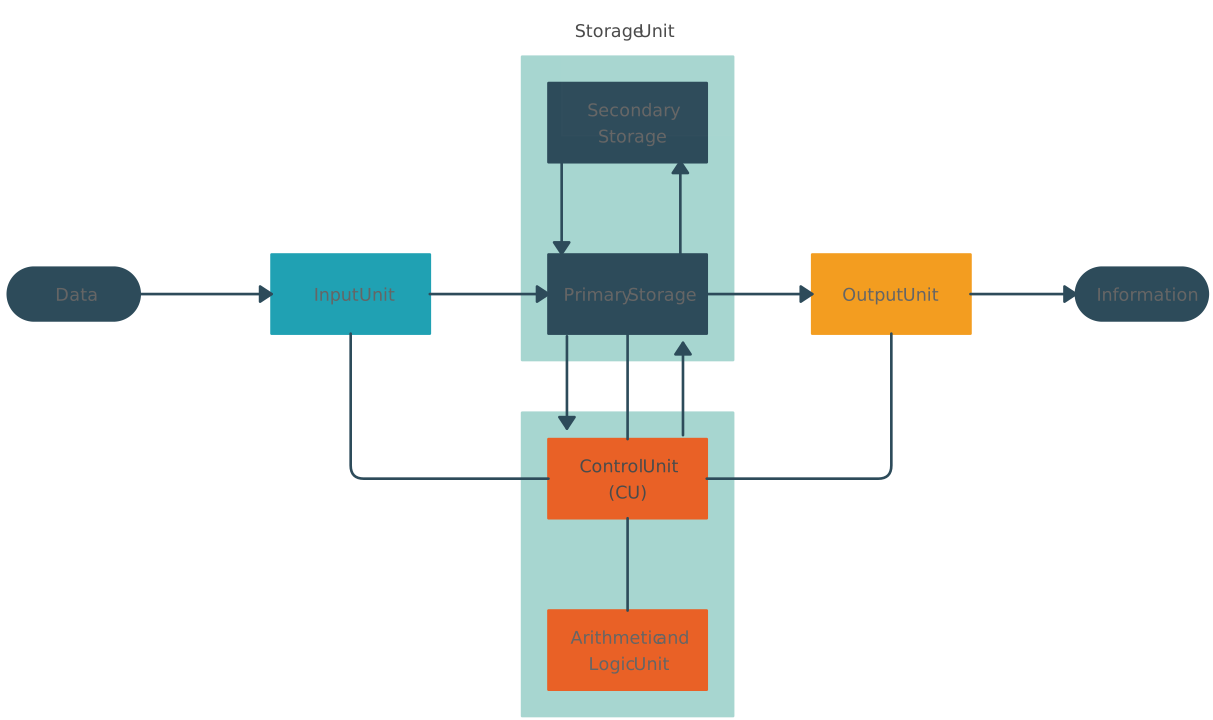
Functional block diagrams focus on illustrating the functions or operations performed by different components within a system. In an FBD, each block represents a specific function or operation, and the connections between blocks indicate the flow of information or signals. These diagrams are commonly used in engineering, control systems, and software design to depict the logical flow of processes and interactions between functional units.
Signal Flow Block Diagrams (SFBDs)
Signal flow block diagrams are particularly prevalent in systems engineering, electronics, and signal processing. They emphasize the flow of signals or information through a system, with blocks representing various signal processing elements such as amplifiers, filters, mixers, and detectors. SFBDs are valuable for analyzing the behavior of complex systems and understanding how signals are processed and transformed as they propagate through different stages.
Schematic Diagrams
Schematic diagrams are a type of block diagram commonly used in electronics, electrical engineering, and circuit design. They provide a visual representation of electronic circuits, showing the connections between components such as resistors, capacitors, transistors, and integrated circuits. Schematic diagrams help engineers and designers understand the structure of circuits, identify potential issues, and facilitate troubleshooting and debugging.
Process Flow Diagrams (PFDs)
Process flow diagrams are widely used in chemical engineering, industrial processes, and manufacturing to illustrate the flow of materials, energy, and information through a system. In a PFD, blocks represent unit operations or equipment such as reactors, pumps, valves, and separators, while arrows depict the direction of material flow. PFDs are essential for designing, optimizing, and analyzing process systems, as well as for communicating process designs to stakeholders.
Control Block Diagrams
Control block diagrams are utilized in control systems engineering to model and analyze the behavior of feedback control systems. These diagrams depict the relationships between input signals, control elements, feedback loops, and output signals within a control system. Control block diagrams aid in designing stable and robust control systems, predicting system responses, and tuning controller parameters for optimal performance.
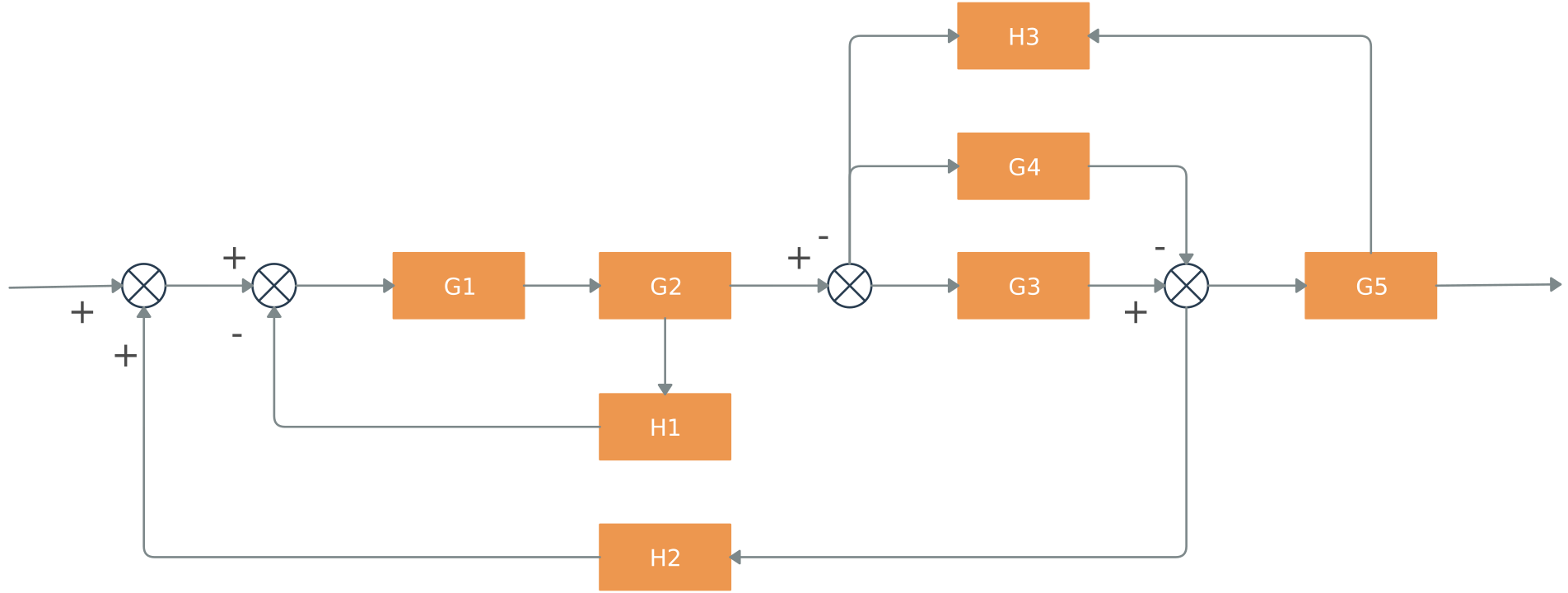
In summary, the diverse types of block diagrams serve as powerful tools for modeling, analyzing, and communicating complex systems and processes across a wide range of disciplines and industries. Each type offers unique insights into the structure, behavior, and interactions of systems, facilitating efficient design, optimization, and troubleshooting efforts.
How to Create a Block Diagram
Creating a block diagram involves a systematic process that helps organize the components, relationships, and flows within a system or process. Here are the steps to create a block diagram:
Step 01: Define the Purpose
Clearly define the purpose and scope of the block diagram. Determine what aspects of the system or process you want to represent and what level of detail is required.
Step 02: Identify Components
Identify the main components or elements of the system or process that you intend to represent in the block diagram. These components could be functional units, physical elements, stages of a process, or subsystems.
Step 03: List Connections and Flows
Determine the connections, interactions, and flows between the identified components. This includes inputs, outputs, data flows, signal flows, or material flows that link the components together.
Step 04: Select Block Shapes
Choose appropriate block shapes or symbols to represent the identified components in the diagram. Common block shapes include rectangles, squares, circles, and other geometric shapes, each representing different types of components or processes.
Step 05: Arrange Blocks
Arrange the blocks on the diagram canvas in a logical and organized manner. Group related components together and position them in a way that reflects the flow or hierarchy of the system or process.
Step 06: Add Labels and Text
Label each block with descriptive text to indicate the function, name, or identity of the component it represents. Use clear and concise labels to ensure the diagram is easy to understand.
Step 07: Draw Connections
Draw lines or arrows between the blocks to represent the connections, flows, or relationships between the components. Use consistent line styles and colors to denote different types of connections, such as data flow, control flow, or feedback loops.
Step 08: Include Annotations
Include annotations, notes, or additional information as needed to clarify certain aspects of the diagram or provide additional context to the readers.
Step 09: Review and Refine
Review the block diagram for accuracy, completeness, and clarity. Make necessary revisions or refinements to improve the overall readability and effectiveness of the diagram.
Step 10: Finalize and Share
Once satisfied with the block diagram, finalize the design and share it with relevant stakeholders or collaborators. Consider using digital tools or software for creating professional-looking diagrams that can be easily shared and modified as needed.
Block Diagram Use Cases by Field
To truly understand the versatility of a system block diagram, it helps to see how different industries apply it. While the fundamental concept of “blocks and lines” remains the same, the data being represented changes significantly depending on the field.
1. Block Diagrams in Electronics
In electronics, a block diagram represents a high-level view of a hardware system, focusing on the signal path rather than individual resistors or capacitors.

- When to Use It: Use this when you need to explain the architecture of a device (like a radio or a computer motherboard) to a stakeholder without overwhelming them with a full circuit schematic. It is essential for explaining “which stage” of a device is failing and for troubleshooting.
2. Block Diagrams in Engineering (Systems Engineering)
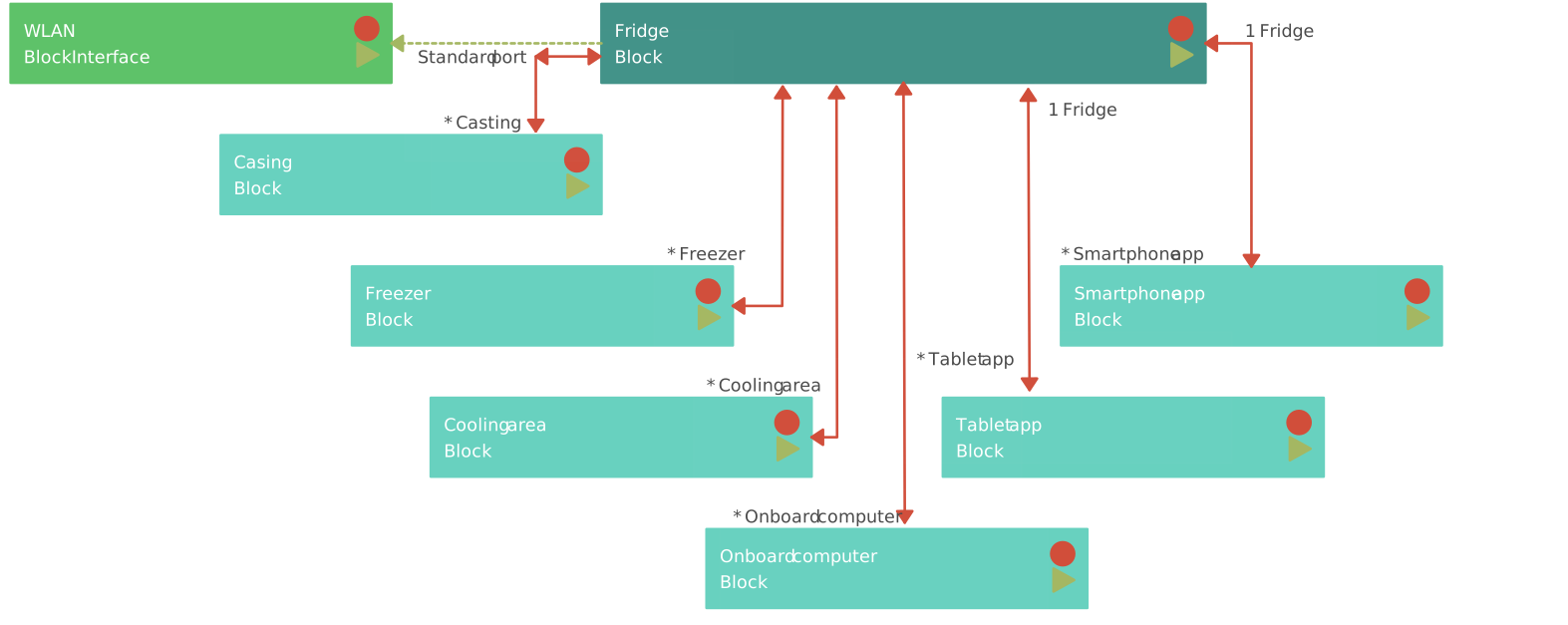
Systems engineering uses these diagrams to define the boundaries of a complex system and how its various sub-assemblies interact.

- When to Use It: Use this during the initial design phase to ensure all physical components are accounted for and to define the interfaces between different engineering teams (e.g., how the mechanical pedal links to the digital controller).
3. Block Diagrams in Software Architecture
In software development, block diagrams (often referred to as “Component Diagrams” in UML) visualize the structural relationship between different software modules or services.

- When to Use It: Use this to plan how data will flow between the front-end and back-end, or to explain a microservices architecture to a new developer on the team.
4. Block Diagrams in Control Systems
Control systems rely on block diagrams to model the mathematical relationship between inputs and outputs, specifically focusing on feedback loops.

- When to Use It: This is the standard for automation and robotics. Use it to visualize how a system maintains stability (like a thermostat maintaining a room’s temperature) by comparing the actual output to the desired setpoint.
5. Block Flow Diagram (Process Engineering)
In chemical and industrial process engineering, a block flow diagram (BFD) is used to simplify complex plants into major processing units.

- When to Use It: Use this for “big picture” planning of a manufacturing plant. It helps in tracking the mass balance (what goes in vs. what comes out) of a chemical or industrial process without needing to see the specific piping or valves.
Ways to Effectively Use a Block Diagram:
Block diagrams help break down multifaceted processes into digestible, easy-to-understand components, making them invaluable for product managers who need to convey technical information effectively.
- Simplify the Narrative: Start by identifying the key components of your system and representing them as blocks. This simplification allows stakeholders to grasp the system’s structure without getting bogged down by technical jargon.
- Highlight Interdependencies: Use arrows and connectors to illustrate how different blocks interact. This visual representation helps stakeholders understand how changes in one area might affect the whole system.
- Focus on Outcomes: Emphasize the outputs of each block, which are often the primary concern for non-technical audiences. By showing what each part of the system achieves, you can align discussions with business objectives.
Creately’s visual collaboration and diagramming software enhances this communication process by offering an infinite canvas and real-time collaboration. This allows for dynamic presentations and the ability to make adjustments on the fly, ensuring that all stakeholders are on the same page. The drag-and-drop feature simplifies the creation of block diagrams, making it accessible for product managers to translate technical details into strategic insights. By leveraging Creately, you can ensure that your block diagrams not only serve as a tool for understanding but also as a catalyst for informed decision-making.
FAQs About Block Diagrams
What is the difference between a block diagram and a flowchart?
When should I use a block diagram instead of a circuit schematic?
What are the 4 fundamental elements of a block diagram?
Every standard block diagram is built using these four primary elements:
- Blocks: Rectangles representing a specific function or component.
- Lines/Arrows: Indicating the direction of data, signal, or material flow.
- Inputs: The external signals or data entering the system.
- Outputs: The final result or information produced by the system.