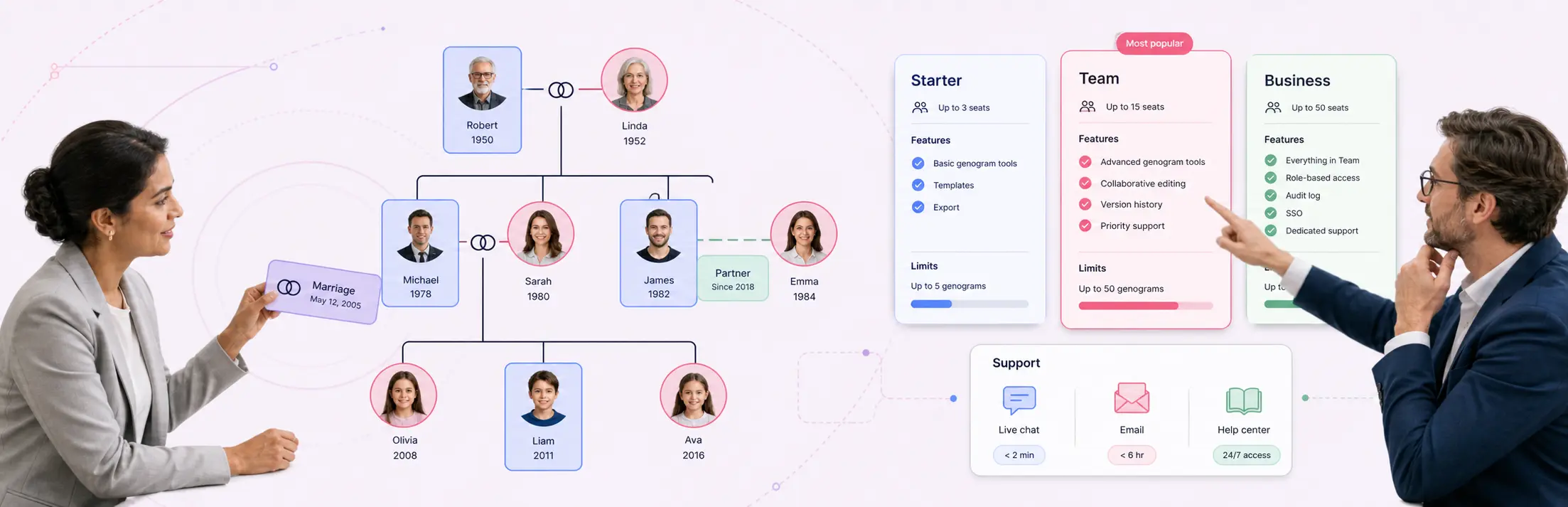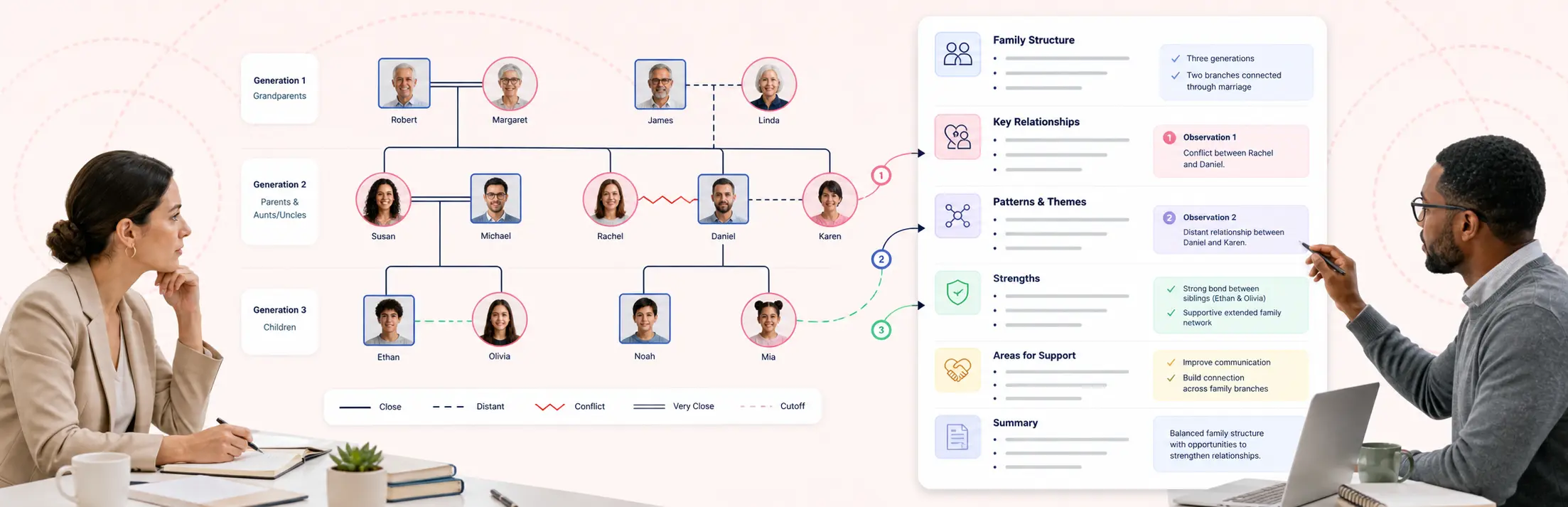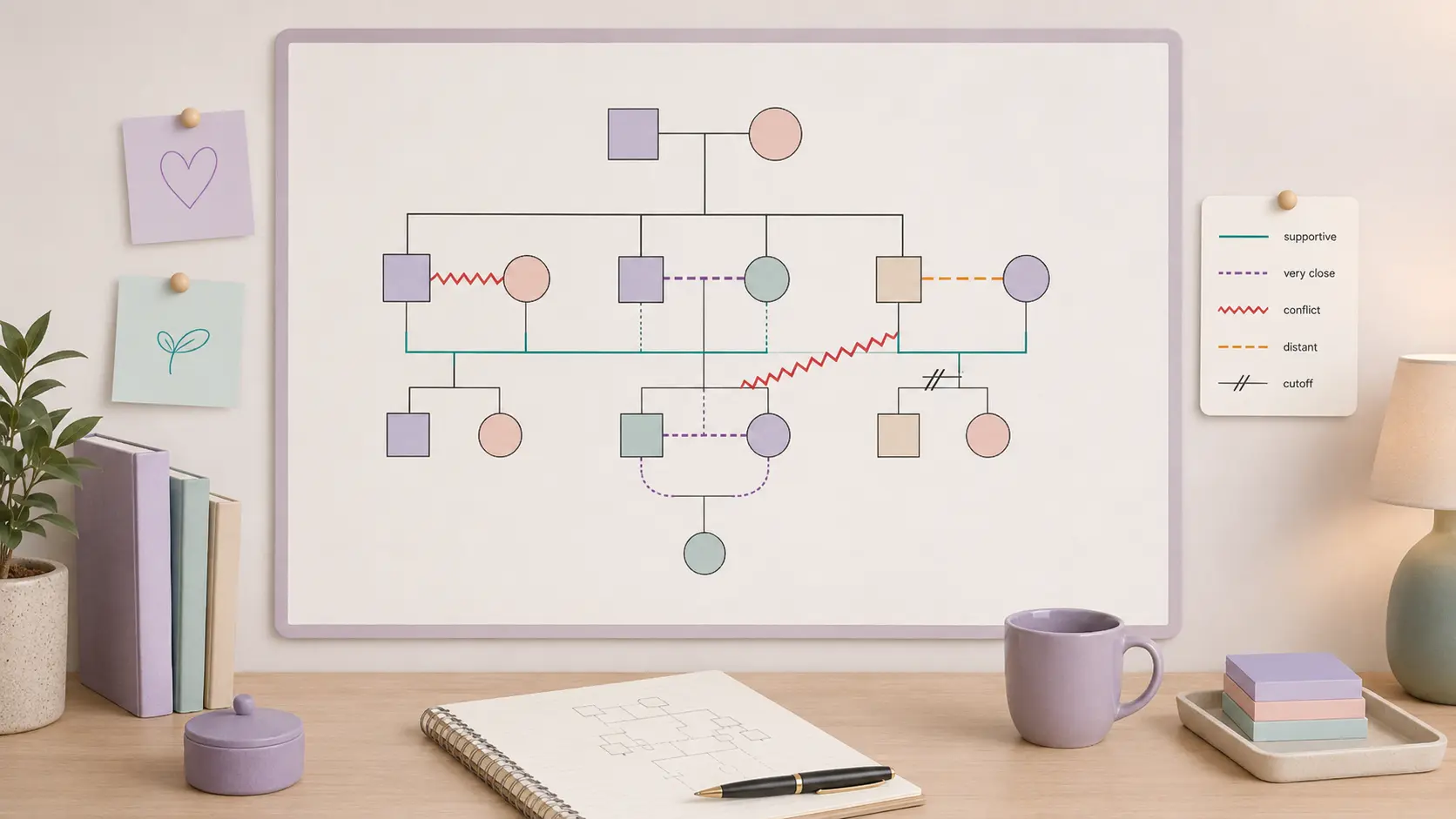
Not sure what a genogram for nursing students should include or how it should look? The eight examples below show how to organize family members, health conditions, causes of death, caregiving roles, and important relationships for different nursing assignments. Choose the example that best matches your task, then customize it in Creately instead of starting from scratch.
Before you begin: Follow your course and institution’s privacy requirements. Use fictional or de-identified information unless you have been specifically instructed and authorized to use real details. Avoid entering unnecessary names, dates, or other identifying information.
Nursing Genogram Examples
Most nursing assignments require more than a basic family tree. Your genogram may need to show several generations, relevant health conditions, family relationships, and patterns that could affect the health or care of the patient.
Review your assignment instructions first, then choose the example that most closely matches what you have been asked to create.
1. Three-Generation Nursing Genogram Example
Use this example when your assignment requires the patient, their parents, and their grandparents.
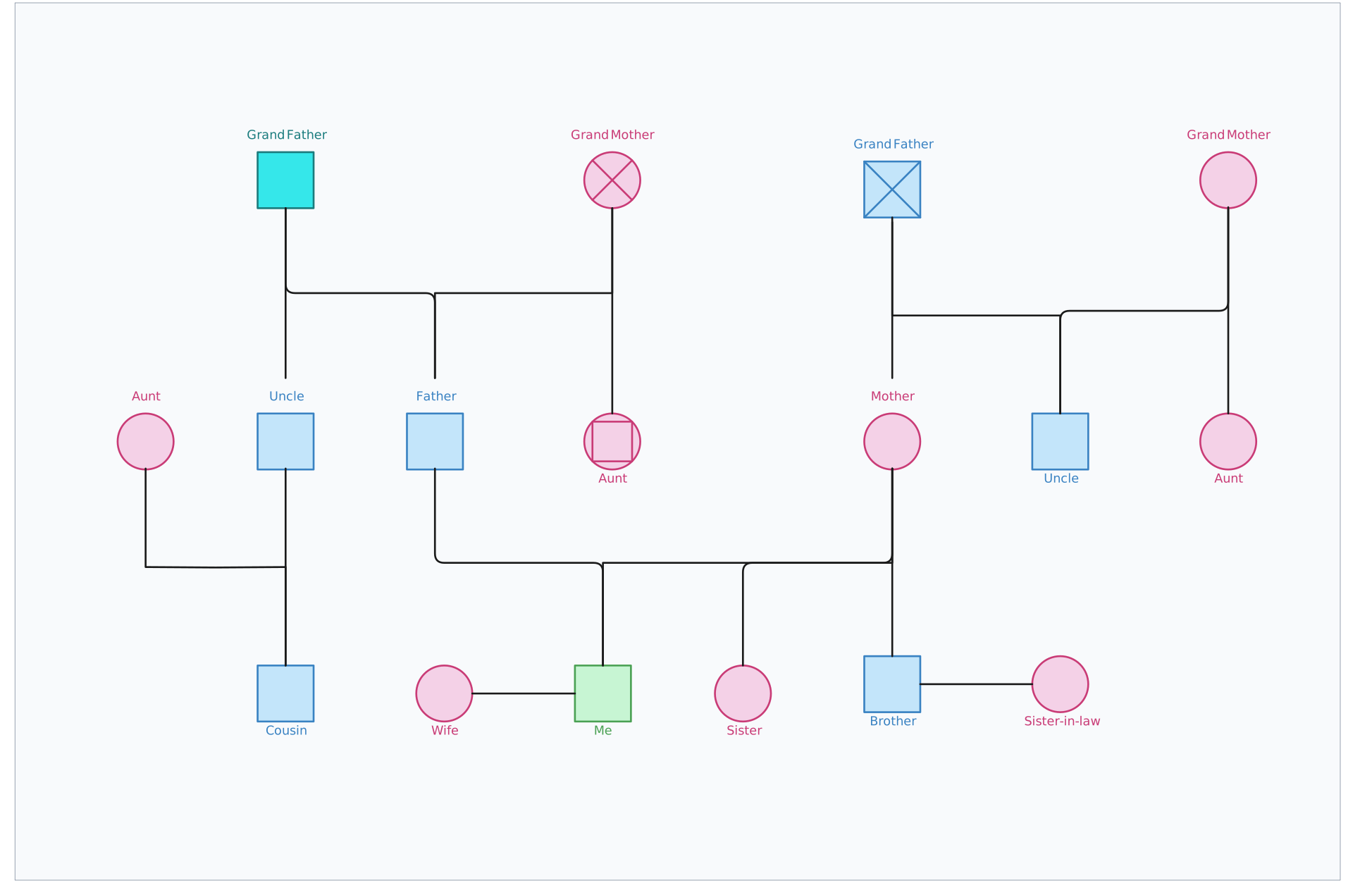

Include:
- The patient or focus person
- Parents and siblings
- Partners and children
- Maternal and paternal grandparents
- Ages or birth years
- Relevant health conditions
- Deaths and causes of death
- Marriages, separations, or divorces
How to use this example
- Add the patient and clearly mark them.
- Add siblings, partners, and children.
- Add parents and both sets of grandparents.
- Include ages, health conditions, and causes of death.
- Add a legend for any colours or abbreviations.
What it can help you identify
- Conditions that repeat across generations
- Patterns limited to one side of the family
- Missing family health information
Creately tip: Start with a three-generation template or paste your family notes into the Genogram Assistant to generate the first draft. Use the quick-add shortcuts to add parents, siblings, partners, and children, while automatic layout keeps each generation organized.
2. Family Health History Genogram Example
Use this example when your assignment focuses on medical conditions and family health patterns.
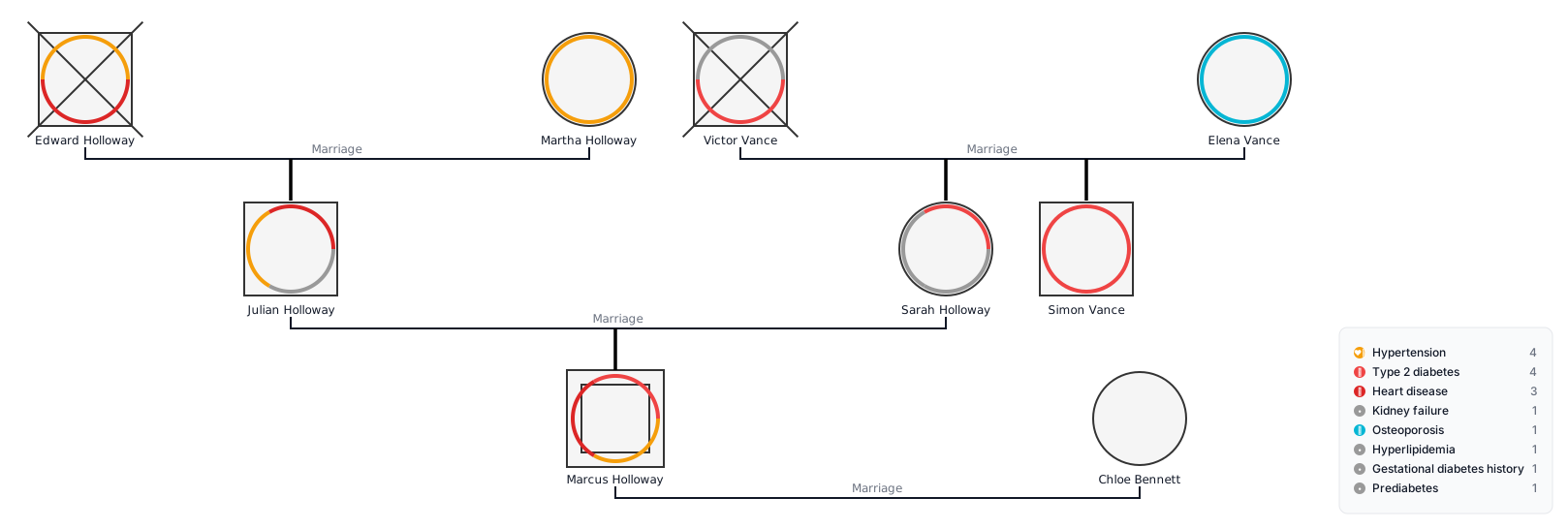
You may include:
- Diabetes
- Hypertension
- Heart disease
- Stroke
- Cancer
- Asthma
- Depression
- Substance-use disorders
How to use this example
- Add only conditions relevant to the case.
- Use one colour, label, or abbreviation for each condition.
- Include age at diagnosis and cause of death where relevant.
- Mark unknown information clearly.
- Add a legend.
What you might identify
The genogram may show:
- Conditions repeating across generations
- Patterns on one side of the family
- Similar causes of death
- Missing family health information
Use these patterns to guide your analysis, not to confirm a diagnosis.
Creately tip: Activate the Medical & Genetic fields to record conditions and other health details, then switch to Health View to see where conditions cluster across generations. The automatically generated Health Legend keeps every condition marker easy to understand.
3. Mental Health Nursing Genogram Example
Use this example when your assignment focuses on mental health, substance use, family relationships, and support systems.
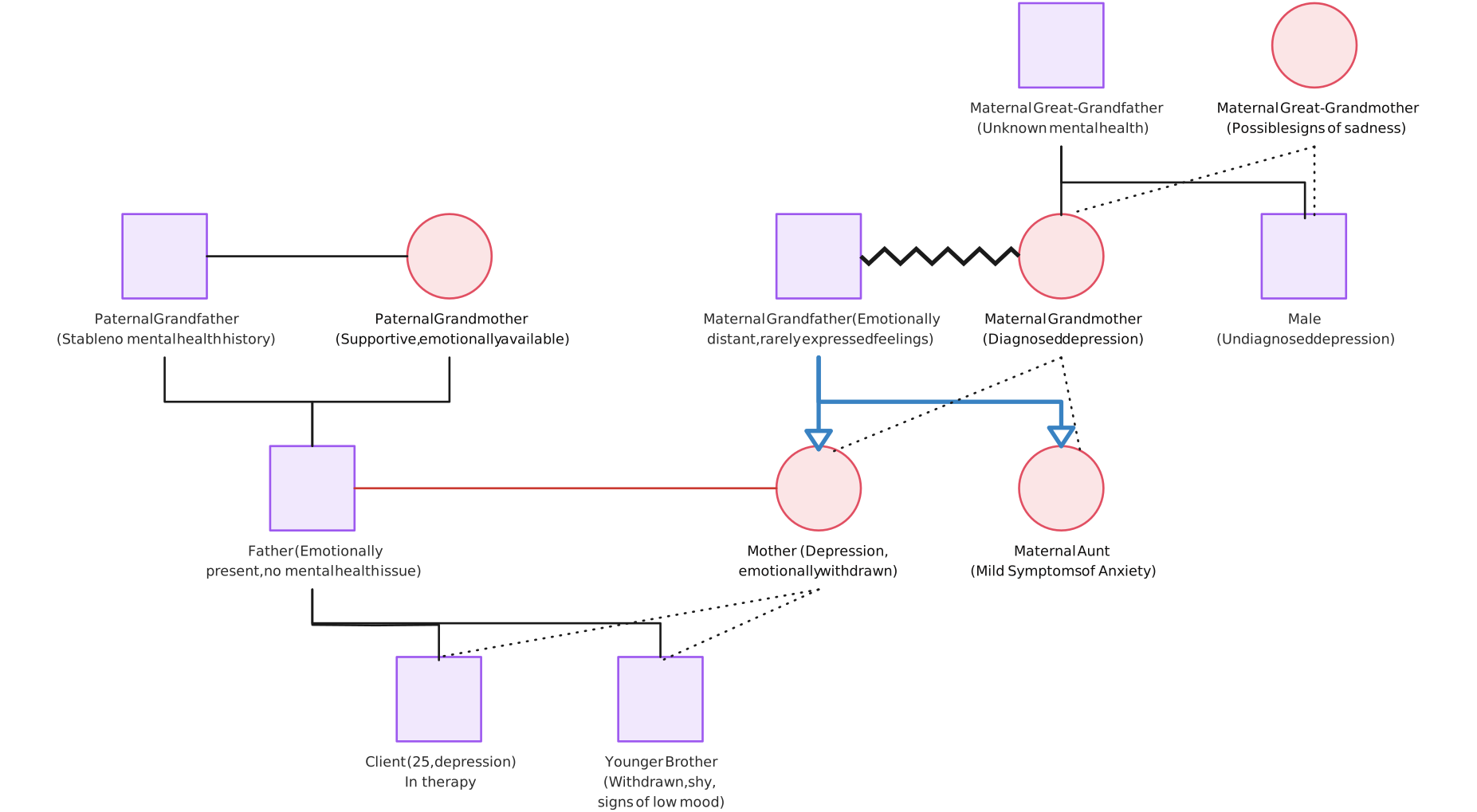
You may include:
- Mental health conditions
- Substance-use history
- Previous hospitalizations
- Suicide or self-harm history
- Close, distant, conflicted, or cut-off relationships
- Sources of support
- Caregiving roles
How to use this example
- Build the family structure first.
- Add only confirmed health information.
- Use the correct lines for key relationships.
- Mark important sources of support.
- Add a legend for all symbols and connectors.
What you might identify
The genogram may reveal:
- Conditions that repeat across generations
- Strong or limited family support
- Conflict that may affect care
- Key caregivers in the family
Avoid adding assumptions that are not supported by the information collected.
Creately tip: Use the built-in emotional relationship types to show closeness, conflict, distance, cutoff, and other important dynamics with the correct notation. You can also activate the Family Therapy fields to keep relevant information attached to each person without crowding the diagram.
4. Maternal and Child Health Genogram Example
Use this example for assignments on pregnancy, reproductive history, children, or inherited conditions.
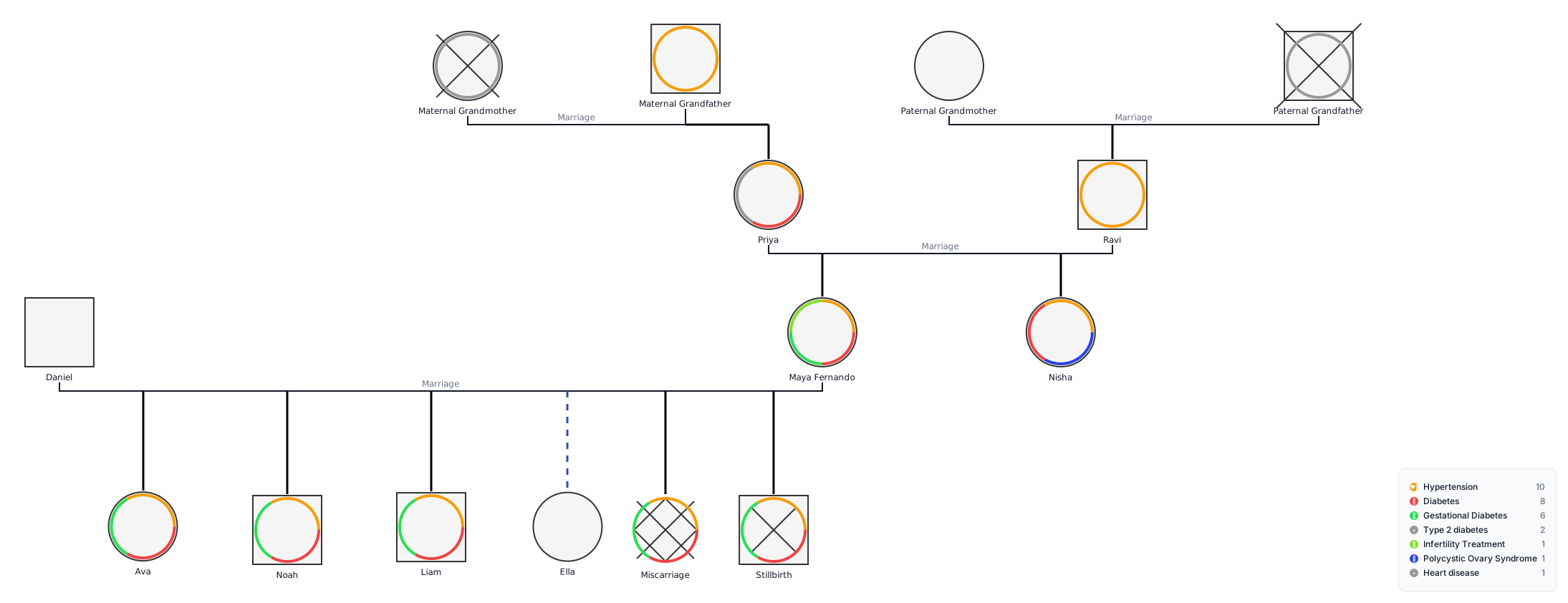
You may include:
- Pregnancies and birth outcomes
- Biological, adopted, or foster children
- Twins
- Miscarriages or stillbirths
- Infertility
- Maternal health conditions
- Congenital or inherited conditions
How to use this example
- Add only the details required for the case.
- Use the correct symbol for each pregnancy outcome.
- Place children in birth order.
- Connect twins correctly.
- Add relevant maternal or inherited conditions.
- Explain unfamiliar symbols in the legend.
What it can help you identify
- Repeated pregnancy or birth outcomes
- Maternal conditions that may affect care
- Congenital or inherited conditions in the family
Creately tip: Add pregnancy outcomes, twins, deceased family members, and biological, adoptive, foster, or step relationships using the standardized notation. Person shapes and markers update from the information entered, reducing the need to format complex symbols manually.
5. Community Health Nursing Genogram Example
Use this example when your assignment focuses on the patient’s household, caregivers, and family support system.
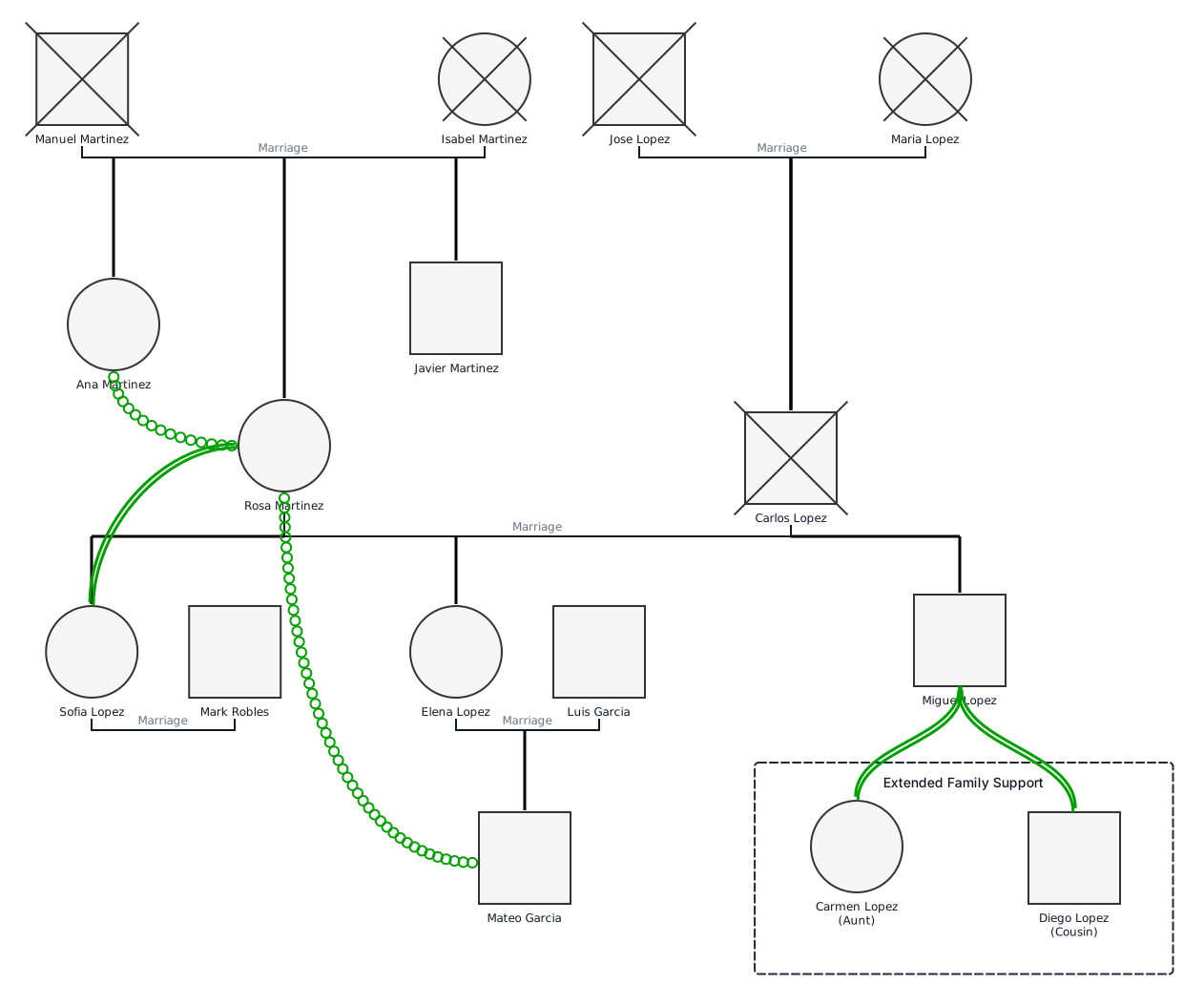
You may include:
- Household members
- Extended family
- Caregivers and dependants
- Chronic health conditions
- Supportive or stressful relationships
- Family strengths and care needs
How to use this example
- Add everyone in the current household.
- Include relatives who provide care or support.
- Mark key caregivers and relevant health conditions.
- Show important family relationships.
- Note gaps in support or communication.
What it can help you identify
- Who provides day-to-day care
- Which relatives form the main support system
- Caregiver strain or gaps in family support
Creately tip: Activate the Social Work fields only when your assignment requires household, housing, insurance, employment, or risk-factor details. Keep the family genogram and any required ecomap on the same canvas, and use comments to collect feedback from classmates or your instructor.
6. Genetic Risk Genogram Example
Use this example when your assignment focuses on inherited conditions or family genetic history.
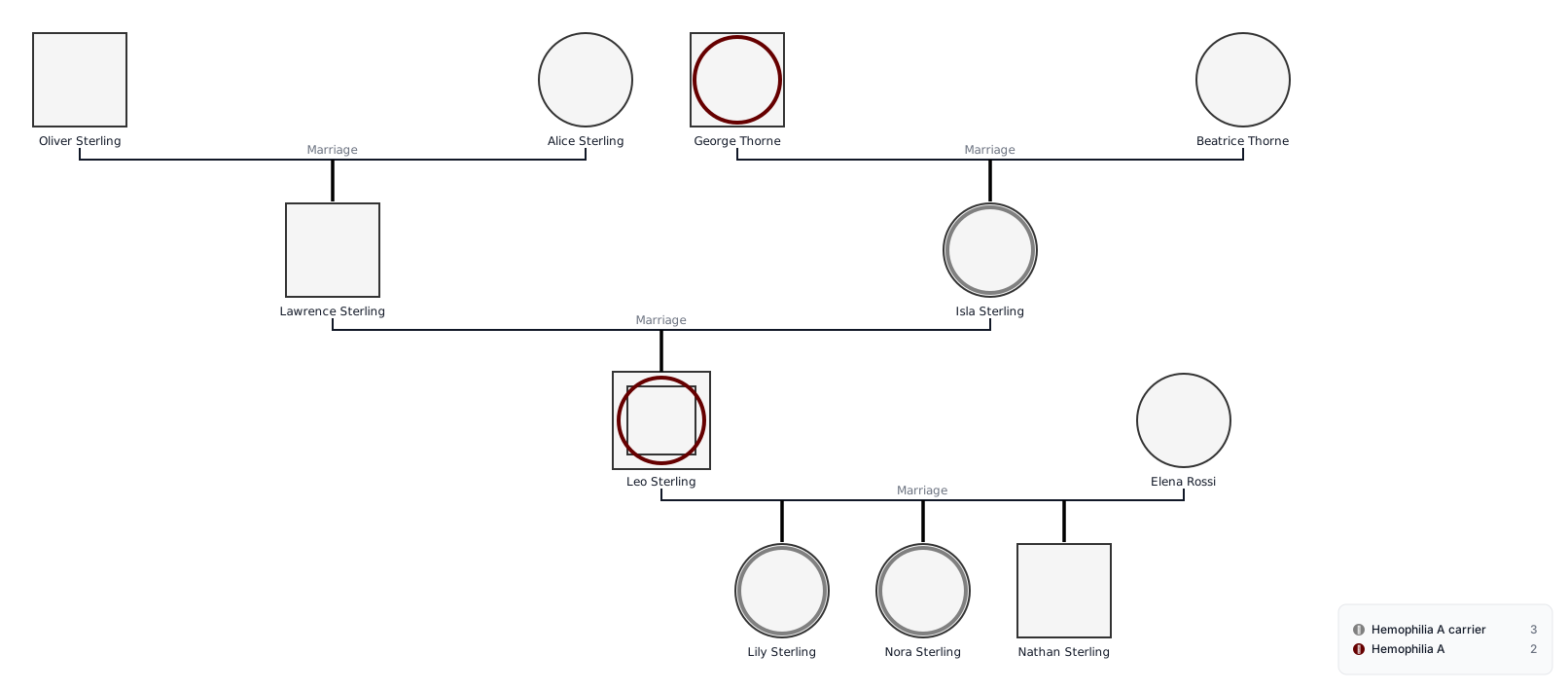
You may include:
- Known genetic conditions
- Repeated conditions across generations
- Age at diagnosis
- Carriers or affected family members
- Consanguineous relationships
- Pregnancy losses linked to genetic concerns
- Unknown family history
How to use this example
- Add at least three generations.
- Mark affected family members consistently.
- Include age at diagnosis where known.
- Show which side of the family the condition appears on.
- Add a legend for all genetic markers.
- Mark unconfirmed information as unknown.
What you might identify
The genogram may reveal:
- A condition appearing across generations
- Several affected relatives on one side of the family
- Early diagnoses that need further attention
- Gaps in the available family history
Creately tip: Run an Inherited Risk Review to highlight possible hereditary clusters and suggested areas for follow-up. Use Genetics Data Gaps to find missing diagnoses, onset ages, test results, or incomplete family-history details before finalizing your analysis.
7. Older Adult Nursing Genogram Example
Use this example when your assignment focuses on an older patient, long-term care, or family caregiving.
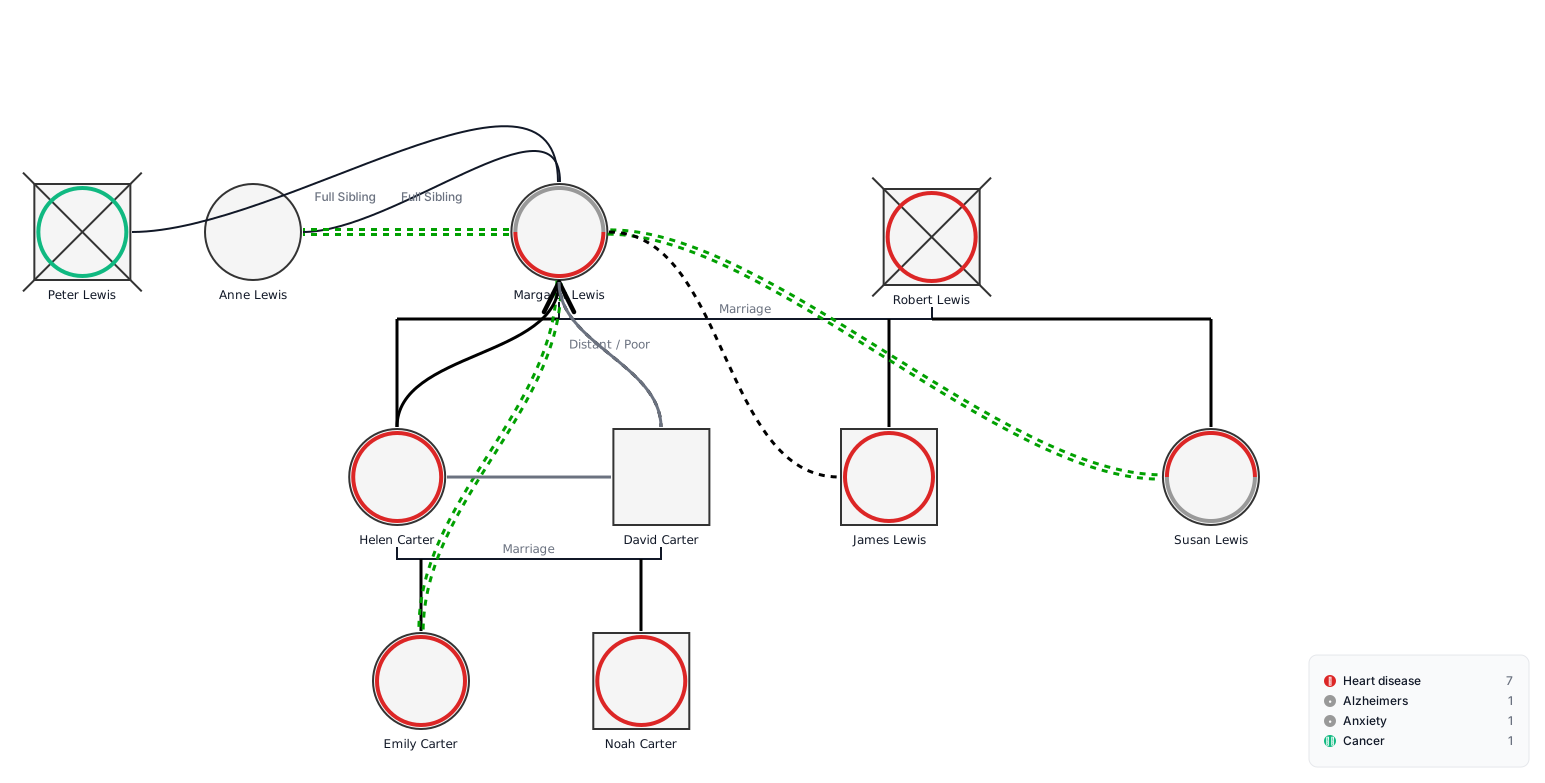
You may include:
- Chronic health conditions
- Deceased partners or siblings
- Adult children and grandchildren
- Primary caregivers
- Living arrangements
- Family support
- Caregiver strain
- Important losses or relationship changes
How to use this example
- Place the older patient at the centre.
- Add partners, children, siblings, and grandchildren.
- Mark chronic conditions and causes of death.
- Identify the main caregiver.
- Show supportive, distant, or stressful relationships.
- Note gaps in care or family support.
What you might identify
The genogram may show:
- Who is available to help with care
- Whether one person carries most caregiving duties
- Chronic conditions shared across the family
- Losses or conflicts that may affect the patient
Creately tip: Use the Clinical Family Summary to review health patterns, caregiving relationships, and missing information. Add brief notes to individual family members so important care details remain connected without overcrowding the genogram.
8. Pediatric Nursing Genogram Example
Use this example when your assignment focuses on a child’s health, development, or family care environment.
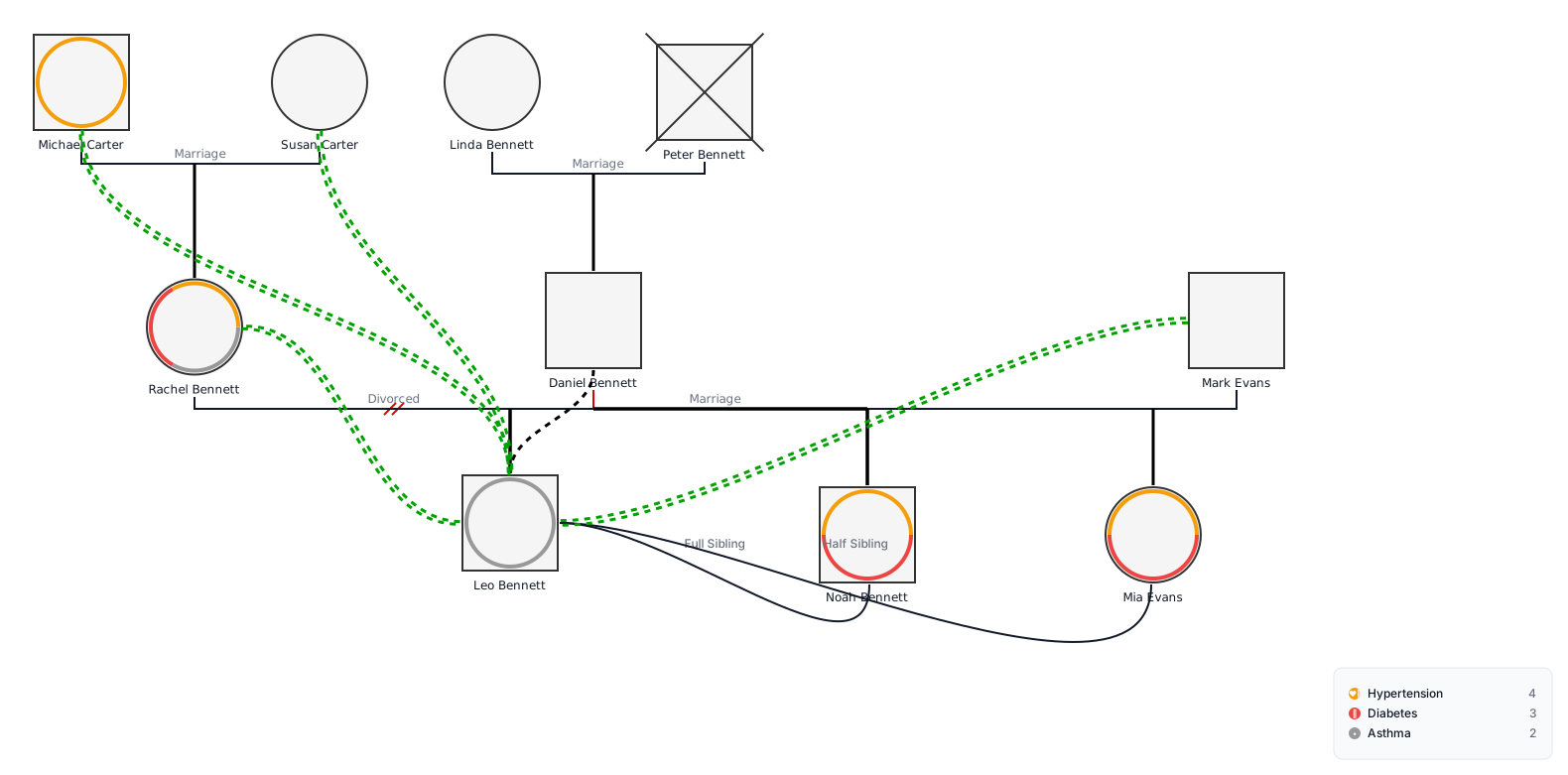
You may include:
- The child and siblings
- Parents or guardians
- Grandparents
- Congenital or inherited conditions
- Childhood illnesses
- Pregnancy and birth history
- Adoption or foster relationships
- Primary caregivers
- Family support and conflict
How to use this example
- Clearly mark the child as the focus person.
- Add parents, guardians, siblings, and grandparents.
- Include relevant birth and health information.
- Show inherited or recurring conditions.
- Identify the child’s main caregivers.
- Add important emotional relationships.
- Explain any special symbols in the legend.
What you might identify
The genogram may reveal:
- Conditions that run in the family
- Who is responsible for the child’s care
- Family relationships that support or affect treatment
- Missing health information that needs follow-up
Creately tip: Paste the child’s case summary into the Genogram Assistant to create a first draft. Use the correct biological, step, foster, adoptive, and guardian relationships, then run Evidence & Data Gaps to check for missing information.
Create and Submit Your Nursing Genogram With Creately
Choose the example that best matches your assignment and open it in Creately. Replace the sample details, add the required health and relationship information, and use the Genogram Assistant to check for missing data or patterns that may need further review. Compare the final diagram with your rubric, then export it as a PDF, PNG, SVG, or a structured PDF or DOCX report.