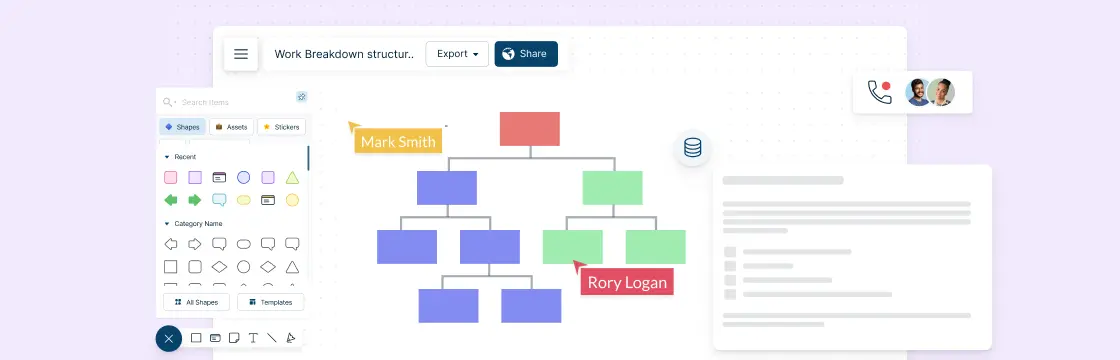
When it comes to planning a project, the work breakdown structure is one of the first things a project manager has to work on.
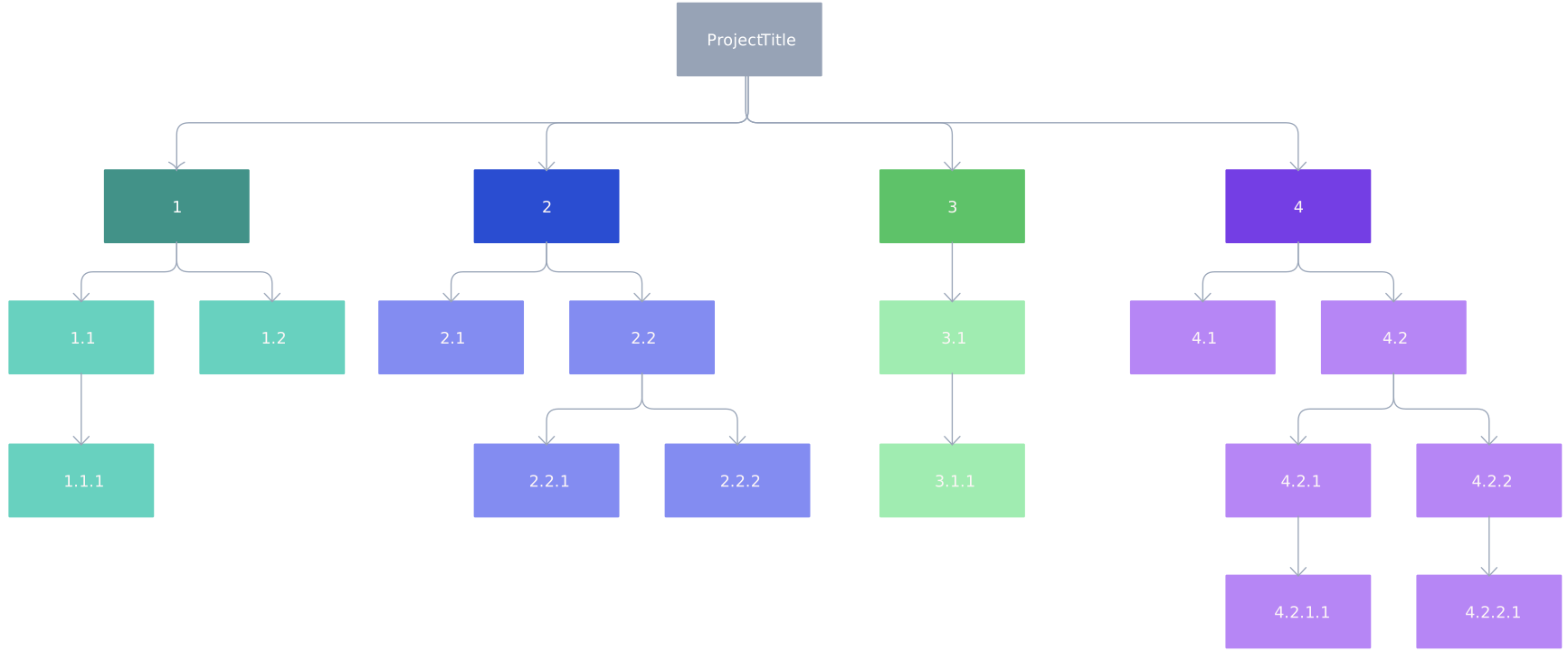
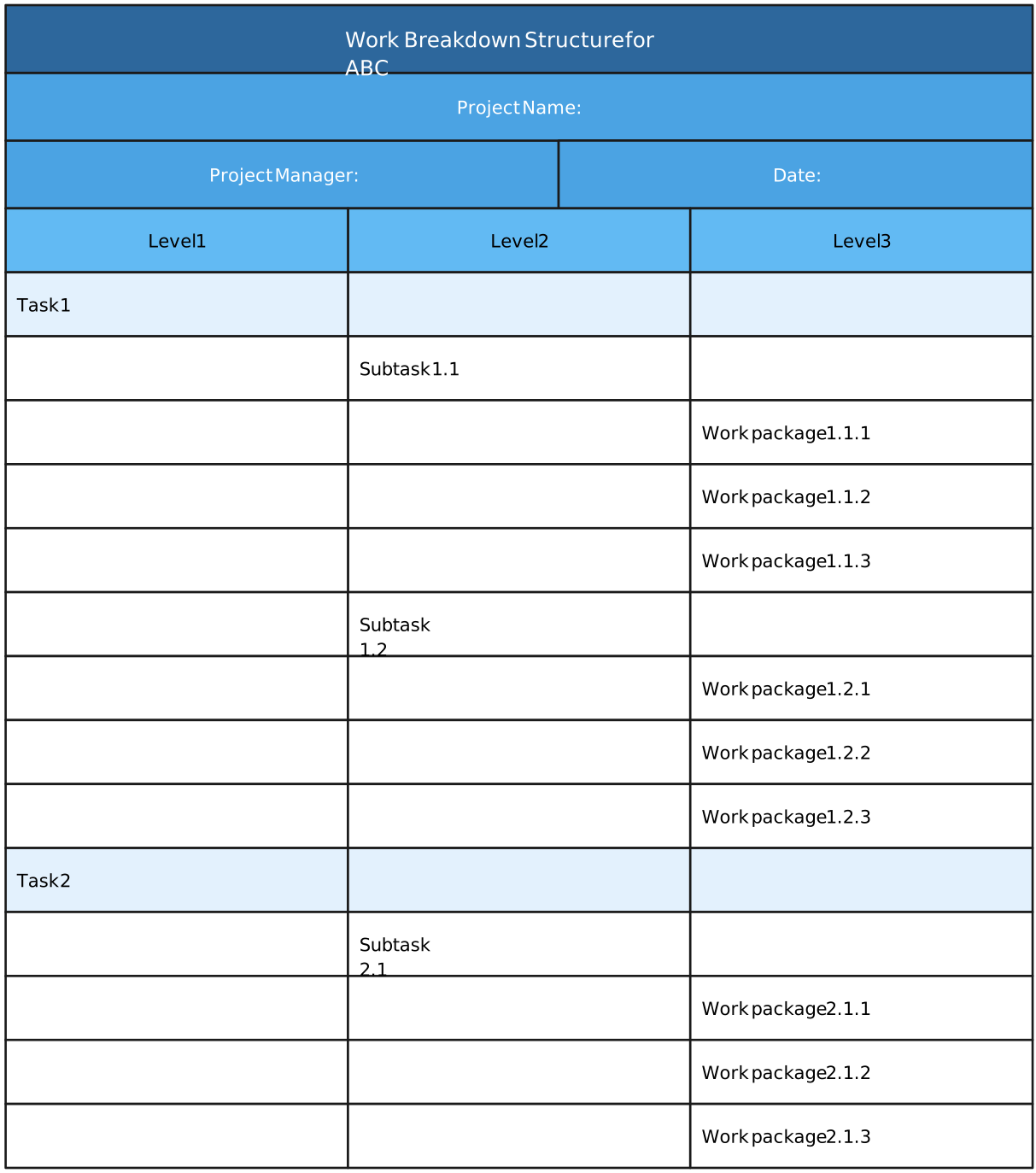
In this guide, we will explain what a work breakdown structure (WBS) is, how to create one and give you access to WBS templates for several scenarios. You can edit and export them as SVGs and images or share them with colleagues for collaboration.
What Is a Work Breakdown Structure?
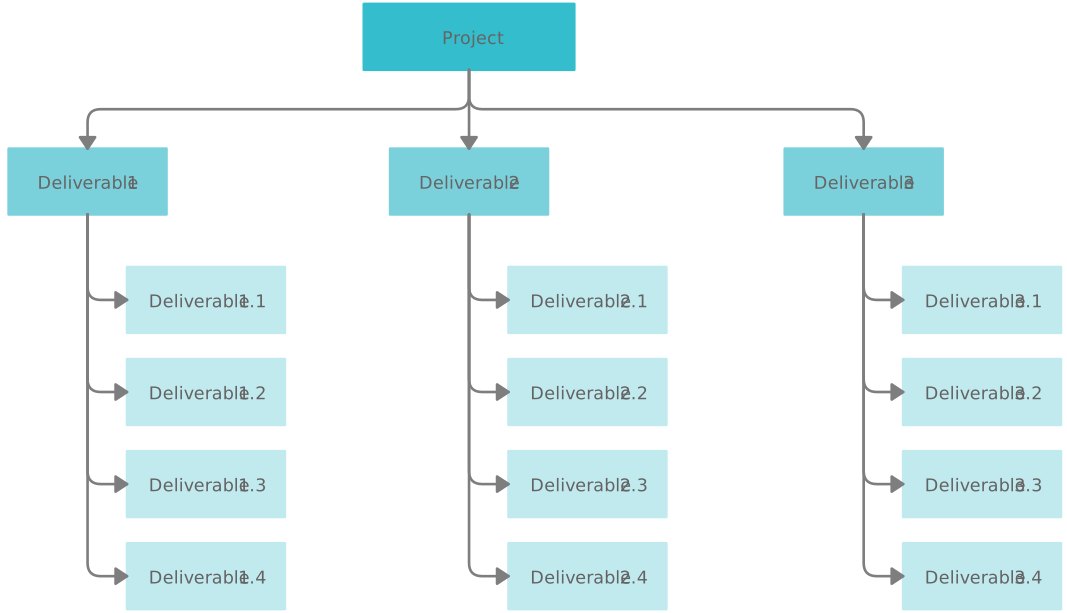
A work breakdown structure is a popular project management tool. It’s a diagram that helps break down large projects into smaller and more manageable parts, which contain the project deliverables or outcomes that it will complete.
It’s a deliverables-oriented breakdown of a project that divides project deliverables into sub-deliverables and work packages, which define the work, duration and costs for the tasks that need to be carried out.
It has a hierarchical structure. Usually, it’s better to have three levels of decomposition in a WBS. In the case of a more complex project, you may add a fourth and a fifth level.

Components of a Work Breakdown Structure
When you’re creating a Work Breakdown Structure, you’re not just listing tasks, you’re building a clear, logical map of your project’s scope. Each component of a WBS plays a specific role in breaking complex work into structured, manageable pieces that teams can actually execute.
Below are the core components of a work breakdown structure and the common terms you’ll come across during WBS creation, explained in a simple, practical way.
WBS Chart
The WBS chart is the visual representation of the work breakdown structure. It shows the entire project scope broken down into hierarchical levels, starting from the final deliverable and moving down through deliverables, sub-deliverables, and work packages.
This visual layout is what makes a WBS so powerful. Teams can instantly see how all parts of the project fit together, spot gaps early, and understand dependencies at a glance. Visual tools like Creately make this especially effective by allowing teams to expand, collapse, and reorganize levels effortlessly.
Final Deliverable
The final deliverable sits at the very top of the work breakdown structure. It represents the completed outcome of the project, what success ultimately looks like.
Every component beneath it exists for one reason: to help deliver this final outcome. Keeping the final deliverable clearly defined ensures the entire WBS stays focused and aligned.
Project Deliverables
Project deliverables are the major outputs required to complete the final deliverable. They break the overall project into large, manageable sections of scope.
Think of these as the main building blocks of your project. Each project deliverable becomes the starting point for further decomposition into sub-deliverables and work packages.
Sub-Deliverables
Sub-deliverables add another layer of clarity by breaking larger deliverables into more specific components. They help teams understand what exactly needs to be produced before diving into execution-level detail.
This step is especially useful when creating a WBS for complex projects, where jumping straight from high-level deliverables to tasks would feel overwhelming.
Work Packages
Work packages are the lowest level in a work breakdown structure and one of the most important components of WBS creation.
They define:
- The scope of work
- Expected duration
- Associated costs
- Ownership
A good rule of thumb is that work packages should be:
- Independent of one another
- Small enough to estimate accurately
- Typically completable within about 10 working days
Work packages group related tasks together, making them easier to assign, track, and control during execution.
Planning Packages
Planning packages represent parts of the project scope that are understood at a high level but not yet detailed enough to be broken into work packages.
They’re especially useful during early project planning, allowing teams to estimate costs and timelines while leaving room to refine details later as more information becomes available.
Work Streams
Work streams organize related work that runs in parallel across the project. They often reflect how teams or functions actually operate, such as design, development, testing, or marketing.
Including work streams in your work breakdown structure can make the WBS feel more intuitive and easier for teams to follow.
WBS Levels
WBS levels refer to the depth of decomposition in the structure:
- Level 1: Final deliverable
- Level 2: Major project deliverables
- Level 3 and below: Sub-deliverables and work packages
Clear levels help stakeholders quickly understand where each component fits and how detailed the breakdown goes.
WBS Codes
WBS codes are hierarchical identifiers assigned to each element in the structure.
They make it easier to:
- Reference specific components
- Track scope across tools
- Connect the WBS to schedules, budgets, and reports
WBS codes are especially valuable in larger projects where traceability matters.
Control Accounts
Control accounts group related work packages under a single management control point. They’re used to monitor performance, costs, and progress at a meaningful level, without getting lost in too much detail.
Control accounts often align with major deliverables or work streams.
Cost Accounts
Cost accounts link WBS elements to budgeting and financial tracking. They help teams compare planned versus actual costs and maintain tighter control over project spending.
By tying cost management directly to the WBS, teams gain better visibility into where money is being spent and why.
WBS Dictionary
The WBS dictionary supports the WBS chart by clearly defining each component. It explains what’s included, what’s excluded, boundaries, assumptions, and key details for deliverables and work packages. This prevents misunderstandings and ensures everyone shares the same interpretation of the scope, especially useful when multiple stakeholders are involved.
How to Make a Work Breakdown Structure
Creating a Work Breakdown Structure doesn’t have to feel like a heavy, formal exercise. When done right, it’s a collaborative, clarity-driven process that brings everyone onto the same page before execution begins.
Below are the step-by-step actions to follow when you want to create a work breakdown structure from scratch, explained in a practical, team-friendly way.
Step 1: Bring the Right People Together
Start by getting your core project team in one place, this typically includes the project manager and relevant subject matter experts.
This step is about shared understanding. Together, identify:
- The overall project goal
- High-level deliverables
- Major outcomes the project must produce
Involving the right people early prevents missed scope and reduces rework later, a common pain point when creating a WBS in isolation.
Step 2: Review Key Project Documents
Before breaking anything down, gather the documents that define the project’s boundaries, such as:
- Project charter
- Project scope statement
- Project scope management plan
These documents act as your guardrails. They ensure the work breakdown structure reflects approved scope, not assumptions or wish lists.
Step 3: Identify the Key Deliverables
Next, define the key deliverables of the project. These usually sit at Level 2 of your work breakdown structure, just below the final deliverable.
Each key deliverable should:
- Be essential to completing the project
- Represent a distinct chunk of scope
- Be handled by an independent team or function
Clear deliverables at this stage make the rest of the WBS creation significantly easier.
Step 4: Break Deliverables into Work Packages
With help from subject matter experts, decompose each key deliverable into smaller units of work, known as work packages.
This step answers questions like:
- What work is required to complete this deliverable?
- How can this work be grouped logically?
- What level of detail is enough to estimate time and cost accurately?
The goal is to reach work packages that are small enough to manage, track, and assign without overcomplicating the structure.
Step 5: Create the WBS Dictionary
Once your WBS structure is defined, document the details in a WBS dictionary.
This companion document adds clarity by outlining:
- Work package name and ID
- Scope and description
- Assigned owner
- Due dates
- Estimated effort or cost
A well-defined WBS dictionary removes ambiguity and ensures everyone interprets the structure the same way, especially important in large or cross-functional teams.
Step 6: Choose a Format and Share with the Team
Finally, decide how you’ll present and share your work breakdown structure.
You can create a WBS using:
- Text-based outlines
- Tabular formats
- Visual formats like hierarchical diagrams or flowcharts
Visual formats are often the most intuitive, especially for modern teams. Tools like Creately make it easy to build a visual WBS, generate a secure share link, and collaborate with your team in real time, so updates, feedback, and refinements happen faster and with less friction.
Do’s and Don’ts When Creating a Work Breakdown Structure
When creating a Work Breakdown Structure, a few smart practices can make the difference between a WBS that truly drives clarity and one that creates confusion. The table below highlights the most important do’s and don’ts of WBS creation to help you build a structure that actually works for your team.
| Do’s | Don’ts |
| Break work down by deliverables, not individual tasks | Don’t turn your WBS into a task list or to-do checklist |
| Apply the 100% rule to ensure all project scope is captured. According to it, the sum of the “child” tasks (on any level) must equal 100% of the parent tasks. | Don’t leave gaps in scope or include work outside the project |
| Involve project managers and subject matter experts early | Don’t build the WBS alone without team input |
| Keep work packages manageable and clearly defined | Don’t create work packages that are too large or vague |
| Use consistent WBS levels and naming conventions | Don’t mix different levels of detail in the same layer |
| Assign clear ownership to work packages | Don’t assume ownership will be figured out later |
| Validate the WBS against project documents and objectives | Don’t rely on assumptions instead of the approved scope |
| Use visual tools to make the structure easy to understand | Don’t rely only on text-heavy or static documents |
| Maintain a WBS dictionary for clarity and alignment | Don’t skip documentation for complex work packages |
| Review and refine the WBS as the project evolves | Don’t treat the WBS as a one-time, unchangeable artifact |
Free WBS Templates
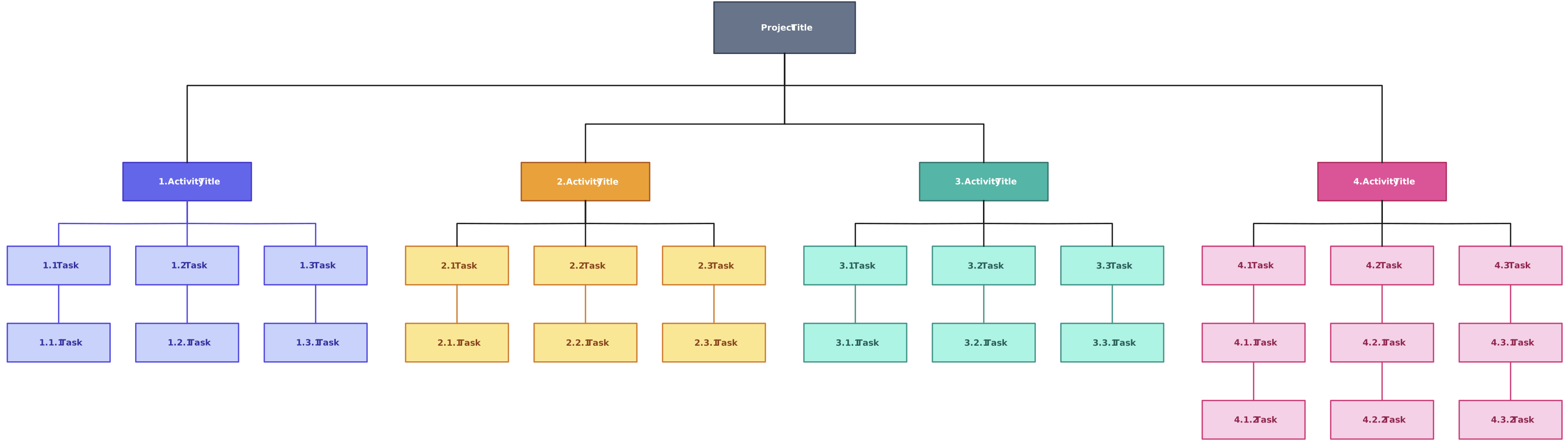


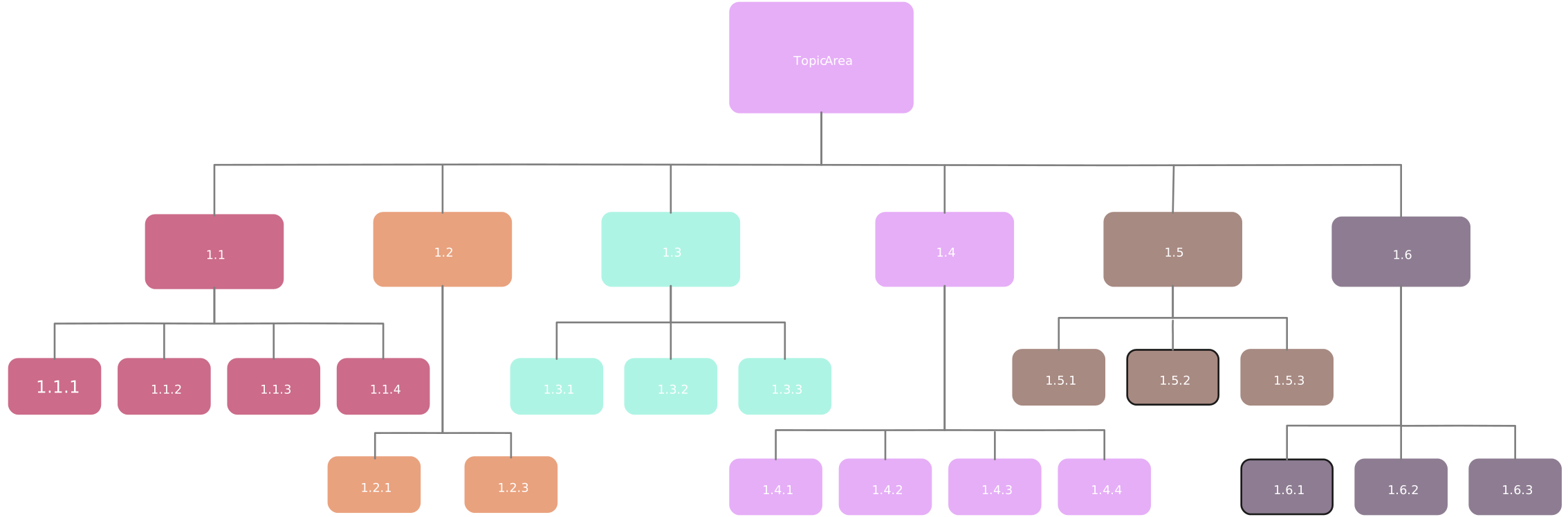
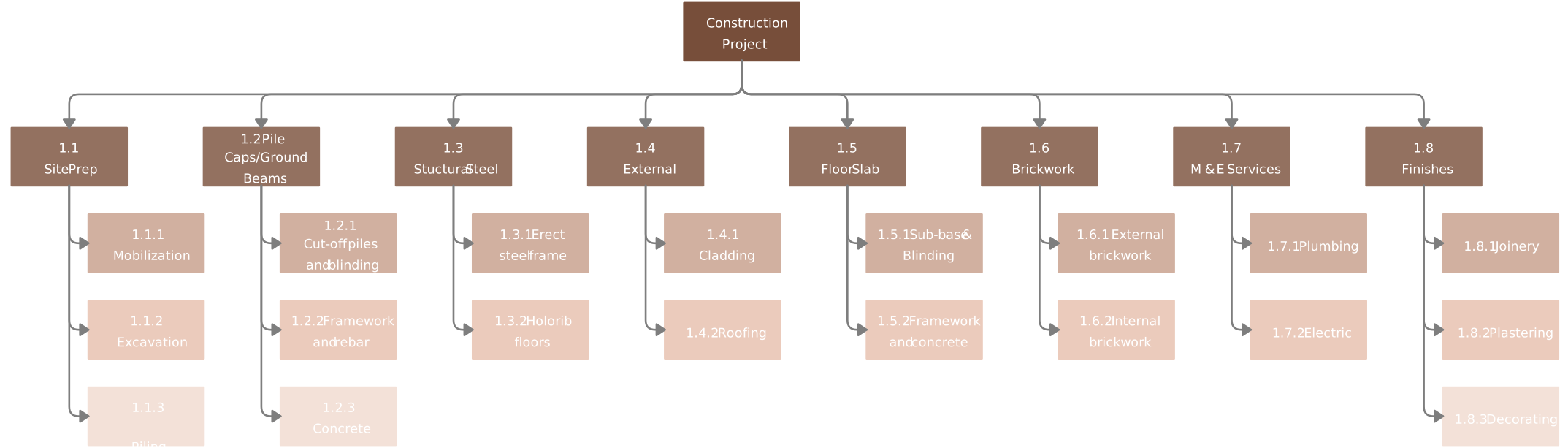
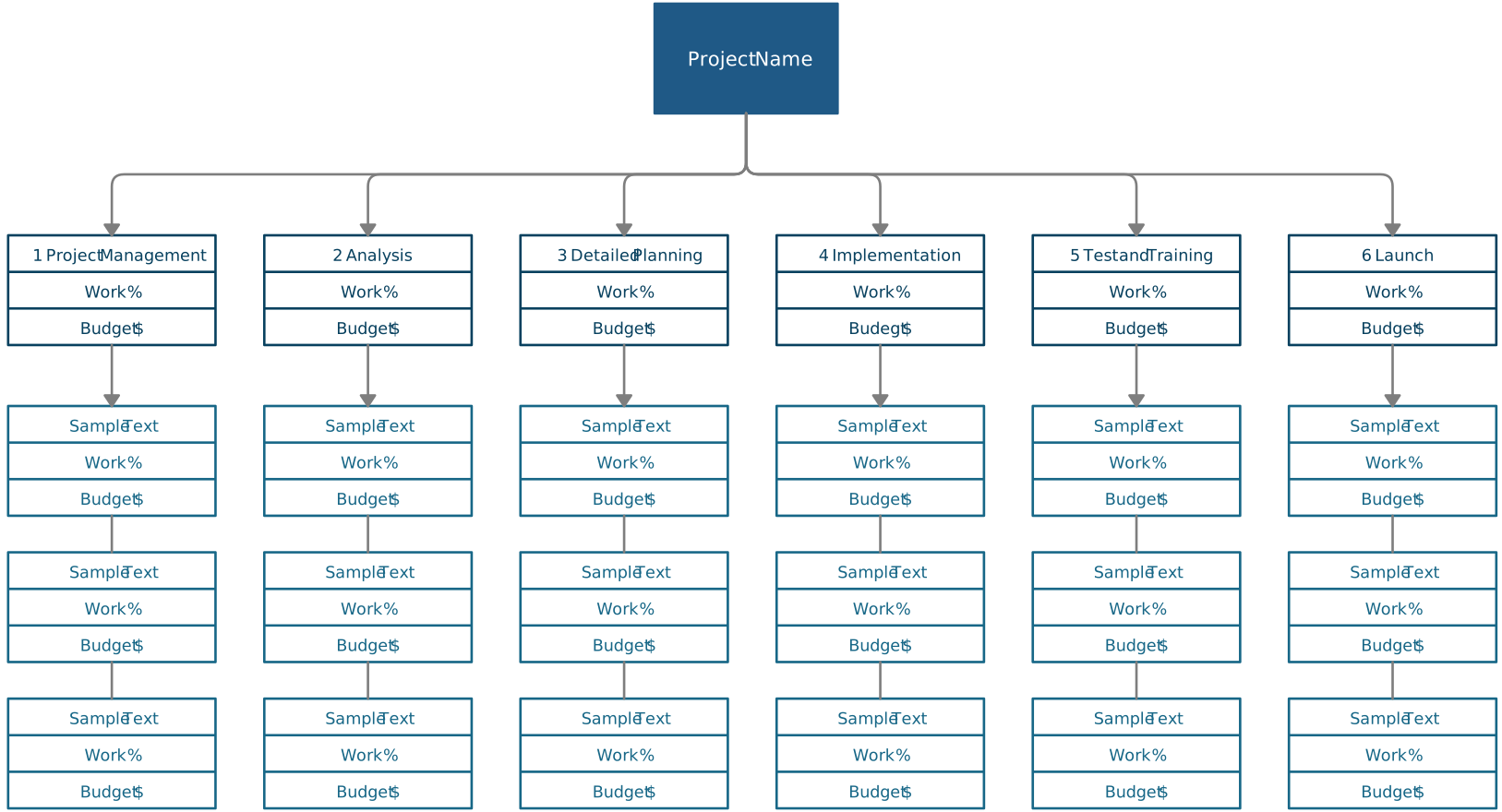
A Work Breakdown Structure helps turn complex projects into clear, manageable work by defining scope, ownership, and deliverables upfront. In this guide, we covered what a WBS is, its key components, how to create a WBS, common do’s and don’ts, and how templates simplify WBS creation.
If you want a faster, more visual way to build your work breakdown structure, try Creately. With ready-made WBS templates and real-time collaboration, it helps teams move from confusion to clarity — quickly and effortlessly.