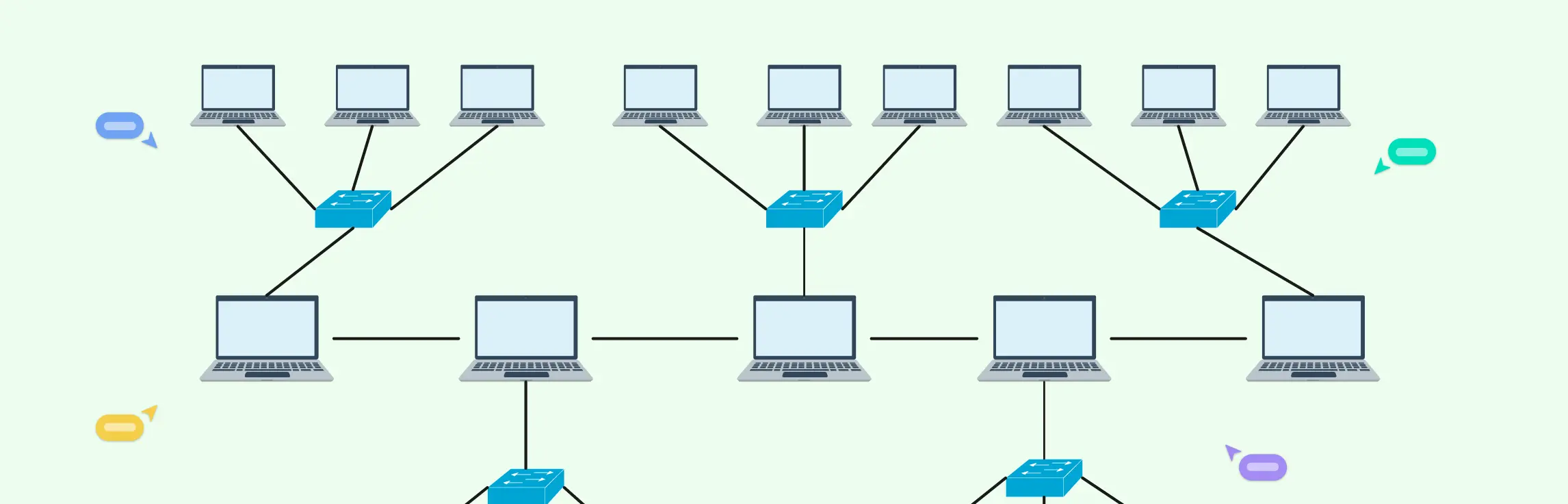
When you’re planning or managing a real-world network, clarity and control matter more than ever—and that’s where tree topology stands out. With their hierarchical layout and clearly defined branches, these diagrams make it easier to scale networks, organize complex infrastructure, and pinpoint issues without disrupting the entire system. This guide will take you through the essentials of tree topology, from how it works and its key characteristics to practical examples and diagramming tips, helping you design, visualize, and troubleshoot networks with confidence.
What Is a Tree Topology
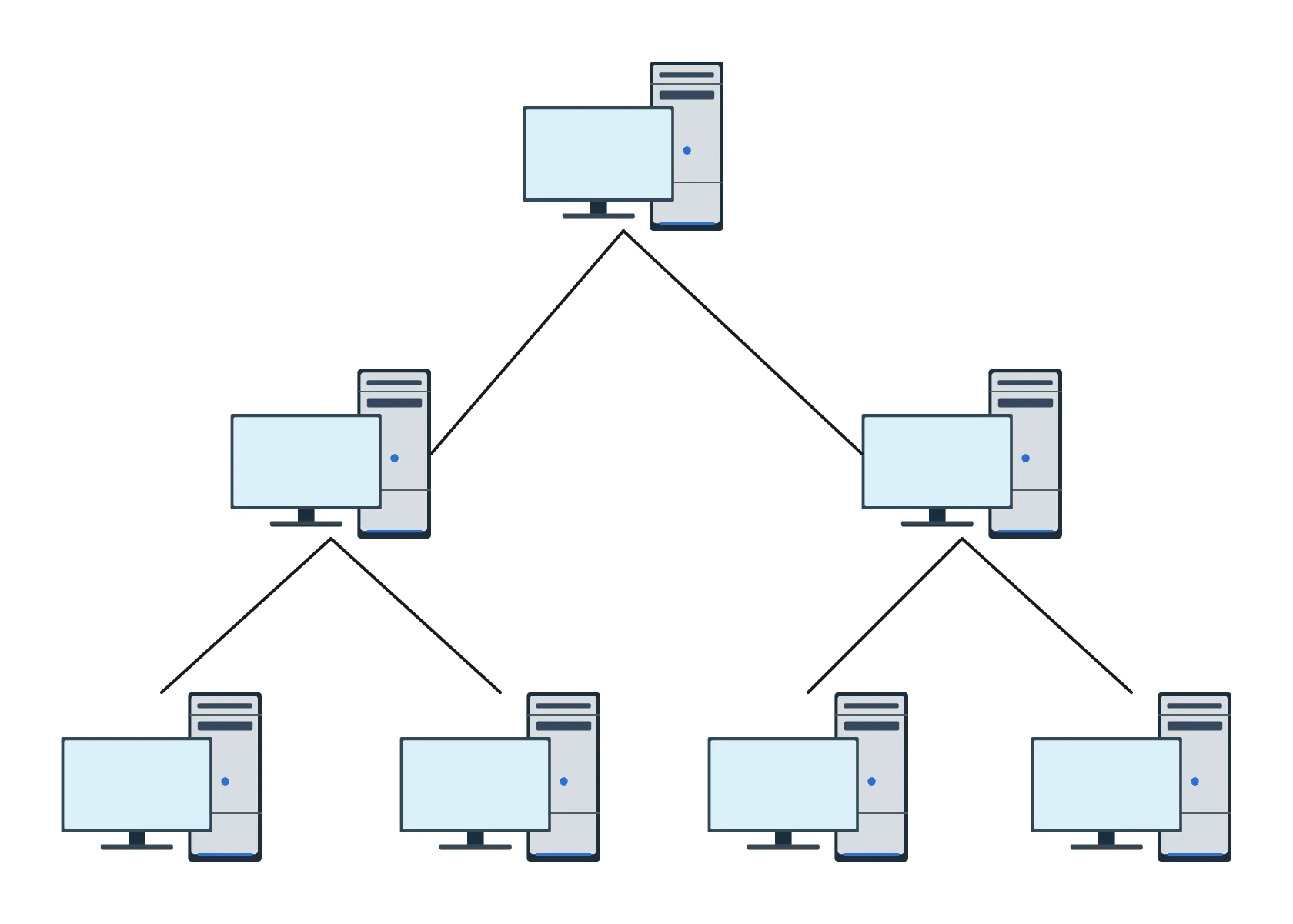
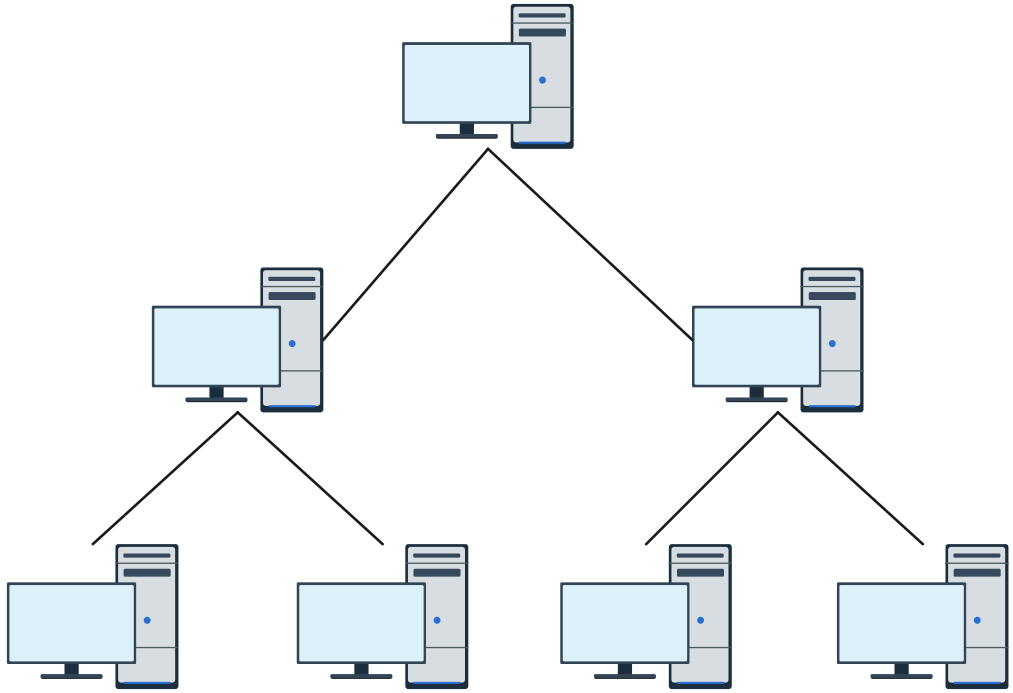
A tree topology is a way of organizing a network so that devices are connected in a hierarchical, branch‑like structure, much like the limbs of a tree. At the top is a central root node, and from there the network splits into branches with intermediate nodes and end devices. This setup blends features of both star and bus topologies, giving you the structured organization of a hierarchy with the flexibility to grow and expand.
In a tree topology, each node (except the root) connects to exactly one parent node, and communication flows up and down the levels of the hierarchy. Because of this design, tree topology is ideal for larger networks where clear levels of control and easy expansion are important.
How Does Tree Topology Work
A tree topology organizes devices in a hierarchical, branch-like structure where the top-level root node controls communication, and data flows up and down the network through clearly defined levels. This design combines multiple star networks linked by a backbone, making it easier to manage and expand large networks efficiently.
Data travels from the root node down through intermediate nodes like switches or hubs to reach lower-level devices.
Traffic from endpoint devices moves up through parent nodes back to the root, following a clear parent-child path.
Each node (except the root) connects to exactly one parent node, ensuring organized communication.
The structure allows segmented organization while keeping data flow efficient.
Adding new devices or expanding the network is simple without disrupting existing connections.
Key Characteristics of a Tree Topology
Tree topology stands out because it brings structure and scalability to network design. It blends hierarchy with flexibility so that you can clearly see how devices connect and communicate, and it’s especially useful when organizing large systems that need room to grow.
Hierarchical layout: Devices are arranged in levels, with a root node at the top and branches spreading out, making it easy to understand how data flows through the network.
Parent‑child connections: Except for the root node, every device links to one parent node, creating a clear path for communication up and down the tree.
Segmented organization: The structure naturally divides the network into segments that can be managed separately, helping with troubleshooting and control.
Scalability: New devices or branches can be added without major reconfiguration, giving you room to grow without network disruption.
Central backbone: A main line (backbone) connects different branches, supporting efficient data transmission across the entire system.
Fault isolation: Problems in one branch are less likely to disrupt the entire network, making it easier to pinpoint and fix issues quickly.
Types of Tree Topology
Tree topology can take different forms depending on how devices and branches are organized. Understanding the key types helps you design networks that are efficient, scalable, and easy to manage.
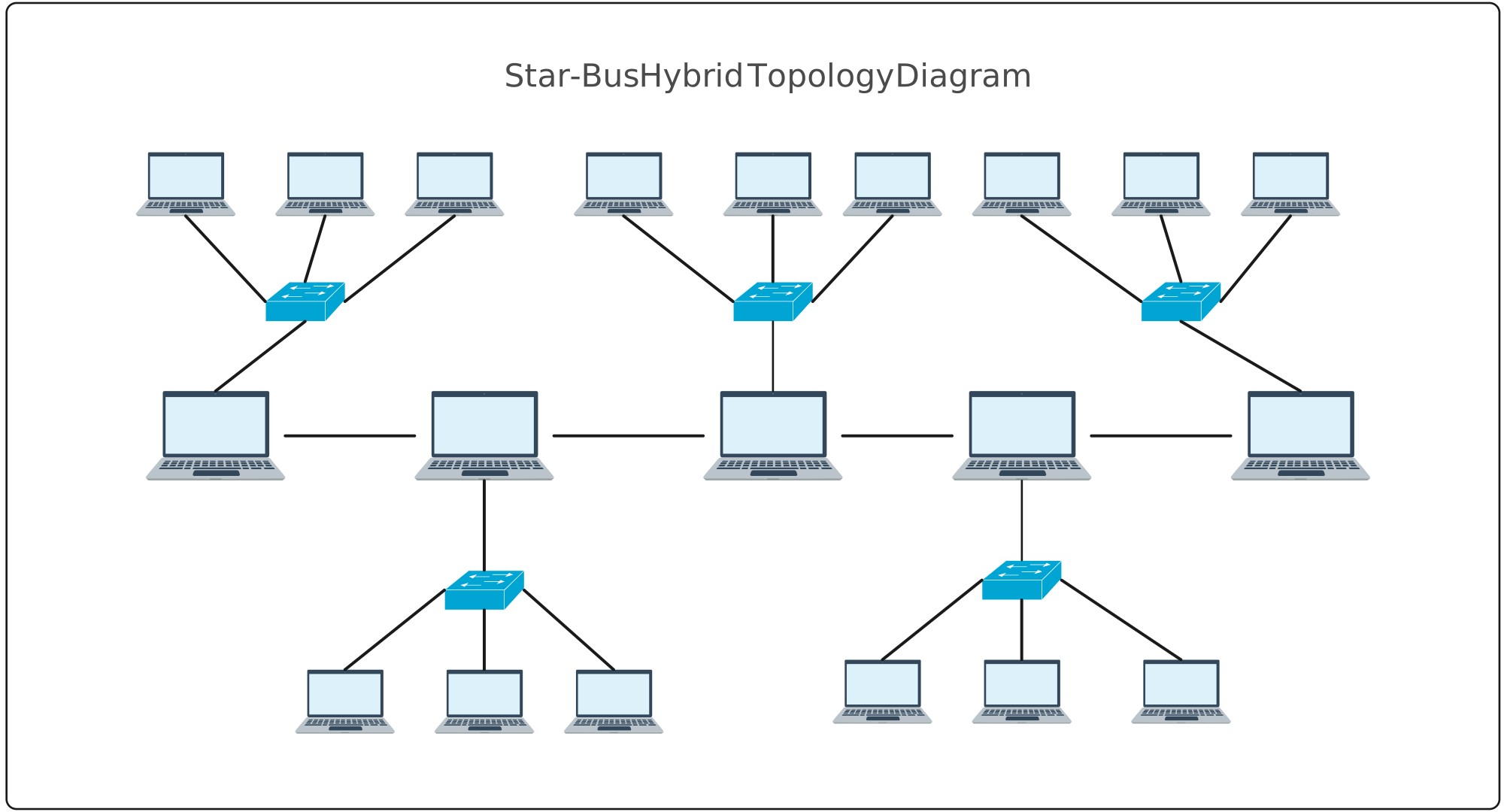
Star-bus topology: Multiple star networks, each with a central hub or switch, are connected to a single central bus backbone. This forms a tree structure that combines the simplicity of star networks with the connectivity of a bus.
Cluster tree topology: Nodes are grouped into clusters with parent (hub/switch) and child nodes, allowing hierarchical organization and easier management of large or segmented networks.
Spanning tree topology: Uses the Spanning Tree Protocol (STP) to prevent data loops in complex networks, ensuring data takes the most efficient path. This type is often used in large networks where loop-free, reliable communication is critical.
These variations show how tree topology adapts to different network sizes and management needs, from simple setups to large, enterprise-scale systems.
Applications of Tree Topology Network
Tree topology shines in situations where clear hierarchy, scalability, and organized communication matter most. Its structured layout makes it a practical choice for networks that need to grow, offer centralized control, and support efficient data management across many connected devices.
Corporate and enterprise networks: Large businesses use tree topology to connect departments and floors in a scalable way that keeps communication organized and easy to manage.
Campus and school networks: Universities and schools benefit from hierarchical layout, linking buildings and labs while maintaining control and simplified troubleshooting.
Branch office connectivity: When multiple branch offices need reliable links back to a central system, tree topology helps establish clear, expandable pathways.
Telecommunications systems: Service providers use tree structures to organize large numbers of nodes and equipment, enabling consistent service and easier maintenance.
Distributed systems with clear levels: Any environment that requires segmented grouping of devices — like data centers or multi‑tiered network layers — finds tree topology useful for managing traffic and hierarchy.
Advantages and Disadvantages of Tree Topology in Networking
| Aspect | Advantages of tree topology | Disadvantages of tree topology |
| Scalability | Easily add new devices or branches without affecting existing network segments. Supports gradual growth for large systems. | Adding many new branches can complicate the structure and may require careful planning to maintain efficiency. |
| Hierarchy & organization | Clear parent-child relationships and levels make the network easier to manage, control, and troubleshoot. | Complexity increases with the number of levels, making network design and documentation more challenging. |
| Fault isolation | Issues in one branch usually don’t affect the entire network, helping pinpoint and fix problems faster. | If a higher-level node (like the root or a main hub) fails, multiple branches may lose connectivity, creating potential single points of failure. |
| Centralized control | The backbone and hierarchy allow easier monitoring, policy enforcement, and network management. | Centralized monitoring can become a bottleneck if traffic or control demands grow too high. |
| Performance & data flow | Data follows defined paths up and down the hierarchy, reducing congestion and enabling predictable performance. | Heavy traffic in certain branches can still cause localized congestion if not properly balanced. |
| Cost & maintenance | Efficient for structured networks with moderate device numbers. | Requires more cabling, hardware (hubs/switches), and setup effort compared to simpler topologies, increasing costs and maintenance needs. |
Tree Network Topology vs Other Topologies
| Topology | How it works | strengths | Limitations compared to tree topology |
| Star topology | Every device connects directly to a central hub or switch. | Simple to set up, easy to manage on small networks, faults in one device don’t affect others. | Doesn’t scale well for large systems; lacks the hierarchical structure and segmentation that tree topology provides. |
| Bus topology | All devices share a common communication line (backbone). | Very simple and inexpensive to implement for small setups. | Performance drops as devices increase; less organized and harder to troubleshoot than tree topology. |
| Ring topology | Devices form a closed loop where each device connects to two neighbors. | Data moves predictably around the ring; easy to implement in small systems. | Not ideal for growth or complex layouts; a single break can disrupt communication, unlike tree topology’s segmentation. |
| Mesh topology | Every device connects to many others, creating multiple paths. | Excellent redundancy and fault tolerance; great for critical systems. | More expensive and complex; overkill for networks that mainly need structure and scalability, where tree topology shines. |
| Hybrid topology | Combines two or more different topology types into one network. | Flexible and tailored to specific needs; can balance performance and cost. | More complex to design; tree topology may be simpler to manage when hierarchy and growth are primary goals. |
How to Draw a Tree Topology Diagram
Step 1. Define the network scope
Start by deciding the purpose of your tree topology diagram. Identify which devices, branches, and levels you want to include. Determine whether the diagram represents a small office LAN, a campus network, or a larger enterprise system. This ensures your diagram stays focused and easy to follow.
Step 2. Identify nodes and connections
Make a list of all devices, including computers, servers, switches, and hubs. Decide which nodes act as parent nodes, which are child nodes, and how each device connects to the root. This step ensures your hierarchy is accurate and that all connections are clear before you start drawing.
Step 3. Choose a network diagramming tool
Select a network diagram software specifically designed for network diagramming to make your tree topology diagram clear, professional, and easy to update. Creately is an excellent choice because it offers:
Network-specific templates: Ready-made tree topology and hierarchical network diagram templates that follow industry standards.
Predefined network shapes and icons: Standard symbols for routers, switches, hubs, servers, and end devices for clarity and consistency.
Intelligent connectors: Automatically attach links between nodes, maintaining proper parent-child hierarchy.
Layering and grouping: Organize branches and sections to reflect real network hierarchy.
Real-time collaboration: Share diagrams with team members to get feedback or edit together.
Export and sharing options: Save diagrams in PDF, PNG, or SVG for presentations or documentation.
Step 4. Draw the root node and main backbone
Place the top-level root node at the center or top of your diagram. Draw the main backbone connecting the first level of branches. Keep lines straight and evenly spaced so the hierarchy is easy to read and visually balanced.
Step 5. Add branches and child nodes
Extend the diagram by adding intermediate nodes and end devices. Maintain the parent-child relationships and label each node clearly. Use visual cues like colors, icons, or shapes to differentiate between device types and network segments.
Step 6. Review and optimize the diagram
Check the diagram for clarity, completeness, and accuracy. Ensure data flow paths are easy to follow and the hierarchy is visually balanced. Adjust spacing, colors, labels, or connectors if needed. Save your final diagram and export it for sharing, presentations, or documentation.
Free Editable Tree Topology Templates
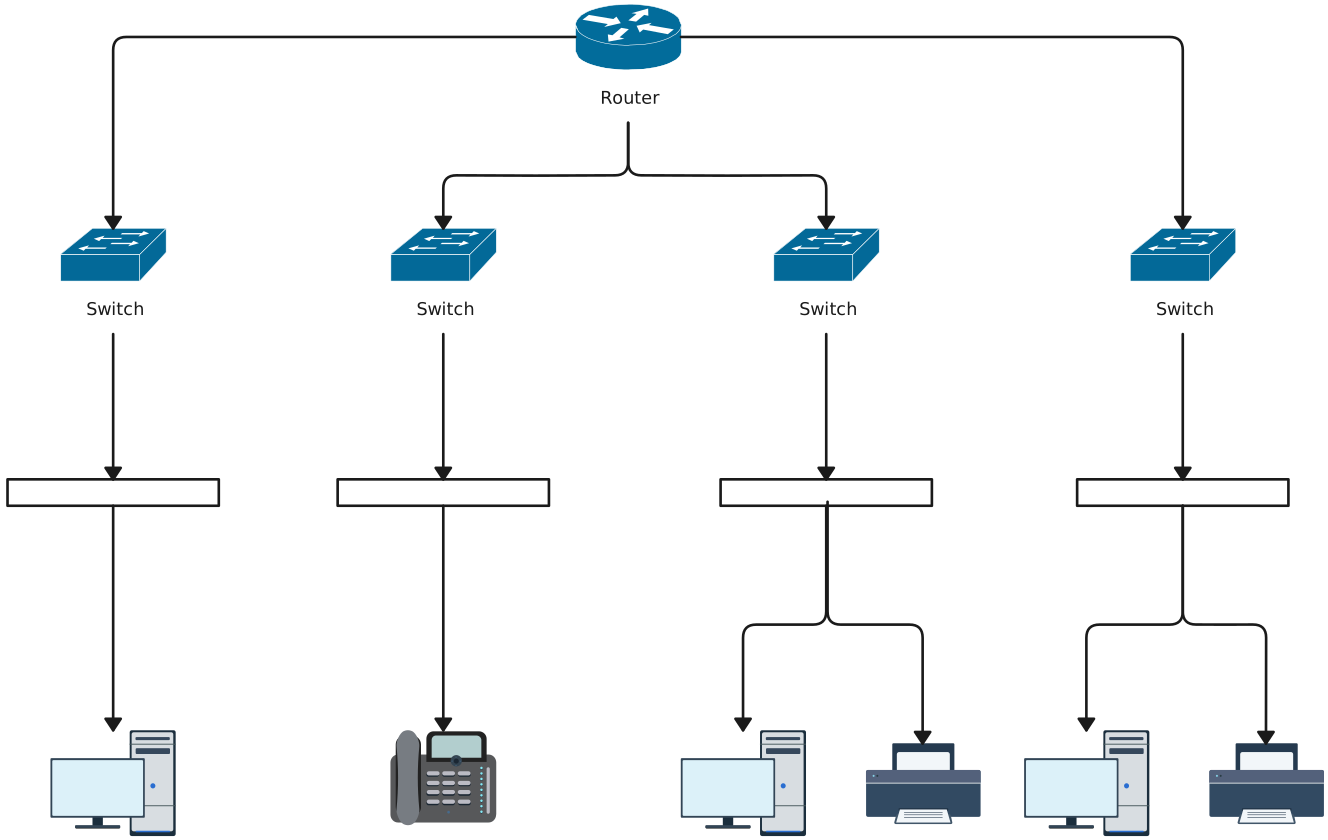
Tree Topology Diagram

Information Logical Tree Network Diagram
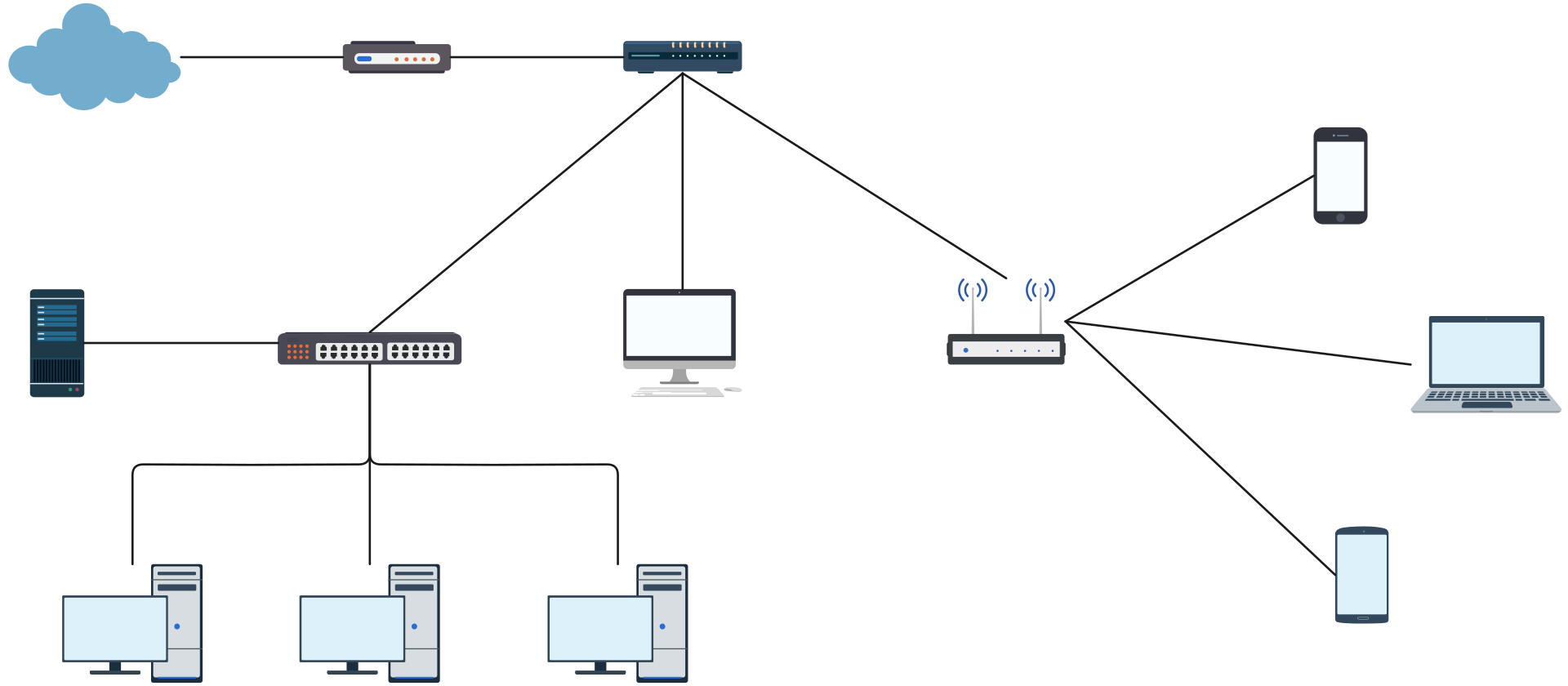
Simple Local Area Network Tree Diagram
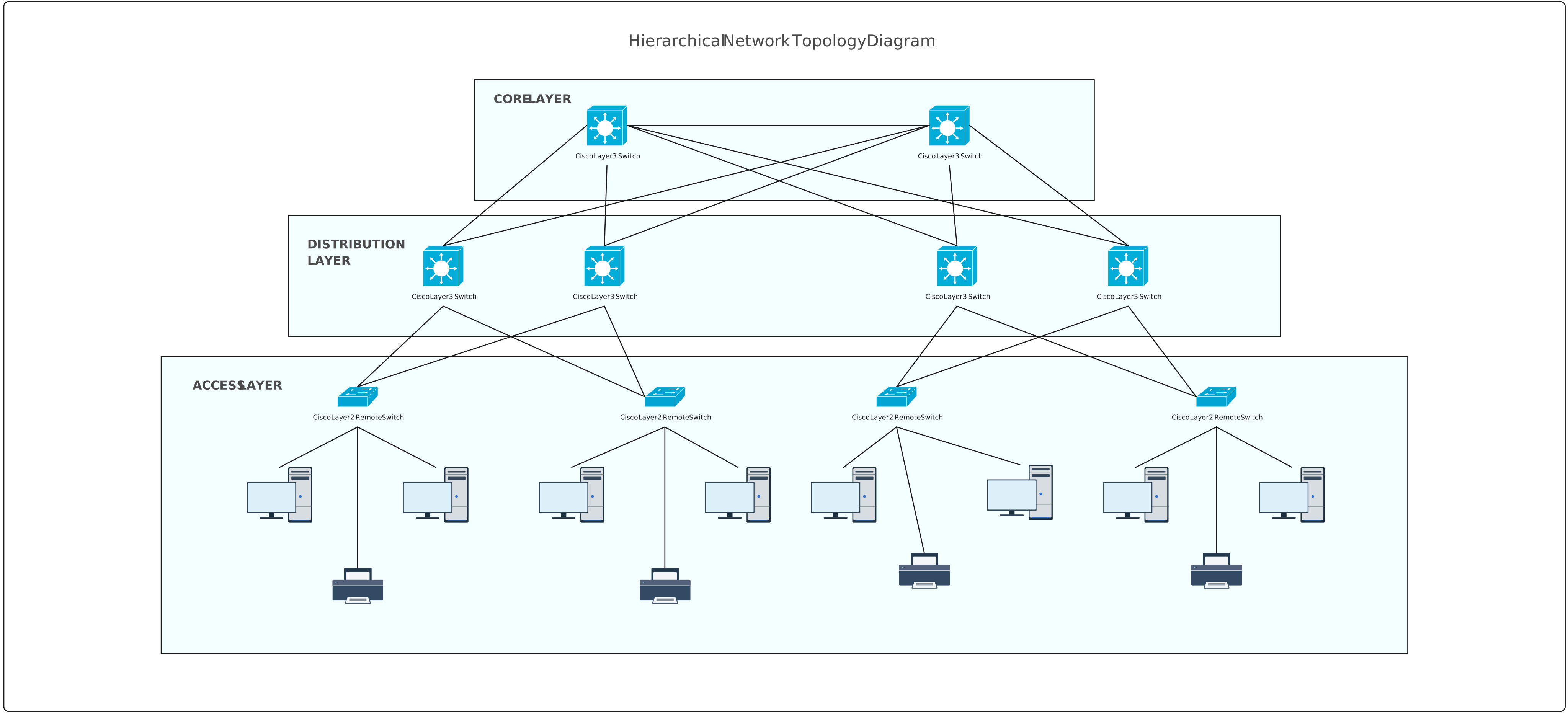
Hierarchical Tree Topology Diagram
Star-Bus Hybrid Topology Diagram
Helpful Resources
Learn how to draw a network diagram step by step, from planning what to include to laying out components clearly and choosing the right symbols.
Discover key bus topology diagram elements, highlight common design patterns, and point out the limitations you need to account for when working with this topology.
Learn how to create clear and professional star topology diagrams for LANs. Discover key components, types, advantages, comparisons with other topologies, and step-by-step tips for designing effective network diagrams.
Discover how a hybrid topology diagram effectively visualizes complex networks. Explore types, advantages & disadvantages, step-by-step creation tips, and best practices, plus free templates to plan, scale, and manage networks with ease.
Learn what mesh topology is, how it works, variations like full and partial mesh, and see clear network topology diagrams. Includes advantages, disadvantages, and free templates.
Understand how to approach Cisco network topology diagrams with confidence and create visuals that are practical, accurate, and easy to understand.
Learn how to create a home network setup diagram step by step, understand common layouts, follow practical best practices, and use free templates to map your setup.
Discover how to create a wide area network diagram step by step, understand key components, WAN examples, and follow proven best practices.
Everything you need to know about LANs, from the basics and key components to network types, advantages, and best practices.
Discover what a logical network diagram is, how it differs from a physical network diagram, why it’s useful, and how to create one.